Automate research, make corrections, and integrate easily into text editors for convenient content generation and error detection.
36M visits/mo+12%#4 Writing & Content
Windows AI writing assistant that corrects text in any app via hotkey or voice
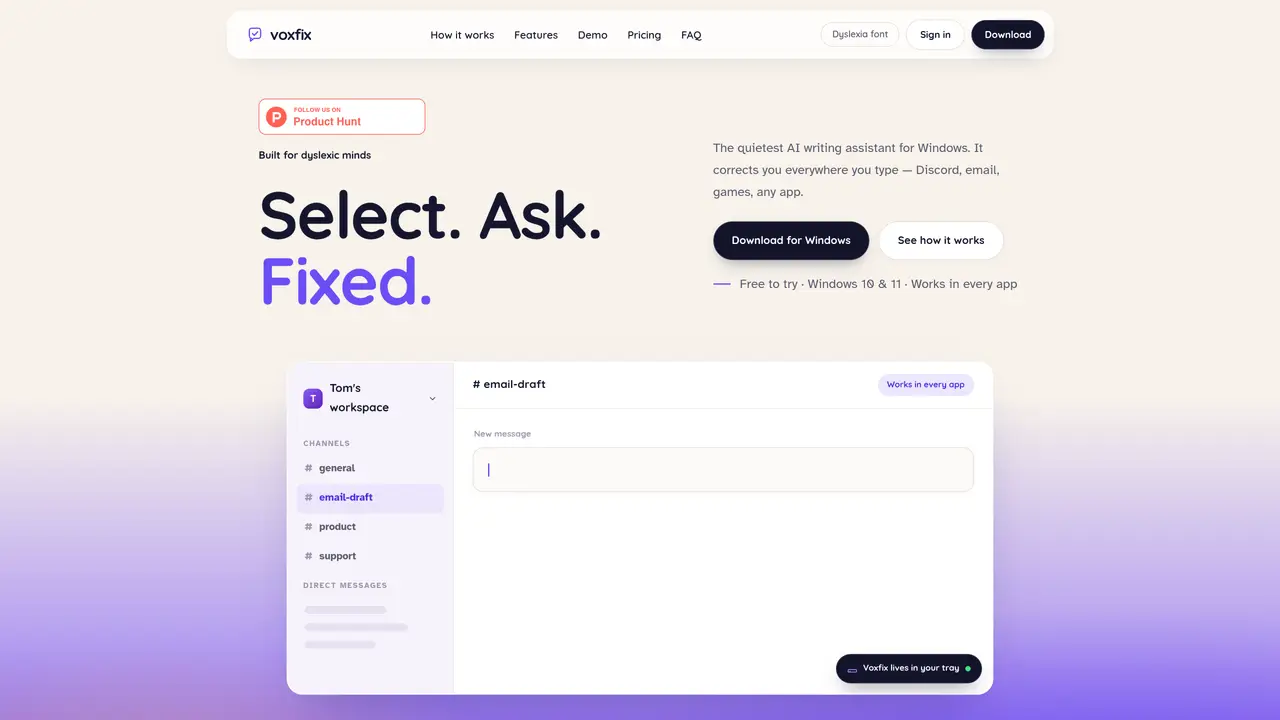
Voxfix is a Windows-based AI writing assistant designed to correct text in any application through keyboard shortcuts or voice commands. It operates silently in the system tray and integrates with text fields across Windows, including email clients, messaging platforms, games, and web browsers. Users can select text and trigger corrections with a hotkey, receiving inline suggestions that are applied with a single click or automatically. The tool also supports voice interaction, allowing users to ask aloud whether text is spelled correctly and receive spoken responses before applying fixes. All processing is performed locally at the moment of use, with no logging or storage of text or audio. The application targets users who require frequent writing assistance, particularly those with dyslexia, by providing immediate feedback without disrupting workflow.
Voxfix is a Windows-based AI writing assistant that corrects text in any application using keyboard shortcuts or voice commands. Users select text and trigger corrections with a hotkey, receiving inline suggestions that can be applied with a single click or automatically. Voice interaction allows users to ask aloud whether text is spelled correctly and receive spoken responses before applying fixes.
Voxfix targets users who require frequent writing assistance, particularly those with dyslexia, by providing immediate feedback without disrupting workflow. It is suitable for anyone who types frequently and needs quick, silent corrections across various applications.
No, Voxfix processes text and audio only at the moment of use and does not log or store any of this data. All processing is performed locally.
Yes, Voxfix works in any text field across Windows, including email clients, messaging platforms, games, web browsers, and other applications like Discord, Gmail, Slack, Teams, Notion, and Chrome.
Voxfix offers a free tier with 10,000 tokens per day and both correction modes, available in every app without requiring a credit card. A premium tier is available, which quadruples daily usage to 40,000 tokens and prioritizes voice requests.
Download Voxfix for Windows, install it, and set your hotkeys once. The application runs quietly in the system tray and is ready to use immediately. Note that Windows SmartScreen may show a warning on first run due to the software being unsigned.
We use essential cookies to run aitoolnavio™, and optional cookies to analyze traffic and measure our marketing. You choose what we use — optional cookies stay off unless you turn them on. See our Privacy Policy.
One short email a week: fresh tools worth trying, honest takes and the updates that actually matter. No spam, unsubscribe any time.
Automate research, make corrections, and integrate easily into text editors for convenient content generation and error detection.
AI-powered writing assistant for grammar, style, and tone improvements across documents and emails.
AI-powered writing tool for paraphrasing, summarizing, and enhancing writing effortlessly.
AI-powered proofreading, editing, plagiarism checking, and citation generation for academic papers.
Detect errors, check language style, reword sentences for desired writing style.
Detect errors, suggest real-time corrections, and provide a variety of writing tools.
AI-powered grammar and writing assistant that corrects English text, rephrases sentences, suggests synonyms, and translates content.
Instantly corrects spelling, typos, and punctuation, suggests synonyms, and ensures error-free content for businesses.
Hemingway offers a seamless solution for enhancing writing clarity and conciseness with its AI-powered tool.
Professional proofreading and editing service for students, writers, and businesses with 24/7 support and free samples.
Fix errors, paraphrase text automatically, and generate new content for clearer ideas.
Enterprise AI platform that enforces consistent, inclusive writing across teams with style rules and integrations.
Matched on what this tool does — grouped by the job you would be replacing.
matches Inline text correction with diff visualization · Hotkey-triggered corrections · Cross-application compatibility
Generate content, correct spelling, suggest synonyms to enhance writing.
Type faster with AI predictions, spell-check, multi-word suggestions, and support for 85+ languages in any app.
AI-powered writing assistant with suggestions, translations, corrections.
matches Voice-based spelling verification and fixes · Hotkey-triggered corrections · Cross-application compatibility
Voice-to-text tool that converts speech into formatted text across Windows apps
Offline voice assistant and dictation tool for desktop
On-device voice dictation for macOS with push-to-talk
Mac app for private, offline voice typing and text-to-speech using Apple Silicon with 31 languages and 64 voices.