
Craft captivating stories effortlessly using AI-powered GPT technology and an intuitive interface.
5.1M visits/mo+5.5%#12 Writing & Content

Desktop app for writing and playing long interactive fiction with AI assistance
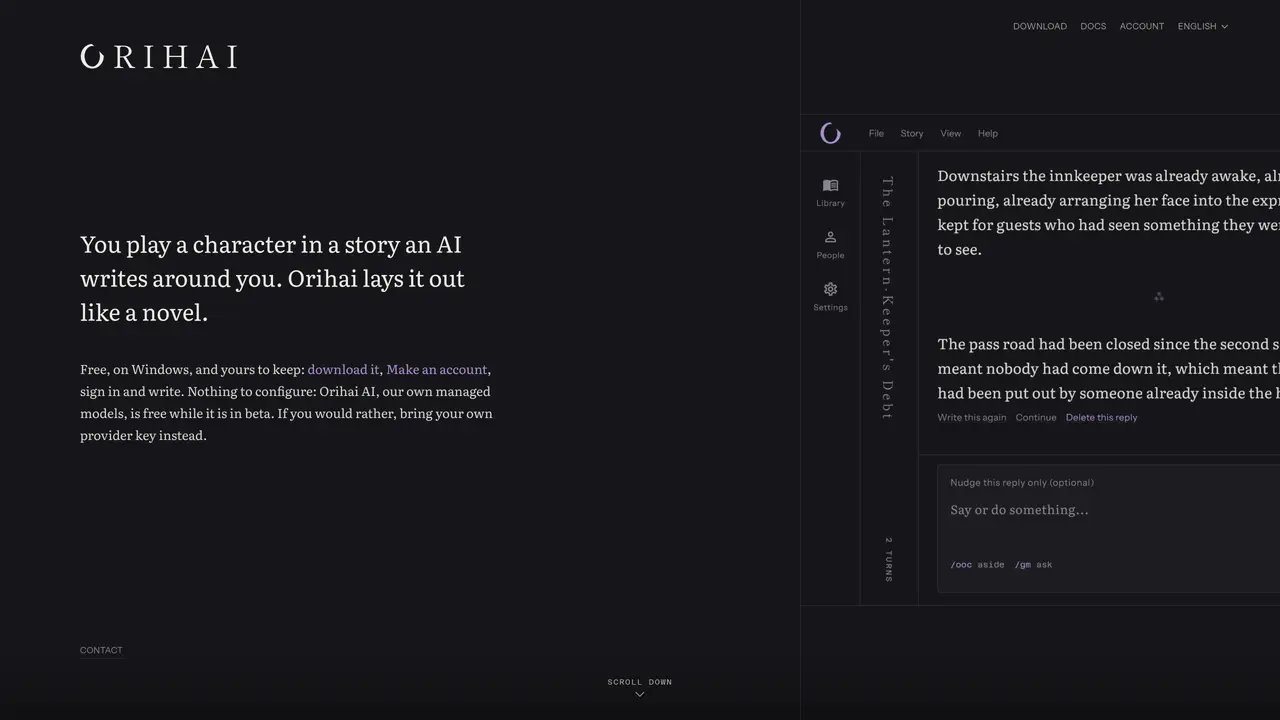
Orihai is a Windows desktop application designed for creating and experiencing long-form interactive fiction. The tool presents stories in a novel-like format with the player’s turns formatted as indented italic lines. It maintains continuity across the entire narrative, tracking characters, locations, facts, goals, and chapter summaries. Users can start from a scenario they provide or generate one via an AI prompt. The application supports three AI modes: Orihai’s managed models, a user’s own provider key, or a locally run model. Scenes and places can be illustrated using AI Horde or ComfyUI. The interface offers seven visual themes and allows manual corrections to story notes, which propagate through the narrative. Stories are stored as single files on the user’s disk with no cloud sync or telemetry.
Orihai is a Windows desktop application for creating and experiencing long-form interactive fiction. It presents stories in a novel-like format where the player's turns appear as indented italic lines. The AI writes the narrative around the player's input, maintaining continuity across the entire story.
Orihai is designed for anyone interested in interactive fiction, storytelling, or role-playing games. It suits writers, game designers, and readers who want a novel-like experience with AI-generated content.
Orihai is free to use, and Orihai AI is free during its beta period with a monthly allowance. Users can also bring their own AI provider key or run a model locally, in which case they are billed directly by the provider or incur no cost.
Orihai supports three AI modes: its own managed models, a user's own provider key (e.g., Anthropic, OpenAI, OpenRouter), or a locally run model (e.g., Ollama, LM Studio, llama.cpp).
Yes, scenes and places can be illustrated using AI Horde or ComfyUI. The feature is optional and can be enabled or disabled as needed.
Download the Windows application from the Orihai website, create an account, and sign in to start writing. No additional configuration is required for Orihai AI, but users can also set up their own provider key or local model.
We use essential cookies to run aitoolnavio™, and optional cookies to analyze traffic and measure our marketing. You choose what we use — optional cookies stay off unless you turn them on. See our Privacy Policy.
One short email a week: fresh tools worth trying, honest takes and the updates that actually matter. No spam, unsubscribe any time.
Craft captivating stories effortlessly using AI-powered GPT technology and an intuitive interface.
Create and play endless AI-generated text adventures with customizable stories, characters, and choices online or via the app.
An AI creation platform for turning images into videos, adding twist endings, and building interactive roleplay stories.
Web-based novel writing software for authors, offering outlining, world-building, reviewing tools, and AI assistance for drafting and analysis.
Squibler is an AI-powered writing tool designed to streamline the creative process for authors, screenwriters, and content creators.
AI creation studio for generating short dramas and narrative videos with consistent characters and scenes.
Generate visuals, modify details, and fulfill any concept or idea with stunning images in seconds.
An AI-powered video and story creation platform that turns prompts into animated films, storyboards, and storybooks for creators and publishers.
AI Character Roleplay Platform!
Mobile AI-powered text RPG that generates choice-based adventures with voice narration, AI art, dynamic soundtracks, and co-op play.
AI-powered manuscript analysis and reader feedback for authors
AI-powered manuscript review service providing feedback from multiple virtual reader personas
Matched on what this tool does — grouped by the job you would be replacing.
matches Novel-style story layout with indented player turns · Full narrative continuity tracking · Scenario import and generation
Web-based novel writing software for authors, offering outlining, world-building, reviewing tools, and AI assistance for drafting and analysis.
An immersive AI-powered platform for exploring virtual worlds, creating interactive stories, and collaborating with friends in real-time.
AI-assisted creative writing platform for drafting, editing, and publishing stories with community features
Writing studio for novels with continuity tracking and AI assistance