Generate full songs with vocals, lyrics, and instrumentals from text prompts in minutes.
75M visits/mo+3.8%#1 Audio & Voice

AI-powered screen-recording app that cleans, enhances, and modifies voice recordings in one click for polished videos.
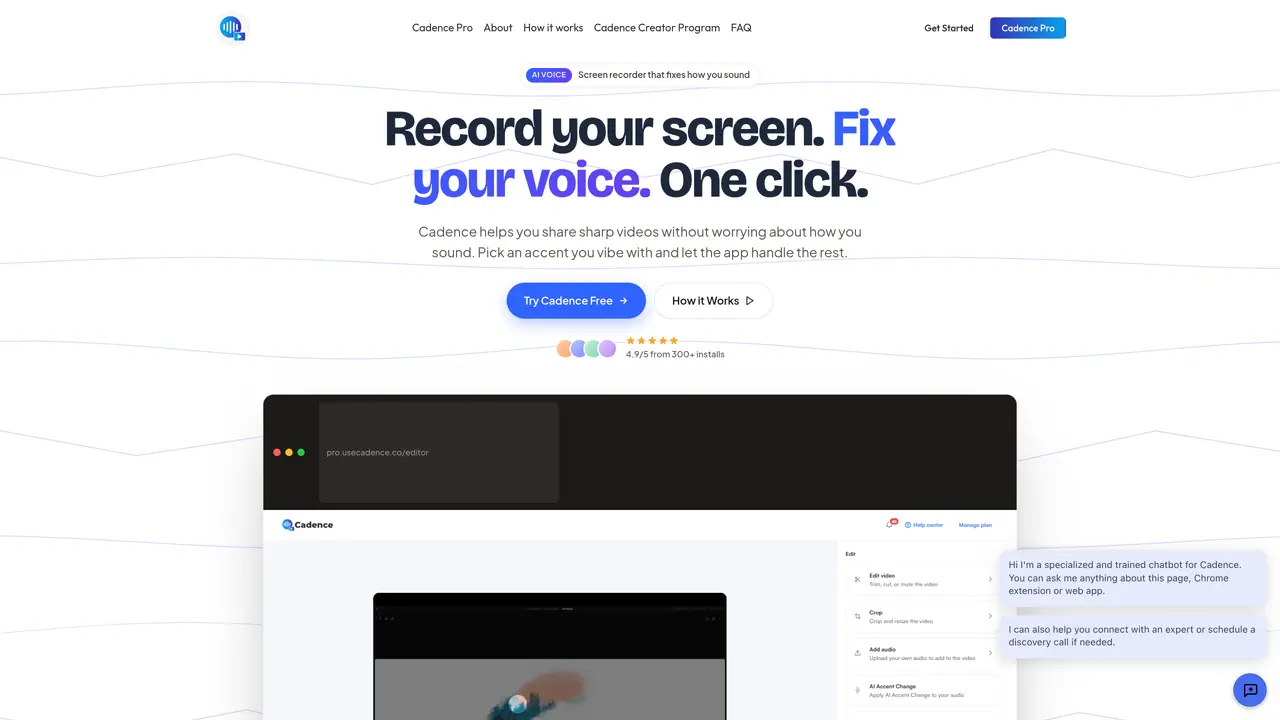
Cadence is an AI-powered screen-recording application designed to streamline the creation of professional-quality videos with minimal effort. It allows users to record their screen, camera, or both while automatically enhancing voice recordings by removing filler words, reducing background noise, and normalizing audio levels. The tool offers an optional AI accent swap feature to adjust the voice to a preferred accent, ensuring content resonates with global audiences. Cadence includes built-in markup tools for live annotations, cursor highlights, and on-the-fly blurring of sensitive information, making it suitable for tutorials, product demos, and confidential presentations. The editor enables trimming, captioning, and audio adjustments without requiring advanced editing skills, while features like AI avatars allow users to present polished content even when camera-shy. Designed for creators, educators, and remote workers, Cadence prioritizes privacy by minimizing data collection and avoiding ads or tracking, ensuring users retain full control over their content. It integrates seamlessly into workflows with a Chrome extension, enabling quick recording and sharing of high-quality videos in a single step.
Cadence is an AI screen-recording tool that captures screen activity, webcam footage, or both, while automatically enhancing voice recordings by removing filler words, reducing background noise, and normalizing audio levels. It also offers features like live blurring, annotations, and AI accent swapping.
Cadence is designed for creators, educators, remote workers, and professionals who need to produce high-quality tutorial, demo, or presentation videos without extensive post-production editing. It suits users who want to improve their audio clarity and presentation impact with minimal effort.
Cadence emphasizes privacy by minimizing data collection and avoiding ads or tracking. Users retain control over their content, and sensitive information can be blurred live during recording to protect confidentiality.
While Cadence is primarily designed for pre-recorded content, its live blur and annotation tools can be useful during presentations to obscure sensitive information. However, it is not a real-time streaming tool.
Cadence supports AI accent swapping, allowing users to transform their voice into different accents. The tool focuses on improving clarity and global appeal rather than supporting multiple languages for voiceovers.
Cadence operates as a Chrome extension, enabling direct recording from browser tabs or applications. It does not integrate with external platforms like video editors or cloud storage services, focusing instead on a self-contained workflow.
usecadence.co · third-party estimates from Similarweb
Last 2 months · grows by one month every month
Share of visits · estimated visits
Traffic figures are third-party estimates, good for scale and trends; they can differ from a company's own numbers. Updated monthly.
We use essential cookies to run aitoolnavio™, and optional cookies to analyze traffic and measure our marketing. You choose what we use — optional cookies stay off unless you turn them on. See our Privacy Policy.
One short email a week: fresh tools worth trying, honest takes and the updates that actually matter. No spam, unsubscribe any time.
Generate full songs with vocals, lyrics, and instrumentals from text prompts in minutes.
Create instrumental versions, enhance clarity, and boost music quality effortlessly.
Generate original songs, lyrics, and studio-quality soundtracks from text prompts in minutes using AI.
Create funny videos with unique voices, modify pitch and speed for custom sound, and apply sound effects.
Remove vocals, extract audio stems, and refine audio for optimal sound quality.
Convert audio and video into text, sync transcripts with media, and edit easily.
Generates AI videos, images and audio from text prompts, photos or audio
Create podcasts, audiobooks, and voiceovers, customize voice style, and generate natural speech from text.
Create studio-ready vocals, choirs, and instruments from MIDI.
An AI music platform that generates royalty-free songs, instrumentals, and lyrics from text prompts, with stem splitting, vocal removal, and mastering tools.
Use this online audio cleaner to remove background noise from recordings and enhance sound quality.
Enhance audio quality, remove background noises, create professional recordings with any format.
Matched on what this tool does — grouped by the job you would be replacing.
matches One-click AI voice enhancement · Removes filler words automatically · Reduces background noise
Enhance audio quality, remove background noises, create professional recordings with any format.
Voice Enhancer is an easy-to-use online AI tool that removes background noise, enhances speech clarity, and improves overall audio quality in seconds.
AI-powered audio editor that removes noise, balances volume, and enhances sound quality for cleaner recordings.
Clean up audio, remove noise and echo, and enhance microphone sound quality effortlessly.
matches Screen recording with voice sync · Cross-device recording sync
AI-powered video messaging tool that records, shares, and manages video messages with AI-generated titles, summaries, and tasks.
Create, edit, subtitle, and translate pro-grade videos instantly.
Automatically detect and cut silences, recognize patterns, and create professional videos with suggested transitions and effects.
Create polished videos effortlessly, access stock footage, and customize them with text, music, and effects.