
Generate speech with customizable voices in any language, and create captivating stories using natural-sounding voices.
34M visits/mo-7.6%#2 Audio & Voice

Web-based AI video editor that repurposes YouTube or TikTok clips into scroll-stopping short-form videos with AI voiceovers and viral subtitles.
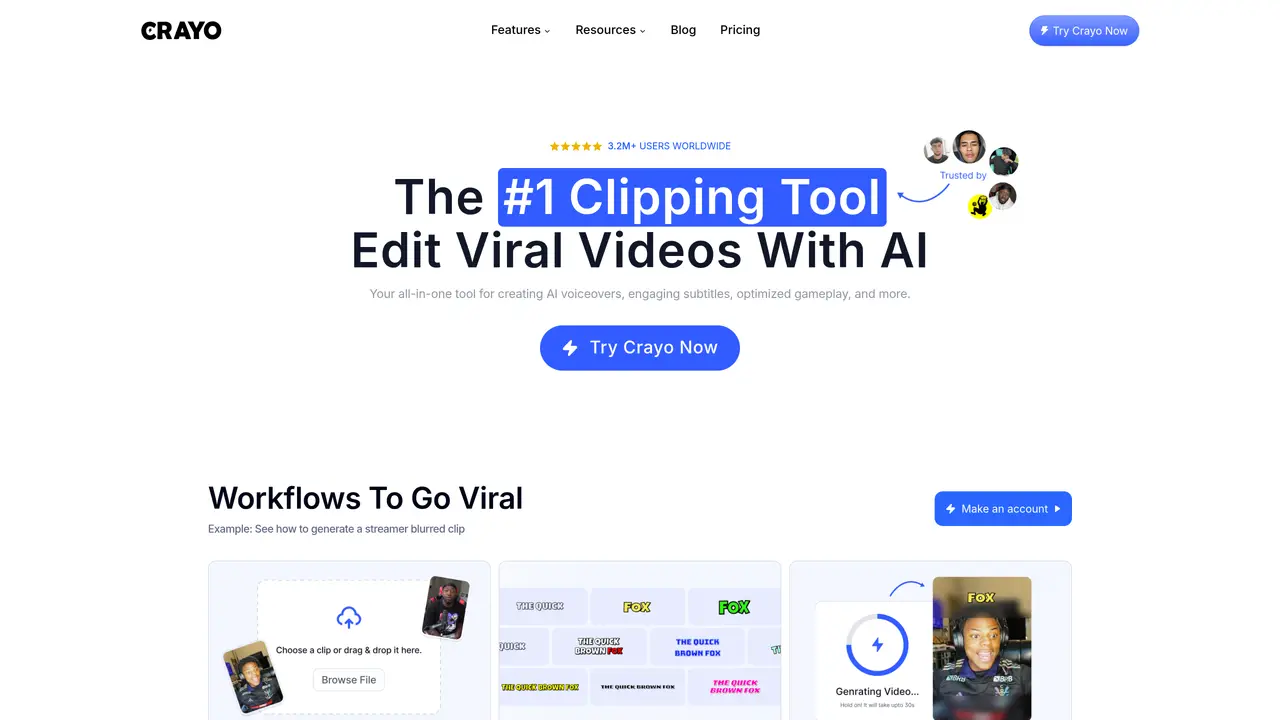
Crayo is a browser-based AI video editor designed for short-form content creators who need to produce engaging clips quickly. Users can upload video files or paste links from YouTube or TikTok, then apply one of 15+ viral subtitle styles. The tool automates voiceover generation, background removal, audio balancing, and video compression, streamlining the editing process from upload to export. It combines video editing, voice synthesis, and image generation into a single workflow, making it suitable for creators who prioritize speed and volume over manual editing. With over 3.2 million users, Crayo targets TikTok, YouTube Shorts, and social media managers who require scalable short-form content without traditional editing software. The platform operates entirely in the browser, eliminating the need for downloads or complex installations. While focused on short-form content, it supports a range of use cases including split-screen videos, Reddit story content, and narrated clips with AI-generated speech. Pricing starts at $19 per month for 50 AI videos, scaling to $79 per month for 250 videos, with annual billing offering a discount.
Crayo is a browser-based AI video editor designed for creating short-form content such as clippings, viral videos, and social media clips. It automates tasks like subtitle generation, voiceover creation, background removal, and video compression.
Crayo targets short-form content creators, social media managers, and agencies who need to produce scalable, engaging clips quickly. It is particularly useful for TikTok, YouTube Shorts, and faceless channel creators.
Crayo operates on a credit-based system where users pay for workflow credits to generate videos. Plans scale with the number of credits, and unused credits do not roll over. Specific pricing tiers are available on the pricing page.
Crayo offers a free trial for new users to test its features. After the trial, users must subscribe to a paid plan to continue generating videos.
Crayo supports direct uploads from files or links (YouTube, TikTok) and includes built-in tools like AI voiceover, image generation, speech enhancement, and background removal. It does not require external integrations.
Users can get started by creating an account on the Crayo website. The platform provides a three-step workflow: upload a video, select a subtitle style, and generate the video. A web-based editor offers additional control.
crayo.ai · third-party estimates from Similarweb
Last 4 months · grows by one month every month
Share of visits · estimated visits
Other countries: 51%
How people reach this site from other AI tools
1K a month · 0.2% of all visits
Audio & Voice · Sep 2026
Traffic figures are third-party estimates, good for scale and trends; they can differ from a company's own numbers. Updated monthly.
We use essential cookies to run aitoolnavio™, and optional cookies to analyze traffic and measure our marketing. You choose what we use — optional cookies stay off unless you turn them on. See our Privacy Policy.
One short email a week: fresh tools worth trying, honest takes and the updates that actually matter. No spam, unsubscribe any time.
Generate speech with customizable voices in any language, and create captivating stories using natural-sounding voices.
Generate audio content for podcasts, e-learning, or video production with natural-sounding voices on any device.
Create audio versions of documents, listen to text in multiple languages, and customize voice, pitch, and volume.
Cloud communications platform that lets developers embed SMS, voice, WhatsApp, email, video, verification, and conversational AI via APIs.
Create podcasts, audiobooks, and voiceovers, customize voice style, and generate natural speech from text.
Create transcripts of meetings, voice-overs for videos, and transcribe and review customer feedback efficiently.
Create engaging educational, marketing, and training videos using pre-built assets and an AI-driven text-to-speech engine.
AI-powered translation tool that detects and converts text between 15+ languages instantly with a single click.
Cartesia delivers real-time AI voice and TTS models with low-latency streaming, voice cloning, and transcription for interactive applications.
Create natural audio for podcasts, automate customer service responses, and generate audio for online courses.
Web-based AI toolkit for creators to generate AI videos, images, and natural voiceovers with credit-based plans.
Generate professional voiceovers, enhance language learning, and add synthesized speech to applications effortlessly.
Matched on what this tool does — grouped by the job you would be replacing.
matches Upload clips or paste YouTube/TikTok links directly · 15+ viral subtitle styles with one-click application · AI voiceover generation for narrated videos
Automate video editing, add text-to-speech voice-overs, and optimize videos for impactful results.
Cloud-based video editor with AI-powered clip generation, voiceovers, and auto-subtitles for fast, browser-based editing.
Web-based AI editor that upscales videos to 4K, removes backgrounds and watermarks, generates subtitles, makes clips, and translates videos.
Free online AI tool to convert long videos into viral shorts without watermarks
matches Upload clips or paste YouTube/TikTok links directly · AI voiceover generation for narrated videos · Image generation for visual enhancements
Turns text, links, or audio into TikTok, Reels, and Shorts with AI avatars, voiceovers, and captions—no filming required.
Web-based AI video generator for creators and marketers that turns text or images into videos with face swap and enhancement tools.
AI video story generator that turns text prompts into 1080p YouTube and TikTok videos with scripts, visuals, voiceovers, and scheduling.
AI video automation platform that turns URLs, products, or ideas into short-form videos with AI avatars, scripts, and scheduling for TikTok, Instagram, and YouTube.