Create marketing videos quickly, customize with templates, music, and photos, optimize for different platforms with AI.
4.4M visits/mo-5%#12 Video & Animation

Free online AI tool to convert long videos into viral shorts without watermarks
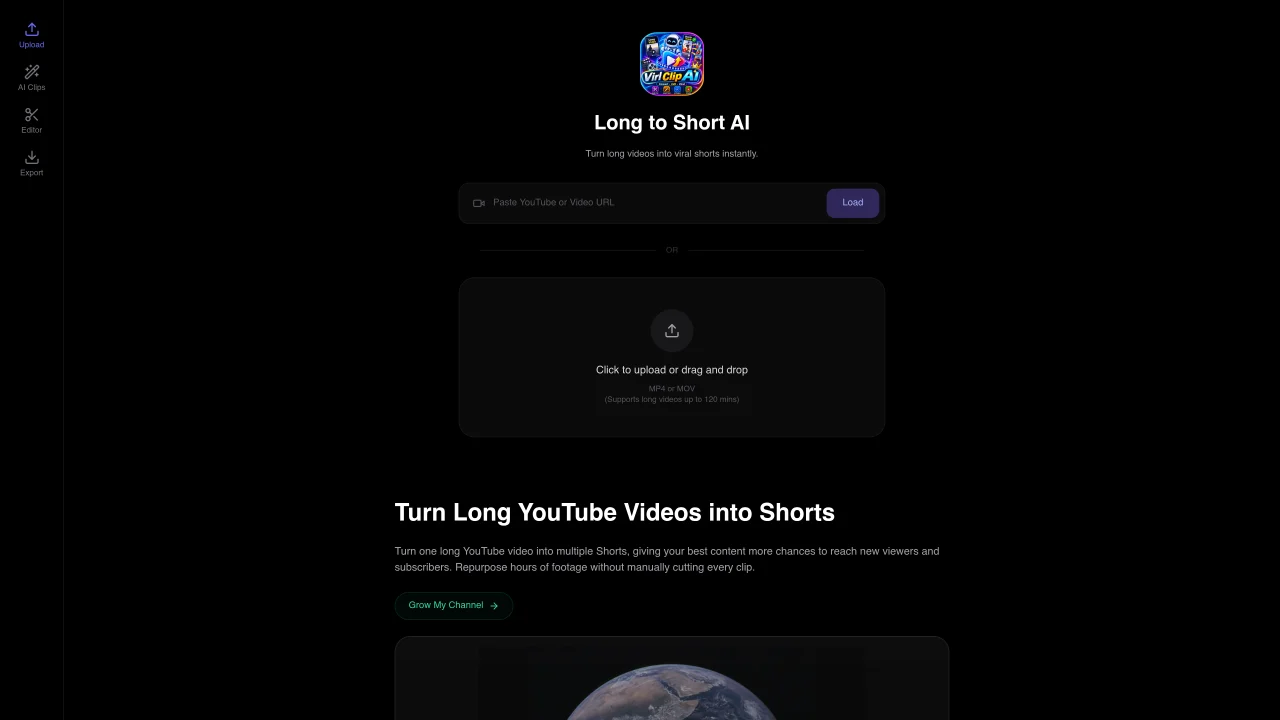
ViralClip AI is a free online service that repurposes long-form videos into short-form content for platforms like TikTok, Instagram Reels, and YouTube Shorts. Users can upload videos directly or paste links from sources such as YouTube, TikTok, Twitch, Vimeo, Facebook, or Dailymotion. The AI analyzes the video to identify engaging moments, automatically crops them into vertical shorts, and adds auto-subtitles. The tool supports long videos up to 120 minutes and exports clips in 9:16 vertical format. It also generates AI-crafted titles, descriptions, and thumbnails, and includes a social media scheduler to publish content across multiple platforms. The service operates without watermarks and does not require manual editing.
ViralClip AI converts long-form videos into short-form content optimized for platforms like TikTok, Instagram Reels, and YouTube Shorts. It automatically identifies engaging moments, crops them into vertical shorts, and adds auto-subtitles without requiring manual editing.
Users can upload videos directly or paste links from sources such as YouTube, TikTok, Twitch, Vimeo, Facebook, or Dailymotion. The tool supports long videos up to 120 minutes and processes them into 9:16 vertical format.
No, ViralClip AI exports clips without watermarks. The service also generates AI-crafted titles, descriptions, and thumbnails for the clips.
Yes, ViralClip AI includes a social media scheduler to publish content across multiple platforms directly from the tool.
ViralClip AI is presented as a free online service for repurposing videos into short-form content, though specific pricing details are not provided on the website.
The tool supports uploading videos directly or via links from major platforms, and it exports clips in 9:16 vertical format for short-form content.
We use essential cookies to run aitoolnavio™, and optional cookies to analyze traffic and measure our marketing. You choose what we use — optional cookies stay off unless you turn them on. See our Privacy Policy.
One short email a week: fresh tools worth trying, honest takes and the updates that actually matter. No spam, unsubscribe any time.
Create marketing videos quickly, customize with templates, music, and photos, optimize for different platforms with AI.
AI video clipping and editing tool that turns long videos into short clips with captions, reframing, and one-click social publishing.
Boost social media engagement, produce AI music videos, and remix videos with any style effortlessly.
Create promotional videos effortlessly with WeVideo's intuitive drag-and-drop interface.
An AI creation platform for turning images into videos, adding twist endings, and building interactive roleplay stories.
Drag-and-drop video maker for creating professional product demos, explainer videos, and ads without coding skills.
AI-powered video clipping and editing tool that extracts viral moments, adds captions, and schedules shorts for TikTok, YouTube, and Instagram.
Submagic is an AI tool that helps content creators create viral reels and shorts 10 times faster than any other video editing tool.
Turn text or links into short, viral-ready videos for TikTok, Instagram, and YouTube without editing skills.
Turns long videos into ready-to-post short clips for TikTok, Reels, and YouTube Shorts in minutes.
AIReel lets creators make AI-generated videos from text or image in minutes.
AI-powered tool for accurate captions, video clipping, and impactful face centering.
Matched on what this tool does — grouped by the job you would be replacing.
matches Upload or paste video links from multiple platforms · AI-based identification of engaging video moments · Auto-subtitles for generated shorts
Turn long videos or text into viral short-form clips with AI avatars, captions, and auto-scheduling for TikTok, Reels, and YouTube Shorts.
AI tool that converts long videos into branded short clips for social media platforms.
AI video repurposing tool that converts long-form videos into YouTube Shorts, TikTok, and Instagram Reels with auto clipping, smart cropping, and captions.
AI-powered video highlights generator that turns long-form videos into TikTok, Reels, and Shorts-ready clips with subtitles and one-click sharing.
matches Auto-subtitles for generated shorts · Vertical 9:16 format export · No watermark on exported clips
Web-based AI editor that upscales videos to 4K, removes backgrounds and watermarks, generates subtitles, makes clips, and translates videos.
AI-powered tool that turns long videos into ready-to-post Shorts, TikToks, and Reels by detecting high-engagement moments and adding captions.
Free AI tool to generate and add subtitles to videos without watermarks