Generate speech with customizable voices in any language, and create captivating stories using natural-sounding voices.
34M visits/mo-7.6%#2 Audio & Voice

Multilingual text-to-speech and AI voice generator for audio content creation
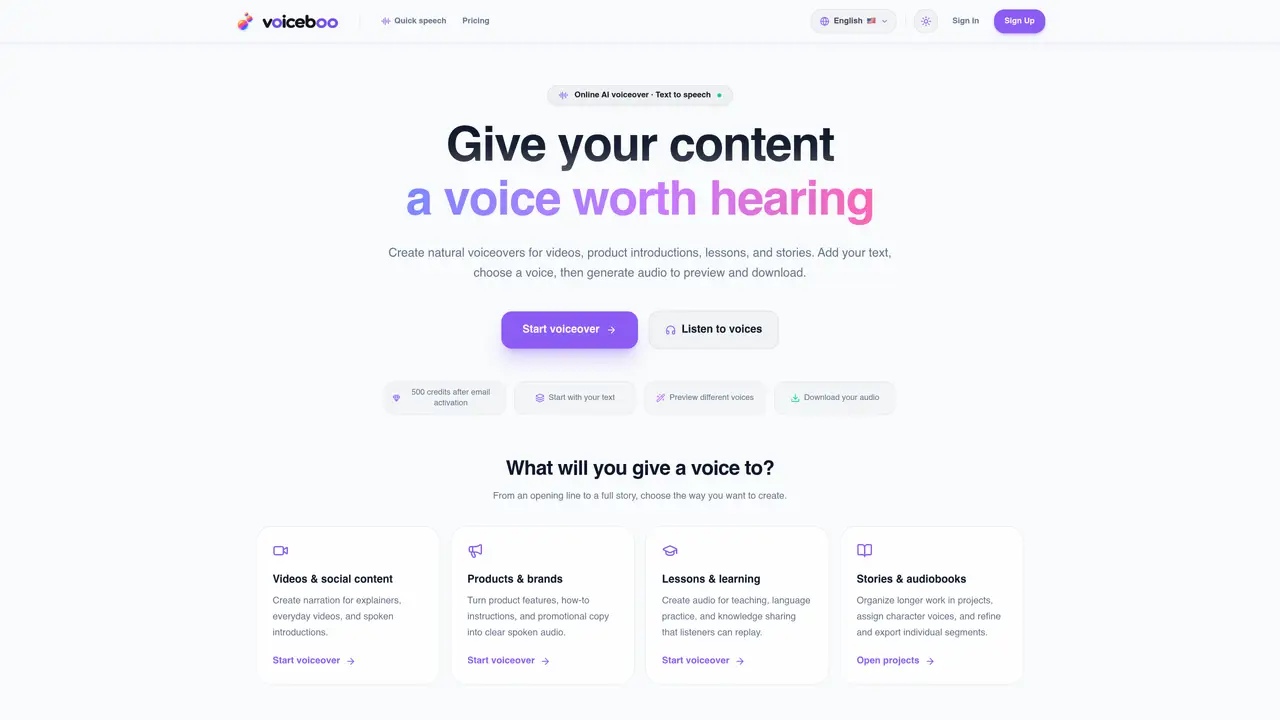
VoiceBoo AI provides a platform for converting written text into natural-sounding speech in multiple languages. Users can generate voiceovers for videos, product introductions, lessons, and stories by inputting text, selecting a voice, and downloading the resulting audio. The service offers both quick voiceover generation and project-based workflows for longer content such as audiobooks or multi-character narratives. Voice options include male and female tones across Chinese and English, with descriptions of each voice’s style and suitability. The platform allows users to preview voices before committing to generation and provides estimated costs for audio output. Projects enable organization of documents, refinement of segments, and assignment of distinct character voices for complex narratives.
VoiceBoo AI is an online platform that converts written text into natural-sounding speech in multiple languages. Users can generate voiceovers for videos, product introductions, lessons, stories, and audiobooks by inputting text, selecting a voice, and downloading the resulting audio.
Yes, users can preview voices on the homepage without signing up. Signing up and activating an email grants 500 trial credits for text-to-speech generation. Additional credits can be purchased as needed.
Quick voiceover is designed for short, single-segment audio generation, while projects allow users to organize longer content, refine segments, and assign distinct character voices for complex narratives like audiobooks or multi-character stories.
Yes, users can preview and download generated audio files in formats such as WAV or ZIP. The platform provides estimated costs before generation and allows downloading after completion.
VoiceBoo AI supports both Chinese and English for text-to-speech conversion. The platform offers male and female voice options in these languages, each with distinct styles and suitability for different content types.
To get started, users can add their text, preview available voices, select one that fits their content, generate the audio, and download the result. For longer projects, users can organize documents and assign character voices within the projects workflow.
voiceboo.com · third-party estimates from Similarweb
Last 2 months · grows by one month every month
Share of visits by channel
Share of visits · estimated visits
Audio & Voice · Sep 2026
Traffic figures are third-party estimates, good for scale and trends; they can differ from a company's own numbers. Updated monthly.
We use essential cookies to run aitoolnavio™, and optional cookies to analyze traffic and measure our marketing. You choose what we use — optional cookies stay off unless you turn them on. See our Privacy Policy.
One short email a week: fresh tools worth trying, honest takes and the updates that actually matter. No spam, unsubscribe any time.
Generate speech with customizable voices in any language, and create captivating stories using natural-sounding voices.
Generate audio content for podcasts, e-learning, or video production with natural-sounding voices on any device.
Create audio versions of documents, listen to text in multiple languages, and customize voice, pitch, and volume.
Cloud communications platform that lets developers embed SMS, voice, WhatsApp, email, video, verification, and conversational AI via APIs.
Create podcasts, audiobooks, and voiceovers, customize voice style, and generate natural speech from text.
Create transcripts of meetings, voice-overs for videos, and transcribe and review customer feedback efficiently.
Create engaging educational, marketing, and training videos using pre-built assets and an AI-driven text-to-speech engine.
AI-powered translation tool that detects and converts text between 15+ languages instantly with a single click.
Cartesia delivers real-time AI voice and TTS models with low-latency streaming, voice cloning, and transcription for interactive applications.
Create natural audio for podcasts, automate customer service responses, and generate audio for online courses.
Web-based AI toolkit for creators to generate AI videos, images, and natural voiceovers with credit-based plans.
Generate professional voiceovers, enhance language learning, and add synthesized speech to applications effortlessly.
Matched on what this tool does — grouped by the job you would be replacing.
matches Multilingual text-to-speech generation · Male and female voice options · Emotion directing for multi-character projects
Free online tool that converts written text into natural-sounding speech with customizable languages, voices, and rates for accessibility and audio content creation.
A web-based AI voice generator for professional text-to-speech, multilingual audio, and IVR/on-hold messaging with granular voice controls.
AI voice generator for scripts, PDFs and voiceovers
Convert text to audio, customize speed, voice, volume, and export files in popular formats.
matches Voice previews for selection · Character voice assignment · Estimated cost display before generation
Generate professional voiceovers, enhance language learning, and add synthesized speech to applications effortlessly.
Turns written text into natural-sounding speech in 142 languages with 600+ AI voices and emotion controls.