Revolutionize transcription with unmatched accuracy, speed, and language support.
27M visits/mo+0.9%#4 Audio & Voice

Open-source screen recorder for macOS and Windows with 4K/60fps capture, AI transcripts, and local or cloud storage options.
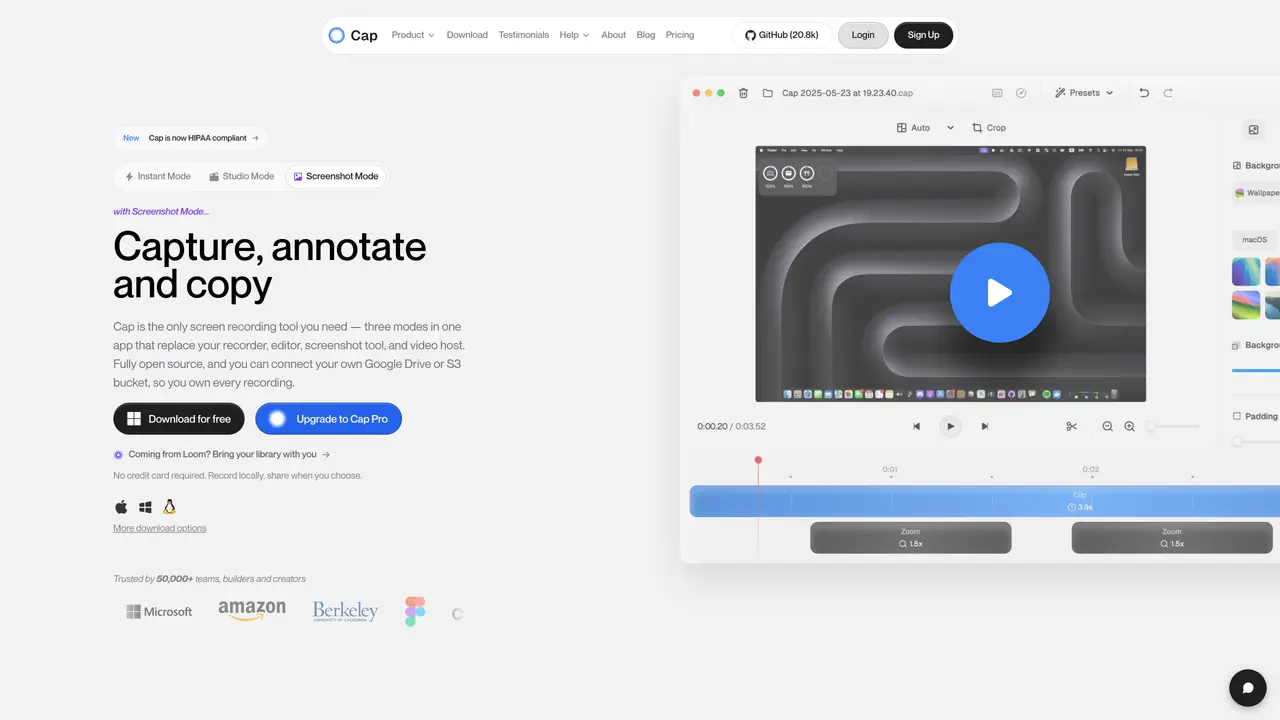
Cap is an open-source desktop screen recording application designed for professionals, teams, builders, and creators who need to produce fast, shareable demos, tutorials, feedback sessions, and asynchronous updates. The tool supports high-quality recording up to 4K resolution at 60 frames per second with synchronized audio, ensuring crisp and professional output. Cap offers two primary modes: Instant Mode, which uploads recordings in real time and automatically generates AI titles, summaries, chapters, and transcripts for easy sharing via shareable links; and Studio Mode, which enables unlimited local recording with an integrated editor for customization options such as backgrounds, padding, rounded corners, and cursor effects, along with MP4 and GIF export capabilities. Users can control storage by integrating custom S3 buckets or opting to keep recordings local, providing flexibility in data management and ownership. The application is available as a cross-platform native app for both macOS and Windows, emphasizing transparency and data control through its open-source foundation. Cap is positioned as a practical alternative to tools like Loom, particularly for those who prioritize open-source reliability, cross-platform compatibility, and optional AI-assisted sharing and collaboration features.
Cap is an open-source desktop screen recording application that allows users to create high-quality recordings, edit them, and share them via shareable links. It offers three modes: Instant Mode for quick recordings with AI-generated titles and transcripts, Studio Mode for professional local recording and editing, and Screenshot Mode for capturing and enhancing screenshots.
Cap is designed for professionals, teams, builders, and creators who need to produce demos, tutorials, feedback sessions, or asynchronous updates. It suits users who value open-source reliability, cross-platform compatibility, and data control.
Cap allows users to store recordings locally, connect their own Google Drive or S3 bucket, or use Cap Cloud. It emphasizes privacy by enabling local recording and offering options like password protection for sensitive recordings.
Yes, Cap supports team collaboration through features like comments, reactions, transcripts, and notifications. Users can track who watched recordings and gather feedback without additional meetings.
Cap is available as a native app for macOS, Windows, and Linux, with a Chrome extension for browser recording. It is designed to work seamlessly across different platforms and workflows.
Users can download Cap for free from the official website for their respective operating systems. The application offers a straightforward interface, and documentation and community support are available for assistance.
cap.so · third-party estimates from Similarweb
Last 4 months · grows by one month every month
Share of visits · estimated visits
Other countries: 49.5%
How people reach this site from other AI tools
2.2K a month · 0.6% of all visits
Audio & Voice · Sep 2026
Traffic figures are third-party estimates, good for scale and trends; they can differ from a company's own numbers. Updated monthly.
We use essential cookies to run aitoolnavio™, and optional cookies to analyze traffic and measure our marketing. You choose what we use — optional cookies stay off unless you turn them on. See our Privacy Policy.
One short email a week: fresh tools worth trying, honest takes and the updates that actually matter. No spam, unsubscribe any time.
Revolutionize transcription with unmatched accuracy, speed, and language support.
Hardware device that records conversations and converts them into searchable transcripts, summaries, and notes.
Automate transcription, generate summaries, identify speakers, and timestamps for video-conferencing conversations.
NoteGPT – Convert Speech to Text and Text to Speech with AI
Automatically record, transcribe, take notes, and create summaries with key insights during meetings.
Transforms audio/video to summarized text, instantly, across platforms.
Transcribe and summarize audio or video recordings with AI-powered speech recognition and summarization.
Automatically transcribe meetings, create summaries, and securely store audio files in a searchable format.
Convert audio and video into text, sync transcripts with media, and edit easily.
Streamline healthcare admin tasks, and enhance patient focus with Heidi AI.
Create transcripts of meetings, voice-overs for videos, and transcribe and review customer feedback efficiently.
Wearable AI device that captures conversations and meetings, then auto-generates transcripts, summaries, action items, mind maps, and searchable notes.
Matched on what this tool does — grouped by the job you would be replacing.
matches 4K/60fps screen recording with synchronized audio · Instant Mode with AI-generated titles, summaries, chapters, and transcripts · Studio Mode with local recording and built-in editor
All-in-one screen recorder that captures videos, screenshots, and GIFs with AI-powered summaries and transcriptions for documentation.
Online screen recorder and AI editor for creators and teams to capture screen plus camera, auto-remove silences, add captions, and share links.
Create and share visuals, track engagement, and access content seamlessly across all devices with cloud storage.
Windows screen recorder with automatic zoom, smooth cursor and local AI captions