
Generate captions, optimize content, and enhance with custom images for maximum engagement.
46M visits/mo-10%#3 Image & Design

Create and share visuals, track engagement, and access content seamlessly across all devices with cloud storage.
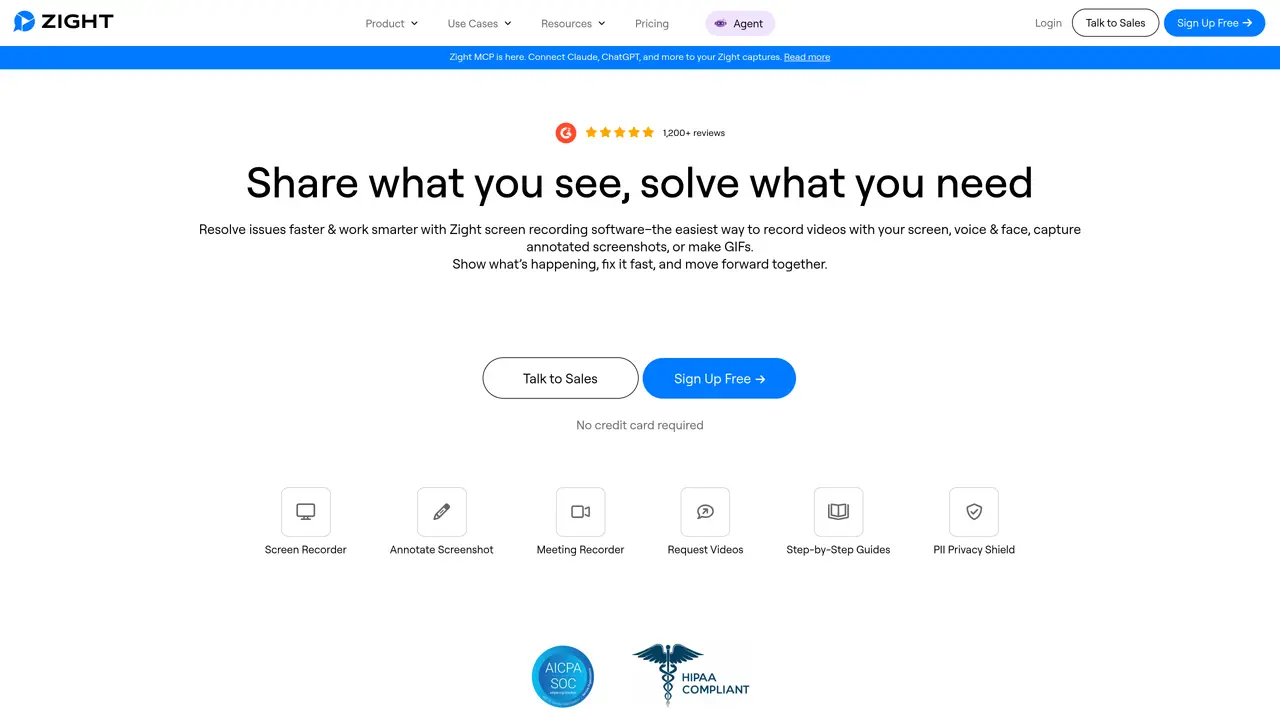
CloudApp is an intuitive, easy-to-use platform that helps you capture and share visual content quickly and efficiently. With CloudApp, you can create videos, GIFs, screenshots, and other visuals in a matter of seconds. Plus, you can collaborate with colleagues and clients, track engagement with analytics, and access your content anywhere in the world. CloudApp is perfect for professionals in a range of industries, from marketing, sales, and design to software development and customer service. Its intuitive drag-and-drop interface makes it easy to create visuals and share them with the world. Whether you’re creating customer support tutorials or showcasing a new product, CloudApp makes it simple and effortless. With CloudApp, you can also track engagement with built-in analytics. Get insights into who views and shares your content, and learn how to optimize your visuals for maximum impact. Plus, store your content on the cloud and access it from any device.
Zight
San Francisco · Founded 2016
CloudApp, formerly known as Zight, is a screen recording and visual communication tool that allows users to capture their screen, webcam, or both, create annotated screenshots, and generate GIFs. It enables quick sharing of visual content via cloud-based links and supports collaboration through integrations with platforms like Slack, Zendesk, and Jira.
CloudApp is designed for professionals across various industries, including marketing, sales, design, software development, customer support, and education. It is particularly useful for teams looking to improve productivity, enhance communication, and streamline visual content creation and sharing.
CloudApp works by allowing users to record their screen or take annotated screenshots with a simple interface. Recordings and screenshots are automatically stored in the cloud, where they can be edited, annotated, and shared instantly via shareable links. The tool also offers AI-powered features like automatic transcription and step-by-step guide generation.
Yes, CloudApp integrates with popular platforms such as Slack, Zendesk, Intercom, Confluence, Jira, and Chrome. These integrations allow users to embed visual content directly into workflows, enhancing collaboration and productivity.
Key features include screen recording with screen, webcam, or both, annotated screenshots, GIF creation, AI-powered transcription and note generation, cloud storage for all content, and secure sharing via shareable links. The tool also supports editing, trimming, and enhancing videos and screenshots.
To get started with CloudApp, users can download the application for Mac, Windows, or Chrome, or use the web-based interface. Signing up is free, and no credit card is required for the initial trial. Users can then begin recording, capturing screenshots, and sharing content immediately.
getcloudapp.com · third-party estimates from Similarweb
Last 4 months · grows by one month every month
Share of visits · estimated visits
Writing & Content · Sep 2026
Traffic figures are third-party estimates, good for scale and trends; they can differ from a company's own numbers. Updated monthly.
We use essential cookies to run aitoolnavio™, and optional cookies to analyze traffic and measure our marketing. You choose what we use — optional cookies stay off unless you turn them on. See our Privacy Policy.
One short email a week: fresh tools worth trying, honest takes and the updates that actually matter. No spam, unsubscribe any time.
Generate captions, optimize content, and enhance with custom images for maximum engagement.
Create stunning visuals, develop ideas with AI-powered tools, and instantly share content without coding or formatting.
Headless CMS that lets developers manage structured content and deliver it anywhere via flexible APIs and real-time collaboration tools.
Analyze, collaborate, optimize content for quality, speed, and wider reach, with tailored suggestions.
Solvely is an AI homework-help app that solves math, science, and liberal arts problems with photos.
AI-driven tool for seamless, high-quality content generation.
Generate unique avatars and craft effective, engaging copy effortlessly.
All-in-one AI platform for writing, image, music, and analysis.
Accurately detects AI-generated content, monitors real-time dashboard, and ensures content is plagiarism-free.
Generate high-quality, SEO-optimized content effortlessly, saving time for blog posts, social media, and marketing copy.
Generate professional copy in seconds, customize with an intuitive platform, and access pre-written content for inspiration.
AI SEO platform that automates keyword research, content creation, and publishing for websites and e-commerce stores.
Matched on what this tool does — grouped by the job you would be replacing.
matches Create videos, GIFs, screenshots, and other visuals in seconds · Drag-and-drop interface for easy visual creation · Access content anywhere in the world with cloud storage
All-in-one screen recorder that captures videos, screenshots, and GIFs with AI-powered summaries and transcriptions for documentation.
AI platform that turns screen recordings into interactive demos, videos, and visuals with AI voiceovers and editing—no designers required.
AI web screen recorder that auto-edits tutorials, removes mistakes, and generates translations for fast, shareable videos.
Create collaborative, annotated visual presentations effortlessly from any device.
matches Collaborate with colleagues and clients · Track engagement with built-in analytics · Built-in analytics to optimize visuals
Record lectures, create tutorials, and securely share videos with teams.
Create visuals, automate workflow, analyze content performance with analytics dashboard.