Generate captions, optimize content, and enhance with custom images for maximum engagement.
46M visits/mo-10%#3 Image & Design

Visual workflow builder for automating AI video, image, voice and editing tasks
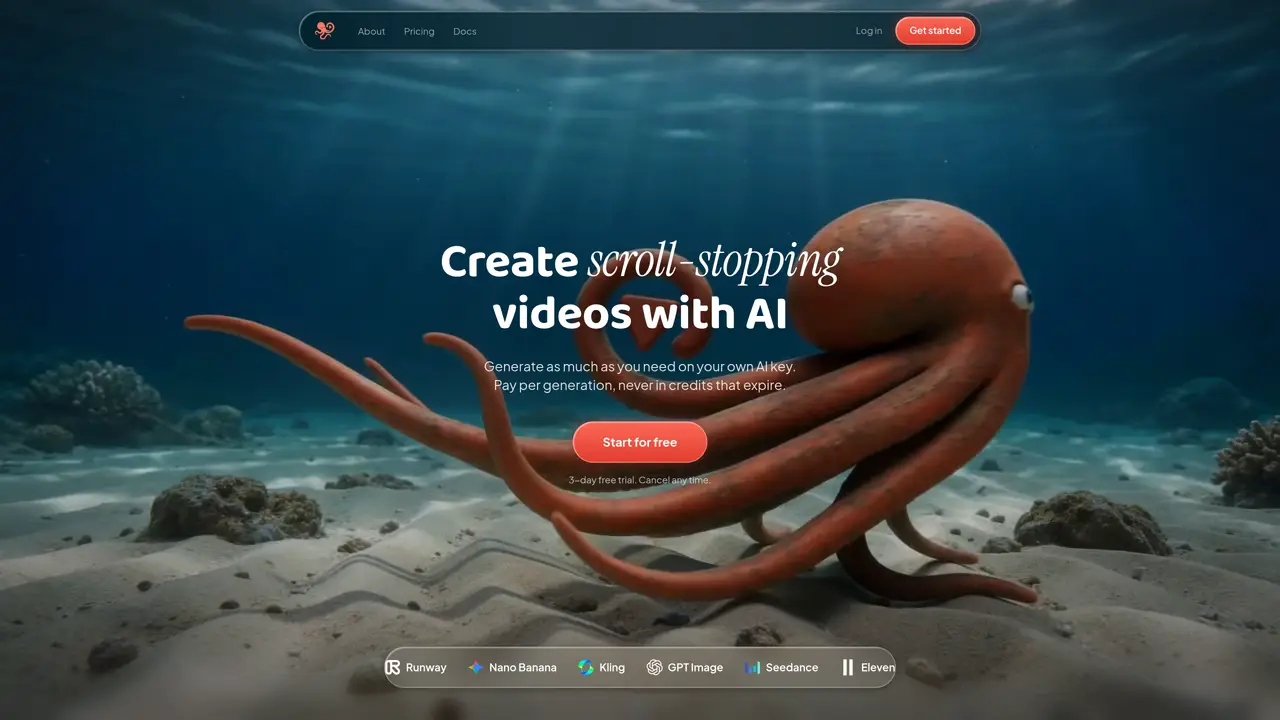
60 Minute Creator is a visual workflow builder that lets users connect AI models for image, video, voice, B-roll, and editing into reusable pipelines. Users can assemble blocks on a canvas, press Run, and generate finished content without rebuilding prompts or switching tools. Workflows are saved to a library and can be duplicated, remixed, or scheduled for automated content production. The platform supports models from providers like fal.ai, Kie AI, and OpenRouter, allowing users to switch between engines and see real-time cost tracking in their dashboard. Content remains on-brand across generations, with reusable AI characters and influencers that maintain consistent identity. Workflows can be set to run on a schedule, producing fresh, publish-ready content automatically.
60 Minute Creator is a visual workflow builder for AI content automation. Users connect blocks like image, video, and voice on a canvas, press Run, and generate finished content without rebuilding prompts or switching tools. Workflows can be reused for new posts, episodes, or videos.
No coding is required. The platform operates on a visual canvas where users drag and connect blocks, then press Run to execute workflows. All interactions are code-free.
BYOK stands for Bring Your Own Key. Users connect their own API keys from providers like fal.ai, Kie AI, or OpenRouter instead of purchasing credits. The provider bills directly at their standard rates without markup.
No. The platform does not have its own AI models, so user content is never used for training or sold. Generations run through the user's own provider account under the terms agreed with the provider.
API keys are obtained directly from providers such as fal.ai, Kie AI, or OpenRouter. Users create an account with the provider, copy the key from their dashboard, and paste it into 60 Minute Creator's Settings under API Keys.
The platform supports image, video, voice, lipsync, and text models from providers like fal.ai, Kie AI, and OpenRouter. Users can select a different model for each block in their workflow.
We use essential cookies to run aitoolnavio™, and optional cookies to analyze traffic and measure our marketing. You choose what we use — optional cookies stay off unless you turn them on. See our Privacy Policy.
One short email a week: fresh tools worth trying, honest takes and the updates that actually matter. No spam, unsubscribe any time.
Generate captions, optimize content, and enhance with custom images for maximum engagement.
Build conversational forms, capture rich responses, and automate follow-ups with AI-powered surveys and workflows.
Automate code, research, and documents using agents.
AI-powered IDE for autonomous coding tasks and agentic development workflows
Source, match, and manage talent with predictive analytics for effortless recruiting.
Automate workflow, optimize operations, and detect potential issues with this efficient AI-driven solution.
Transforms thoughts into actions, enhancing productivity and efficiency.
AI Recruitment engine to hire top global talent
All-in-one team productivity platform combining chat, docs, video meetings, workflows, and AI tools in one place.
Personal assistant that coordinates tasks across apps and devices via text or call
AI automation and agent-building platform with 3,000+ app integrations
AI job search copilot that matches roles to skills, optimizes resumes for ATS, generates cover letters, and autofills applications with real-time insights.
Matched on what this tool does — grouped by the job you would be replacing.
matches Cinematic AI video generation · Video composition and final cut assembly · Split screen layouts
An all-in-one AI creative platform for creators that generates videos, images, music, and voiceovers with integrated editing workflows.
Direct cinematic clips from prompts and references.
Generate and polish 4K-ready videos, images, music with WeryAI.
Web-based AI video editing platform for transforming, editing, and restyling videos with prompt-driven controls and multi-model workflows.
matches Studio-quality voiceovers in major languages · Lip-sync for voice-to-face matching
matches AI image generation from prompt or reference · Background replacement
AI-powered tool to generate faceless split-screen reels and talking avatar videos from text prompts
AI-powered studio for generating and editing videos and images from text prompts
All-in-one AI studio for video, image, voice, music and 3D generation from a single account
AI studio for generating voiceovers and talking-head videos from photos and scripts
AI platform for upscaling images, enhancing photos, and generating high-quality creative assets with contextual detail.
Intelligent canvas for AI creative studios to generate, compare, edit, and connect image, video, audio, and 3D models in one collaborative workspace.
Web-based AI toolkit for generating, editing and organizing content
Local AI creative studio for image, video and music generation on a user's own hardware