Generate captions, optimize content, and enhance with custom images for maximum engagement.
46M visits/mo-10%#3 Image & Design
Browser-based AI agent that controls Android devices via natural language
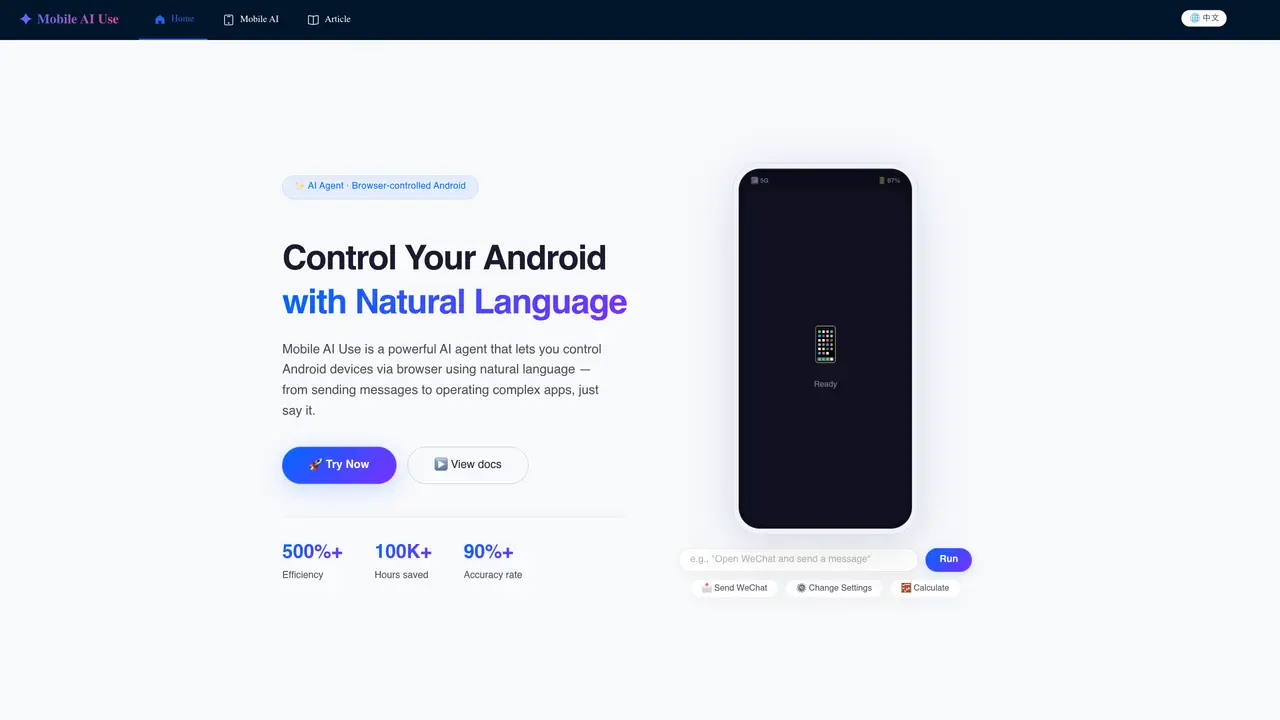
Mobile AI Use is a browser-based AI agent that enables users to control Android devices through natural language commands. The system operates without requiring root access or additional drivers, relying instead on built-in intelligence that interprets screen content and plans actions autonomously. It supports complex tasks such as sending messages, operating applications, and adjusting device settings through simple voice or text instructions. The agent uses vision-driven automation to recognize UI elements, perform taps, swipes, and text input, mimicking human interaction patterns. It includes automatic error correction to handle unexpected pop-ups or loading delays, ensuring task completion reliability. The tool is designed for regular users, developers, and QA engineers seeking to automate smartphone interactions without manual scripting. Control is executed entirely through a web browser, allowing remote operation from any location with internet access. The workflow follows a four-step process: input request, agent reasoning, action execution, and result output, with minimal user intervention required.
Mobile AI Use is a browser-based AI agent that allows users to control Android devices using natural language commands. It operates through a four-step process: receiving a user request, planning actions autonomously, executing those actions via vision-driven automation, and providing feedback on task completion.
The tool is designed for regular users, developers, and QA engineers who want to automate smartphone interactions without manual scripting. It simplifies tasks like sending messages, operating apps, and adjusting settings through simple voice or text instructions.
No, Mobile AI Use does not require root access or additional drivers. It relies on built-in intelligence and vision-driven automation to interpret screen content and perform actions autonomously.
Yes, Mobile AI Use allows remote control of Android devices entirely through a web browser. Users can operate their devices from any location with internet access.
Mobile AI Use includes automatic error correction to handle unexpected pop-ups or loading states. The agent re-plans actions as needed to ensure task completion reliability.
Users can start by visiting the Mobile AI Use website and following the provided documentation. The tool operates directly in a web browser, requiring no installation or additional setup.
We use essential cookies to run aitoolnavio™, and optional cookies to analyze traffic and measure our marketing. You choose what we use — optional cookies stay off unless you turn them on. See our Privacy Policy.
One short email a week: fresh tools worth trying, honest takes and the updates that actually matter. No spam, unsubscribe any time.
Generate captions, optimize content, and enhance with custom images for maximum engagement.
Build conversational forms, capture rich responses, and automate follow-ups with AI-powered surveys and workflows.
Automate code, research, and documents using agents.
AI-powered IDE for autonomous coding tasks and agentic development workflows
Source, match, and manage talent with predictive analytics for effortless recruiting.
Automate workflow, optimize operations, and detect potential issues with this efficient AI-driven solution.
Transforms thoughts into actions, enhancing productivity and efficiency.
AI Recruitment engine to hire top global talent
All-in-one team productivity platform combining chat, docs, video meetings, workflows, and AI tools in one place.
Personal assistant that coordinates tasks across apps and devices via text or call
AI automation and agent-building platform with 3,000+ app integrations
AI job search copilot that matches roles to skills, optimizes resumes for ATS, generates cover letters, and autofills applications with real-time insights.
Matched on what this tool does — grouped by the job you would be replacing.
matches Vision-based screen understanding · Autonomous action planning · Automatic error correction
AI agent that automates tasks across devices by operating interfaces directly
AI-native Android automation tool that converts plain-English instructions into executable test flows
Personal AI agent that sees the screen, takes control and remembers context across sessions
matches Browser-based remote control · Multi-step task automation · Real-time feedback on task completion
Browse sites, pull data, and finish workflows with TinyFish AI.
AI agent that automates browser-based tasks by controlling the browser and executing atomic commands for developers and researchers.