

Generate captions, optimize content, and enhance with custom images for maximum engagement.
46M visits/mo-10%#3 Image & Design
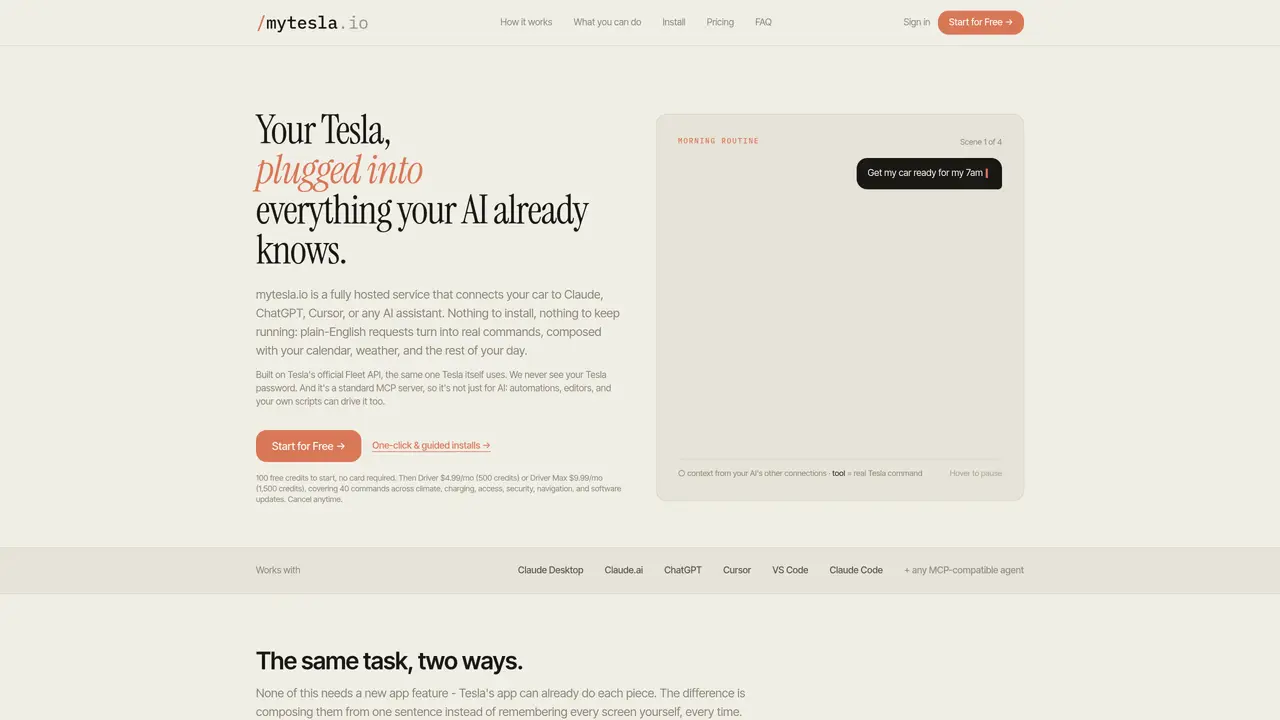
mytesla.io is a fully hosted service that links a Tesla car to AI assistants such as Claude, ChatGPT, Cursor, VS Code, or any MCP-compatible agent. It translates plain-English requests into real Tesla commands using the official Fleet API, eliminating the need for manual app navigation. The service integrates with the AI’s existing connections to weather, calendar, and utility data, enabling context-aware actions like pre-conditioning the cabin before a meeting or charging only during off-peak hours. It supports both conversational commands and scheduled tasks, allowing the AI to perform routine checks or adjustments automatically. Commands cover climate control, charging, access, security, navigation, and software updates. The service does not store Tesla passwords and operates without requiring local software installation or maintenance. It is designed for users who prefer voice or text-based interaction with their vehicle rather than using the Tesla app.
mytesla.io is a fully hosted service that connects a Tesla vehicle to AI assistants like Claude, ChatGPT, Cursor, or any MCP-compatible agent. It translates plain-English requests into real Tesla commands using Tesla's official Fleet API, enabling context-aware actions such as pre-conditioning the cabin, adjusting charging schedules, or checking vehicle status without manual app navigation.
The service is designed for Tesla owners who prefer voice or text-based interaction with their vehicle rather than using the Tesla app. It suits users who want to automate routine tasks, integrate vehicle commands with their AI assistant's existing data (like calendar, weather, or utility rates), and avoid local software installation or maintenance.
mytesla.io operates as a standard MCP server, allowing it to work seamlessly with AI assistants like Claude, ChatGPT, Cursor, VS Code, or any other MCP-compatible agent. The AI assistant uses mytesla.io's tools to translate natural language commands into Tesla-specific actions, leveraging the AI's existing connections to weather, calendar, and utility data for context-aware decisions.
No, mytesla.io does not store Tesla passwords. It uses Tesla's official Fleet API to issue commands directly to the vehicle without requiring users to share their login credentials with the service.
The service supports a wide range of commands, including climate control, charging adjustments, access control, security settings, navigation, and software updates. It also enables scheduled tasks and routine checks, such as pre-conditioning the cabin based on calendar events or charging only during off-peak hours.
Getting started with mytesla.io involves signing up for an account and following the one-click guided installation process. Users receive a set of free credits to begin, and can then choose a subscription plan based on their usage needs. No local software installation or maintenance is required.
mytesla.io · third-party estimates from Similarweb
Last 3 months · grows by one month every month
Share of visits by channel
Share of visits · estimated visits
Automation & Agents · Sep 2026
Traffic figures are third-party estimates, good for scale and trends; they can differ from a company's own numbers. Updated monthly.
We use essential cookies to run aitoolnavio™, and optional cookies to analyze traffic and measure our marketing. You choose what we use — optional cookies stay off unless you turn them on. See our Privacy Policy.
One short email a week: fresh tools worth trying, honest takes and the updates that actually matter. No spam, unsubscribe any time.
Generate captions, optimize content, and enhance with custom images for maximum engagement.
Build conversational forms, capture rich responses, and automate follow-ups with AI-powered surveys and workflows.
Automate code, research, and documents using agents.
AI-powered IDE for autonomous coding tasks and agentic development workflows
Source, match, and manage talent with predictive analytics for effortless recruiting.
Automate workflow, optimize operations, and detect potential issues with this efficient AI-driven solution.
Transforms thoughts into actions, enhancing productivity and efficiency.
AI Recruitment engine to hire top global talent
All-in-one team productivity platform combining chat, docs, video meetings, workflows, and AI tools in one place.
Personal assistant that coordinates tasks across apps and devices via text or call
AI automation and agent-building platform with 3,000+ app integrations
AI job search copilot that matches roles to skills, optimizes resumes for ATS, generates cover letters, and autofills applications with real-time insights.
Matched on what this tool does — grouped by the job you would be replacing.
matches Plain-English command processing · Integration with calendar, weather, and utility data · Support for scheduled tasks and automated routines
Connects AI agents to a Mac's browser, files and accounts for local task completion
Runs persistent, autonomous bots on a local laptop for scheduled tasks and chat-based delegation