Generate captions, optimize content, and enhance with custom images for maximum engagement.
46M visits/mo-10%#3 Image & Design

Connects AI agents to a Mac's browser, files and accounts for local task completion
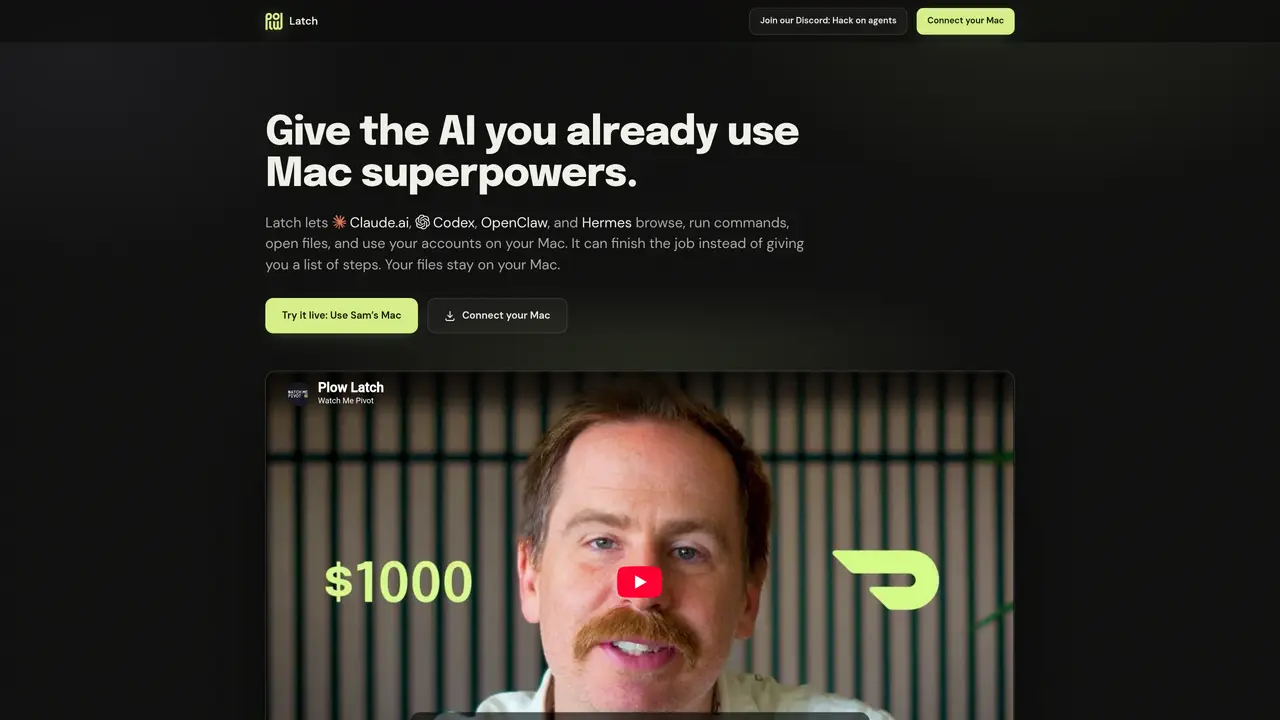
Plow Latch integrates AI agents such as Claude.ai, Codex, OpenClaw, or Hermes with a user’s Mac environment. It enables these agents to perform tasks directly on the local machine, including browsing websites, running command-line operations, opening files, and accessing authenticated accounts. The tool uses the Mac’s existing resources without storing copies in a cloud database, ensuring files remain on the device. Users initiate tasks by providing desired outcomes, and the agent executes the necessary steps while the user retains oversight of each request and decision. Latch supports secure interactions by preventing agents from accessing unauthorized actions without explicit user or reviewer approval, mitigating risks like data siphoning through malicious redirects. The setup process involves downloading Latch, copying the Mac’s MCP link, and pasting it into a compatible AI agent. Once connected, the agent can automate routine or complex tasks such as booking reservations, managing expenses, or planning trips entirely on the local machine.
Plow Latch connects AI agents like Claude.ai, Codex, OpenClaw, or Hermes to a user’s Mac environment, enabling them to perform tasks such as browsing websites, running command-line operations, opening files, and accessing authenticated accounts directly on the local machine.
Plow Latch is designed for users who want to leverage AI agents to automate routine or complex tasks on their Mac while maintaining control over file access and account security.
Plow Latch keeps all files and data on the user’s device and does not store copies in a cloud database. It prevents unauthorized actions by requiring explicit user or reviewer approval for sensitive tasks, mitigating risks like data siphoning through malicious redirects.
Users download Plow Latch, copy their Mac’s MCP link, and paste it into a compatible AI agent. Once connected, the agent can automate tasks using the Mac’s existing resources, such as the browser, CLI, files, and accounts.
Plow Latch works with AI agents that support the MCP (Model Context Protocol) standard, including Claude.ai, Codex, OpenClaw, Hermes, and other MCP-compatible agents.
Plow Latch can automate a wide range of tasks, such as booking reservations, managing expenses, planning trips, filling passwords, and performing file operations, all while keeping data local to the user’s Mac.
We use essential cookies to run aitoolnavio™, and optional cookies to analyze traffic and measure our marketing. You choose what we use — optional cookies stay off unless you turn them on. See our Privacy Policy.
One short email a week: fresh tools worth trying, honest takes and the updates that actually matter. No spam, unsubscribe any time.
Generate captions, optimize content, and enhance with custom images for maximum engagement.
Build conversational forms, capture rich responses, and automate follow-ups with AI-powered surveys and workflows.
Automate code, research, and documents using agents.
AI-powered IDE for autonomous coding tasks and agentic development workflows
Source, match, and manage talent with predictive analytics for effortless recruiting.
Automate workflow, optimize operations, and detect potential issues with this efficient AI-driven solution.
Transforms thoughts into actions, enhancing productivity and efficiency.
AI Recruitment engine to hire top global talent
All-in-one team productivity platform combining chat, docs, video meetings, workflows, and AI tools in one place.
Personal assistant that coordinates tasks across apps and devices via text or call
AI automation and agent-building platform with 3,000+ app integrations
AI job search copilot that matches roles to skills, optimizes resumes for ATS, generates cover letters, and autofills applications with real-time insights.
Matched on what this tool does — grouped by the job you would be replacing.
matches Connects AI agents to Mac browser · Opens and manipulates local files · Executes local command-line operations
Desktop AI agent that automates tasks across local apps and files
Local AI agent for Mac that integrates mail, calendar, files and tools in one window
AI workforce that runs on a single Mac with up to 100 specialized agents
Native macOS workspace combining AI conversations, files and voice control
matches MCP link-based integration · Accesses authenticated user accounts · Multi-step task execution
Autonomous AI agent that executes multi-step tasks across thousands of apps and services
AI agent that turns natural-language prompts into automated browser and desktop workflows
Cloud-hosted AI agent with shell, files and app integrations
Desktop AI agent that automates multi-step tasks across files, browsers and chat platforms