Generate captions, optimize content, and enhance with custom images for maximum engagement.
46M visits/mo-10%#3 Image & Design

AI agent that automates reports, proposals, and operational workflows from existing files and tools
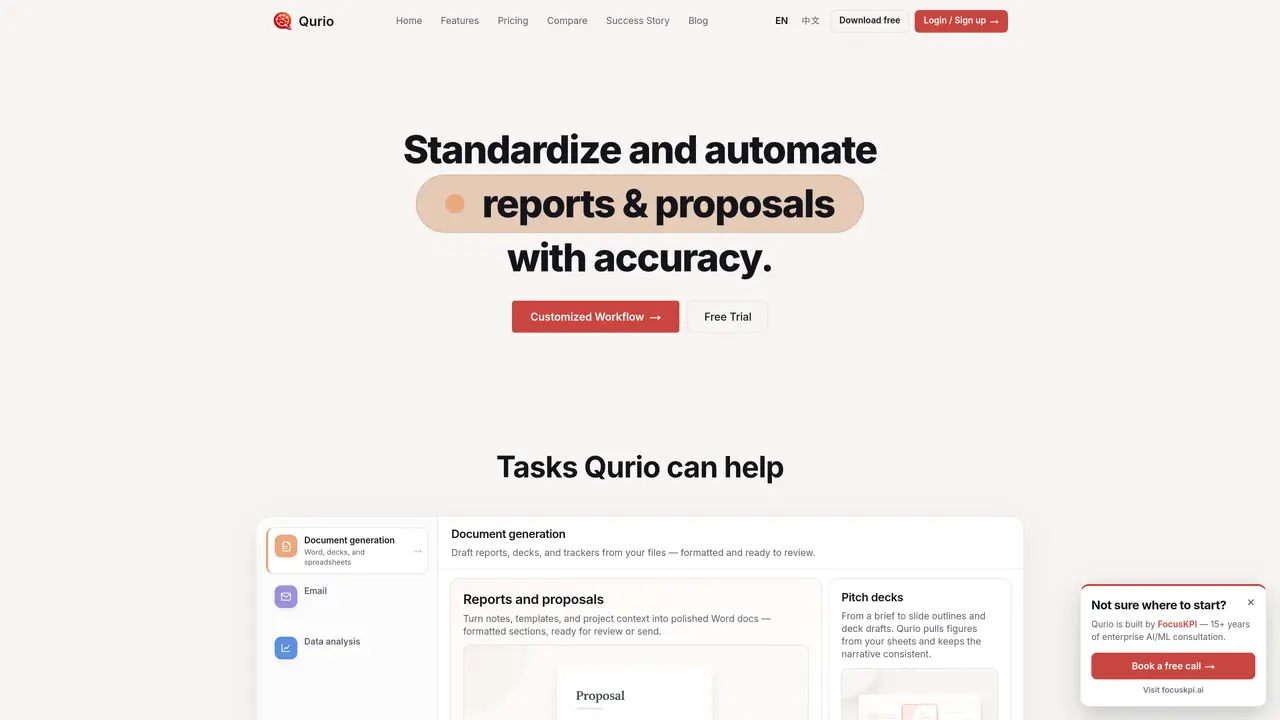
Qurio automates document generation, email campaigns, data analysis, and operational workflows by reading and writing directly to connected tools such as OneDrive, Google Drive, Gmail, Excel, and CRM systems. It transforms raw data, notes, or templates into formatted reports, pitch decks, trackers, and summaries without requiring users to switch applications. Teams trigger workflows through chat commands, and the system handles branches, approvals, and cross-tool routing based on plain-language instructions. Custom workflows are designed and implemented with customer teams, then run autonomously while being monitored and tuned over time. The tool is positioned for sales, marketing, operations, and field teams that need to standardize repetitive processes like lead follow-ups, quote generation, and status tracking. It operates on top of existing software stacks without replacing them, relying on user-authorized connections to files and accounts.
Zapier requires users to define triggers, actions, and maintain a visual diagram, whereas Qurio operates from plain-language instructions like 'follow up on leads from last week' without needing manual setup or maintenance.
Unlike Copilot or ChatGPT, which provide responses in a chat window, Qurio reads and writes directly to connected tools such as OneDrive, Google Drive, or Gmail, and updates files or tasks in place based on user instructions.
Field and floor staff can receive briefings via SMS or voice without installing a new app. A desktop app is required only to connect accounts, while users can continue using their existing tools and devices.
No technical expertise is required. Users can operate Qurio by typing plain-language instructions such as 'status on Acme' or 'draft Monday's ops brief,' similar to sending an email or opening a shared folder.
Yes, Qurio integrates with tools like OneDrive, Teams, Gmail, Google Drive, Calendar, ClickUp, Airtable, Slack, and more, operating on top of existing software stacks without replacing them.
Data remains within your connected accounts, and Qurio only accesses what you authorize. You can disconnect integrations at any time, and the company does not sell user data.
qurio.pro · third-party estimates from Similarweb
Last 2 months · grows by one month every month
Share of visits · estimated visits
Automation & Agents · Sep 2026
Traffic figures are third-party estimates, good for scale and trends; they can differ from a company's own numbers. Updated monthly.
We use essential cookies to run aitoolnavio™, and optional cookies to analyze traffic and measure our marketing. You choose what we use — optional cookies stay off unless you turn them on. See our Privacy Policy.
One short email a week: fresh tools worth trying, honest takes and the updates that actually matter. No spam, unsubscribe any time.
Generate captions, optimize content, and enhance with custom images for maximum engagement.
Build conversational forms, capture rich responses, and automate follow-ups with AI-powered surveys and workflows.
Automate code, research, and documents using agents.
AI-powered IDE for autonomous coding tasks and agentic development workflows
Source, match, and manage talent with predictive analytics for effortless recruiting.
Automate workflow, optimize operations, and detect potential issues with this efficient AI-driven solution.
Transforms thoughts into actions, enhancing productivity and efficiency.
AI Recruitment engine to hire top global talent
All-in-one team productivity platform combining chat, docs, video meetings, workflows, and AI tools in one place.
Personal assistant that coordinates tasks across apps and devices via text or call
AI automation and agent-building platform with 3,000+ app integrations
AI job search copilot that matches roles to skills, optimizes resumes for ATS, generates cover letters, and autofills applications with real-time insights.
Matched on what this tool does — grouped by the job you would be replacing.
matches Document generation from files into Word, decks, and spreadsheets · Data analysis and KPI reporting · Prompt tuning and minor maintenance included in higher tiers
Collaborative AI agent that turns prompts into deployed web apps, presentations, reports, images, videos, documents, and automated workflows.
AI-powered marketing automation platform that manages campaigns, generates content, and analyzes data via a chat interface.
Generate clear, professional marketing reports from ad campaign data in one click with AI-powered insights.
matches Custom workflow design with branches and approvals · Autonomous workflow execution triggered by chat · Integration with Salesforce, Excel, and catalog APIs
matches Email campaign automation and triage · SMS or voice briefings for field staff
AI agents that autonomously plan and execute multi-app workflows for enterprise teams, reducing manual work in customer support and operations.
Runs autonomous multi-step workflows across 2,800+ apps using AI agents, replacing repetitive tasks with reliable automation.
A no-code AI automation platform for building secure AI chat, autonomous agents, and workflow automations with 100+ integrations and governance controls.
Build no-code AI agents to automate sales, support, marketing, and creative tasks for small businesses.
AI-powered lead engagement and sales automation that handles calls, texts, chat, and email to capture, qualify, and follow up with leads 24/7.
Autonomous AI agents automate marketing content, campaigns, social publishing, lead qualification, and CRM workflows across 100+ integrations.
AI automation platform for businesses that runs lead qualification, multi-channel outreach, and content creation using multiple top AI models and 1000+ integrations.