Generate captions, optimize content, and enhance with custom images for maximum engagement.
46M visits/mo-10%#3 Image & Design
Collaborative AI agent that turns prompts into deployed web apps, presentations, reports, images, videos, documents, and automated workflows.
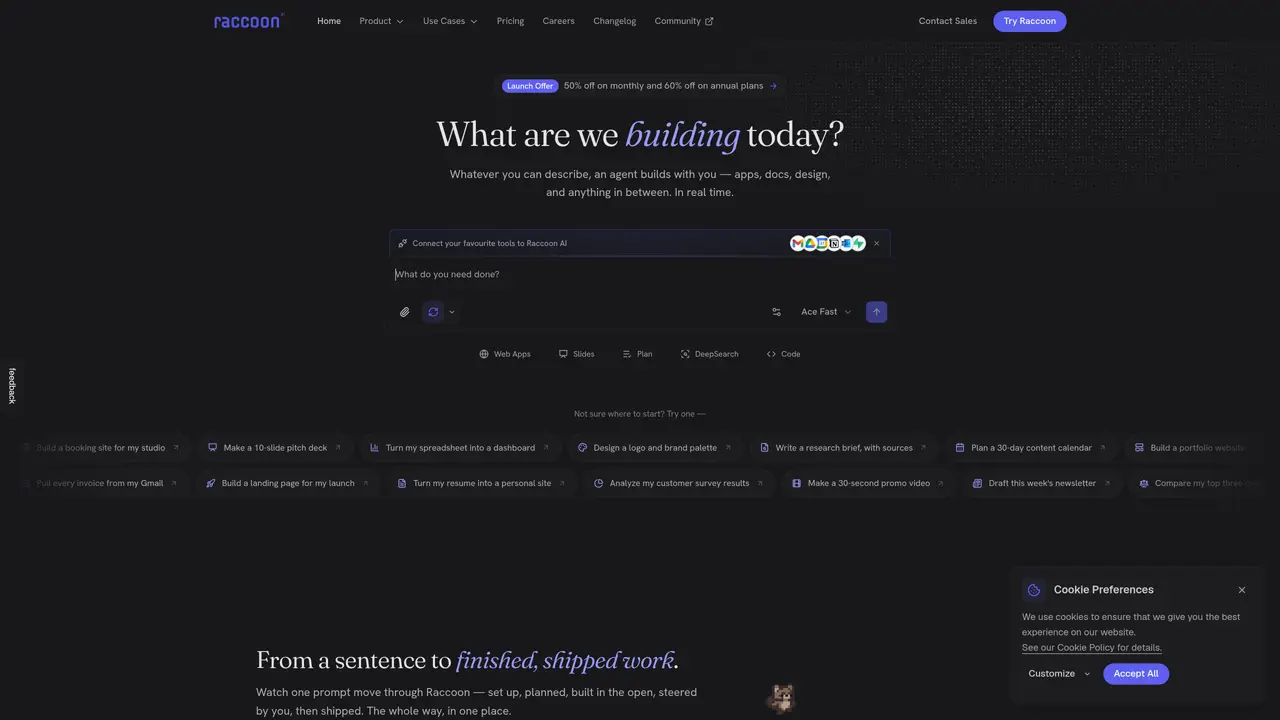
Raccoon AI is a general-purpose collaborative AI agent designed to transform prompts into tangible outputs across multiple domains. It combines app building, data analysis, slide creation, design generation, media production, document writing, connectors, deployment, and workflow automation within a single workspace. Users can generate full-stack web applications, interactive tools, dashboards, and calculators without manual infrastructure setup. The platform supports professional presentations, pitch decks, reports, and visual documents, either from scratch or by uploading existing files. It also handles data analysis by processing spreadsheets, CSV files, and business documents to produce charts, insights, and decision-ready workbooks. Creative tasks such as image editing, photo generation, video creation, and graphic design are streamlined, along with document writing and end-to-end workflow automation. Raccoon AI integrates tools like Gmail, Drive, Calendar, Notion, Outlook, and Supabase to connect and automate real-world processes, making it suitable for teams and individuals seeking a flexible AI agent to produce project-ready outputs rather than just chat responses.
Raccoon AI is a collaborative AI agent that transforms plain-language prompts into tangible outputs such as apps, slides, data analysis, design, and documents, while working in a shared workspace.
It suits individuals and teams seeking a flexible AI agent to produce project-ready outputs, from developers to designers and business professionals, by automating workflows and integrating existing tools.
The platform offers multiple pricing plans, including discounts for monthly and annual subscriptions, with options tailored to different usage levels and needs.
Raccoon AI integrates with over 50 tools, including Gmail, Google Drive, Calendar, Notion, Outlook, GitHub, and Supabase, allowing users to connect and automate real-world processes.
The tool relies on AI interpretation for complex tasks, which may occasionally require user intervention to refine outputs, and it may have a learning curve for new users.
Users can start by describing their project in plain language, connecting their preferred tools, and guiding the AI agent through real-time collaboration to build, steer, and ship the final output.
raccoonai.tech · third-party estimates from Similarweb
Last 4 months · grows by one month every month
Share of visits · estimated visits
Automation & Agents · Sep 2026
Traffic figures are third-party estimates, good for scale and trends; they can differ from a company's own numbers. Updated monthly.
We use essential cookies to run aitoolnavio™, and optional cookies to analyze traffic and measure our marketing. You choose what we use — optional cookies stay off unless you turn them on. See our Privacy Policy.
One short email a week: fresh tools worth trying, honest takes and the updates that actually matter. No spam, unsubscribe any time.
Generate captions, optimize content, and enhance with custom images for maximum engagement.
Build conversational forms, capture rich responses, and automate follow-ups with AI-powered surveys and workflows.
Automate code, research, and documents using agents.
AI-powered IDE for autonomous coding tasks and agentic development workflows
Source, match, and manage talent with predictive analytics for effortless recruiting.
Automate workflow, optimize operations, and detect potential issues with this efficient AI-driven solution.
Transforms thoughts into actions, enhancing productivity and efficiency.
AI Recruitment engine to hire top global talent
All-in-one team productivity platform combining chat, docs, video meetings, workflows, and AI tools in one place.
Personal assistant that coordinates tasks across apps and devices via text or call
AI automation and agent-building platform with 3,000+ app integrations
AI job search copilot that matches roles to skills, optimizes resumes for ATS, generates cover letters, and autofills applications with real-time insights.
Matched on what this tool does — grouped by the job you would be replacing.
matches Build and deploy full-stack web apps from prompts without manual infrastructure setup · Deploy live applications, dashboards, and interactive tools directly from the workspace
Transform ideas into fully functional applications with Lovable, a groundbreaking AI tool.
AI-native builder that turns prompts into full-stack web apps, syncs to GitHub, and deploys to Vercel in seconds with visual editing.
AI-powered app generator that builds functional software from plain-English prompts.
Generate functional, data-driven Internal Tools, CRUD apps, Admin Panels in mere seconds.
matches Create professional presentations, pitch decks, reports, and visual documents · Write and refine documents, reports, and interactive content through iterative prompts
matches Generate, edit, and produce images, videos, graphics, and creative assets · Interactive refinement of outputs through follow-up instructions and contextual inputs
AI-powered visual communication tool for creating infographics, reports, presentations, and social graphics from templates with AI assistance.
Generate presentations, create interactive slideshows, and customize with themes, fonts, and colors.
AI-powered content and design generator that turns prompts into branded marketing materials like decks, social posts, and visuals.
AI platform for upscaling images, enhancing photos, and generating high-quality creative assets with contextual detail.
An AI design agent that turns natural language prompts into logos, social graphics, videos, 3D assets, and web pages in a single web canvas.
Create and edit photorealistic images from text prompts and reference images without technical expertise.
AI image generator and editor integrated into Google Workspace for creating and editing images from text or existing files.