

Generate captions, optimize content, and enhance with custom images for maximum engagement.
46M visits/mo-10%#3 Image & Design
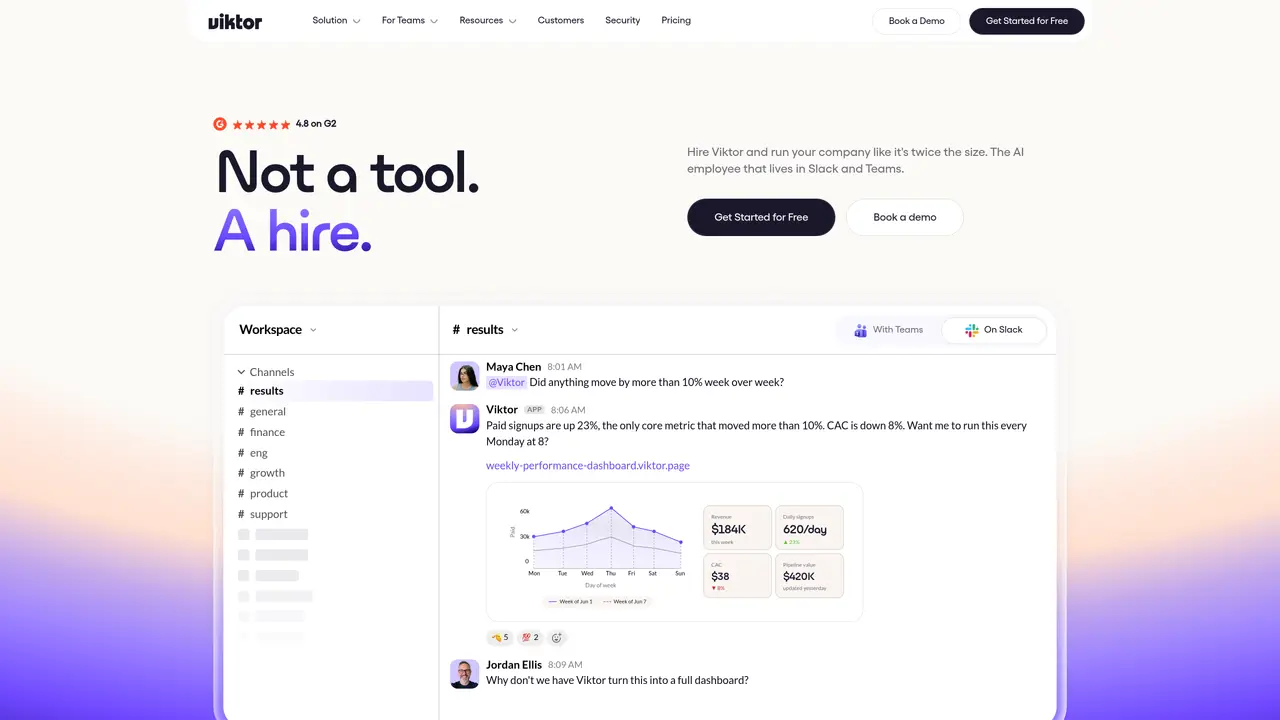
Viktor is an AI coworker that lives in Slack and Microsoft Teams. It runs in its own cloud environment, writes and executes code, connects to more than 3,000 tools, and completes tasks end to end. With persistent workspace memory and week long autonomous runs, Viktor aims to feel like “your last hire” rather than just another chatbot. Key Features: Slack and Teams native coworker: Works directly in channels, threads, and mentions, keeping conversations and actions in one place for the whole team. Autonomous workflows and long running tasks: Handles projects over several weeks, tracking deadlines, updating stakeholders, and maintaining context without constant human prompting. 3,000 plus integrations and custom tooling: Connects to tools like Salesforce, HubSpot, Linear, Notion, Jira, Stripe, GitHub, Google Drive, and can script custom integrations where needed. Cloud compute and code execution: Uses its own virtual machine to write, run, and debug code, build small web apps, and automate multi step workflows. Proactive monitoring and reporting: Regularly checks analytics and operational data, flags anomalies, and proposes concrete actions instead of just sending alerts. Security and compliance focus: Provides isolated compute per customer, encrypted data in transit and at rest, and SOC 2 Type 1 compliance with additional certifications in progress.
Viktor is an AI employee that operates within Slack and Microsoft Teams, equipped with its own cloud-based virtual machine to write, run, and debug code while completing tasks autonomously.
Unlike typical AI assistants, Viktor delivers real output such as dashboards, web apps, or automated workflows rather than just providing text-based responses. It acts as a persistent teammate with long-running tasks and persistent workspace memory.
Viktor integrates with over 3,000 tools, including Salesforce, HubSpot, Linear, Notion, Jira, Stripe, GitHub, and Google Drive, and can also create custom integrations when needed.
Viktor provides isolated compute per customer, encrypts data in transit and at rest, and holds SOC 2 Type 1 compliance with additional certifications in progress.
No, Viktor only accesses channel content when explicitly invited or mentioned, and it respects per-person permissions and access controls.
Viktor learns from your team's decisions and preferences by observing tasks, workflows, and formats used in Slack or Teams channels, allowing it to replicate or automate processes accurately.
getviktor.com · third-party estimates from Similarweb
Last 4 months · grows by one month every month
Share of visits · estimated visits
Automation & Agents · Sep 2026
Traffic figures are third-party estimates, good for scale and trends; they can differ from a company's own numbers. Updated monthly.
We use essential cookies to run aitoolnavio™, and optional cookies to analyze traffic and measure our marketing. You choose what we use — optional cookies stay off unless you turn them on. See our Privacy Policy.
One short email a week: fresh tools worth trying, honest takes and the updates that actually matter. No spam, unsubscribe any time.
Generate captions, optimize content, and enhance with custom images for maximum engagement.
Build conversational forms, capture rich responses, and automate follow-ups with AI-powered surveys and workflows.
Automate code, research, and documents using agents.
AI-powered IDE for autonomous coding tasks and agentic development workflows
Source, match, and manage talent with predictive analytics for effortless recruiting.
Automate workflow, optimize operations, and detect potential issues with this efficient AI-driven solution.
Transforms thoughts into actions, enhancing productivity and efficiency.
AI Recruitment engine to hire top global talent
All-in-one team productivity platform combining chat, docs, video meetings, workflows, and AI tools in one place.
Personal assistant that coordinates tasks across apps and devices via text or call
AI automation and agent-building platform with 3,000+ app integrations
AI job search copilot that matches roles to skills, optimizes resumes for ATS, generates cover letters, and autofills applications with real-time insights.
Matched on what this tool does — grouped by the job you would be replacing.
matches Slack and Teams native coworker · Autonomous workflows and long running tasks · Proactive monitoring and reporting
AI coworker that automates repetitive tasks in Slack or Microsoft Teams
Automates tasks via AI agents on chat platforms.
Run AI agents across Slack, Teams, Google, Notion, Shopify and more to automate real work like summarizing meetings, generating content, and handling customer support.
matches 3,000 plus integrations and custom tooling · Autonomous workflows and long running tasks · Proactive monitoring and reporting
matches Cloud compute and code execution
Offload multi-step digital work to always-on agents.
AI agents that autonomously plan and execute multi-app workflows for enterprise teams, reducing manual work in customer support and operations.
Automate ops across tools, delivering reports and campaigns.
AI operating system that deploys department-specific agents to automate workflows across tools
Collaboration and version control platform for software development and AI model hosting.
Open-source backend platform providing Postgres, authentication, APIs, and real-time features to build scalable apps quickly.
Platform for building and deploying internal AI agents and workflows