Automate job postings, track applicants, and streamline hiring with an intuitive HCM platform for talent acquisition.
32M visits/mo+3.9%#5 Business & Marketing

A macOS AI assistant that automates Finder, Mail, Calendar, Notes, and Safari workflows using conversational commands with encrypted privacy controls.
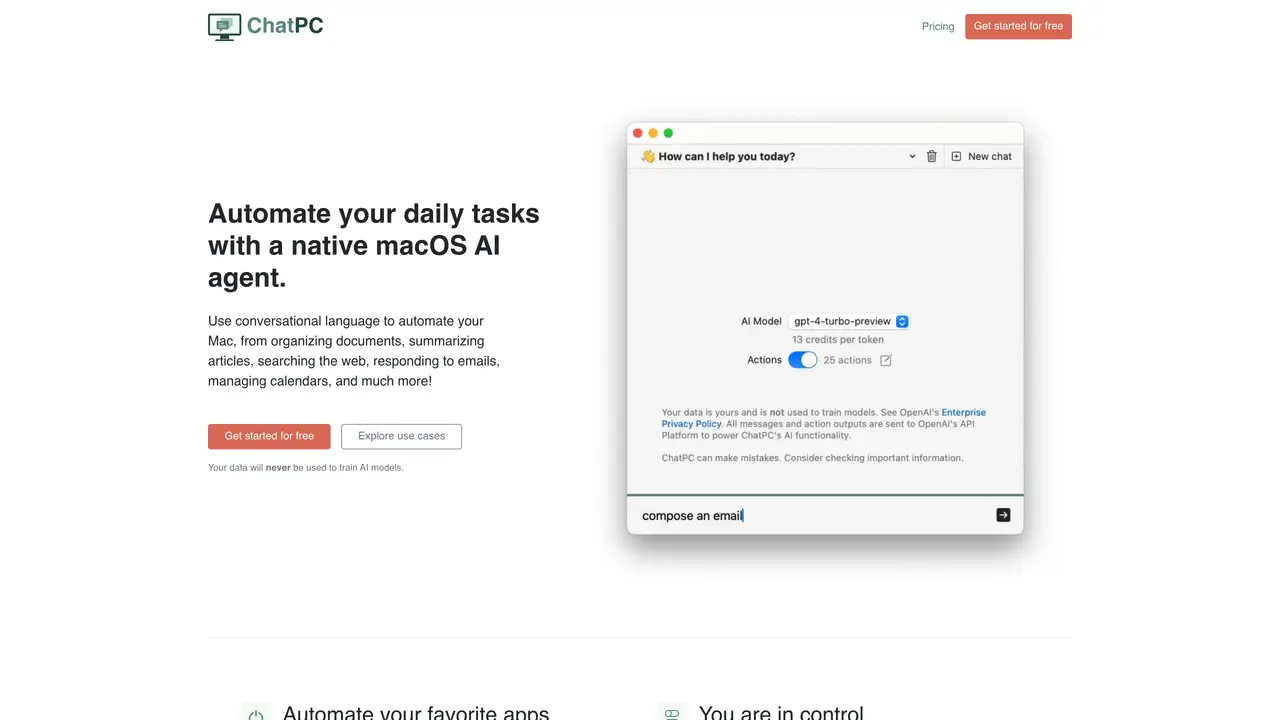
ChatPC is a native macOS desktop AI productivity assistant designed for individuals who want to automate everyday Mac tasks using conversational language. It integrates with core macOS applications such as Finder, Calendar, Mail, Notes, and Safari to perform actions like creating files, managing calendars, drafting and replying to emails, and organizing documents. The tool can also turn local documents into a searchable knowledge base, allowing users to ask questions about file content and receive answers based on that information. File organization is streamlined as ChatPC automatically renames and sorts files using their content. Users have granular control over automation, choosing which actions run automatically or require approval, and can even create custom actions for tailored workflows. ChatPC emphasizes privacy with end-to-end encrypted communication with OpenAI and a policy that customer data is never used to train AI models. The tool supports the use of a personal OpenAI API key to bypass credit usage, and advanced GPT features require a ChatGPT Plus subscription. It is available as a freemium product with a free plan offering lifetime 50,000 credits and 75 GPT actions, while paid plans provide larger credit tiers for expanded usage.
ChatPC is a native macOS desktop AI productivity assistant that automates everyday Mac tasks using conversational language. It integrates with core macOS applications such as Finder, Calendar, Mail, Notes, and Safari to perform actions like organizing documents, managing calendars, drafting emails, and searching the web.
ChatPC is designed for individuals who want to streamline their Mac workflows through automation. It suits users who frequently work with local documents, emails, calendars, and file management, as well as those seeking to enhance productivity with AI-driven assistance.
Yes, ChatPC emphasizes privacy by ensuring customer data is never used to train AI models and that all communication with OpenAI is end-to-end encrypted. Users can also connect their own OpenAI API key to maintain control over their data usage.
ChatPC integrates with core macOS applications such as Finder, Calendar, Mail, Notes, and Safari. It also supports custom actions and can connect to other GPTs, including those requiring an internet connection or code interpreter, provided the user has a ChatGPT Plus subscription.
Users can get started with ChatPC by downloading the application from its official website and creating an account. The tool offers a freemium model, allowing users to begin with a free plan that includes basic features and usage limits.
Advanced GPT features, such as using the internet, code interpreter, or other specialized GPTs, require a ChatGPT Plus subscription. Paid plans also provide larger credit tiers for expanded usage beyond the free plan's limits.
chatpc.ai · third-party estimates from Similarweb
Last 4 months · grows by one month every month
Share of visits · estimated visits
Automation & Agents · Sep 2026
Traffic figures are third-party estimates, good for scale and trends; they can differ from a company's own numbers. Updated monthly.
We use essential cookies to run aitoolnavio™, and optional cookies to analyze traffic and measure our marketing. You choose what we use — optional cookies stay off unless you turn them on. See our Privacy Policy.
One short email a week: fresh tools worth trying, honest takes and the updates that actually matter. No spam, unsubscribe any time.
Automate job postings, track applicants, and streamline hiring with an intuitive HCM platform for talent acquisition.
Automate workflow, optimize operations, and detect potential issues with this efficient AI-driven solution.
AI automation and agent-building platform with 3,000+ app integrations
Automate email sending, save leads to CRMs, and create complex workflows for customer support tickets.
Open-source workflow automation platform to build, run, and monitor agentic and traditional workflows with 500+ integrations and AI governance.
AI-powered platform streamlining workflows with no-code automation.
With Accio, manufactures/ products/ suppliers/ inspirations will come to you, any time, any where.
Create & deploy AI apps, access real-time insights, and easily build models with an intuitive user interface.
Automate outreach campaigns, create personalized emails with AI, and monitor results with detailed analytics.
AI-powered fleet management platform for trucking, delivery, and field service teams, combining GPS tracking, ELD compliance, dash cams, maintenance, and spend management.
Automate tasks, streamline workflows, and create powerful automation flows effortlessly.
Control your computer and apps from any chat.
Matched on what this tool does — grouped by the job you would be replacing.
Paid placement · similar tools from listings that support aitoolnavio™
Instant lead response for home-service pros: your phone rings on every new lead, plus 14 days of follow-up
matches App automation across macOS (Finder, Calendar, Mail, Notes, Safari) · Ask questions about local files using conversational commands · Automatic file renaming and organization based on content
matches Ask questions about local files using conversational commands · Automatic file renaming and organization based on content
A macOS AI assistant that lets users control their computer with natural language commands across applications.
A MacOS app that lets users control their computer with voice commands, dictate text, and automate workflows using GPT-4.
Voice-first AI assistant for macOS that executes tasks via natural language commands
Open-source AI desktop agent for Mac that automates repetitive tasks like file management, document creation, and calendar entries while keeping data private.
AI assistant that summarizes webpages, videos, PDFs, and audio into structured notes and saves them to a searchable knowledge base.
AI-powered assistant to save, organize, and retrieve links, files, videos, and voice notes from chat apps into a private, searchable library.
AI-powered workspace to import, search, and chat with PDFs, web pages, voice notes, and videos for learning and writing workflows.
Turns PDFs, TXT, and DOCX files into a 24/7 AI assistant for instant answers without requiring guest accounts to pay.