Automate job postings, track applicants, and streamline hiring with an intuitive HCM platform for talent acquisition.
32M visits/mo+3.9%#5 Business & Marketing

AI document automation tool that extracts fields from PDFs, images, and files to autofill PDF templates or Google Sheets for teams and individuals.
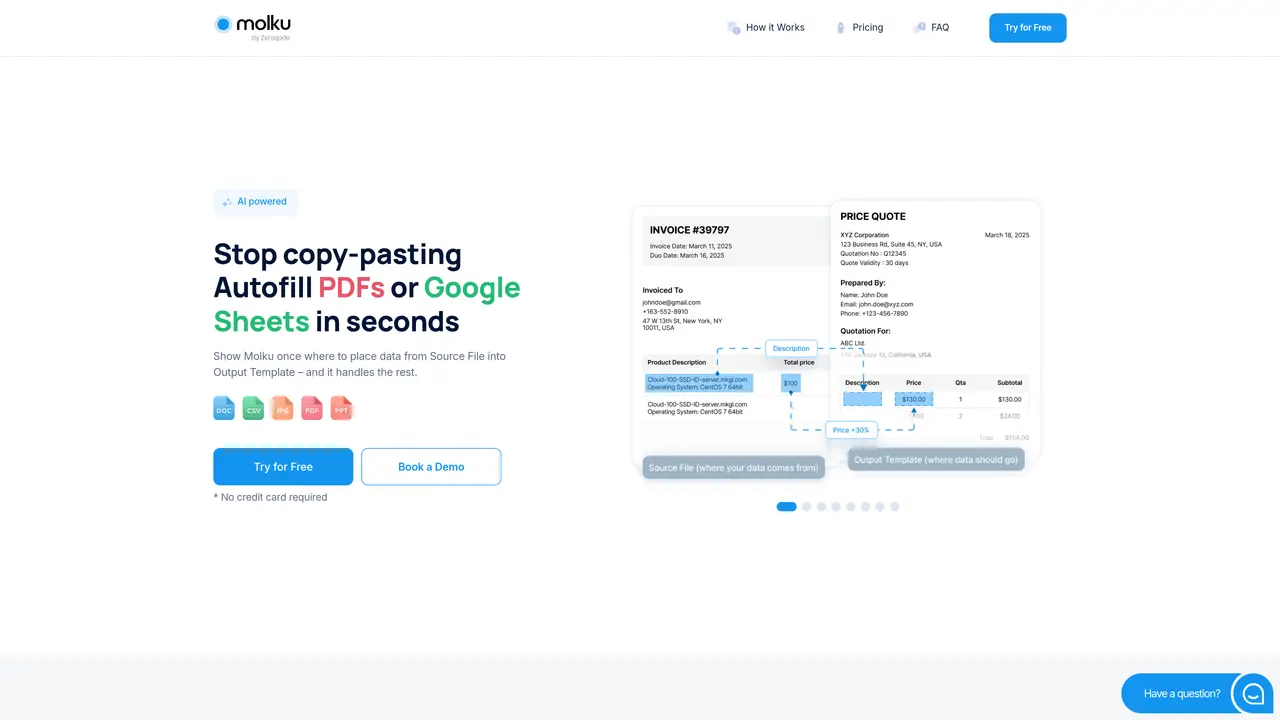
Molku is a web-based AI document automation platform designed for businesses and individuals who frequently transfer data from source documents into PDF templates or Google Sheets. Users set up one-time workflows by uploading a sample source file and an output template, then mapping fields once to reuse for every new file with the same structure. The tool supports AI field extraction and parsing from PDFs, images, CSV, Excel, text, PPT, and Word, including scanned documents and handwritten notes. It enables data modifications before filling, such as text replacement, calculations, format standardization, and field merging using configurable prompts. Molku integrates with over 8,000 apps via Zapier, Make, or an API for custom automation. The platform emphasizes secure processing with 256-bit AES encrypted storage on Amazon S3 and is built for repeatable document transfers without manual copy-paste. It serves operations managers, small business owners, and teams needing reliable document automation workflows.
Molku automates the transfer of data from source documents into PDF templates or Google Sheets by extracting fields using AI and mapping them once for reuse across similar files.
The platform is designed for businesses, operations managers, small business owners, and teams that frequently process documents and need to streamline data entry into templates or spreadsheets.
Molku supports AI field extraction and parsing from PDFs, images, CSV, Excel, text, PPT, Word, and scanned documents, including handwritten notes.
Yes, users can make modifications such as text replacement, calculations, format standardization, and field merging using configurable prompts before the data is inserted into the template.
Molku integrates with over 8,000 apps through Zapier, Make, or a direct API for custom automation workflows.
Molku emphasizes secure processing with 256-bit AES encrypted storage on Amazon S3, ensuring data protection during document automation.
molku.ai · third-party estimates from Similarweb
Last 2 months · grows by one month every month
Traffic figures are third-party estimates, good for scale and trends; they can differ from a company's own numbers. Updated monthly.
We use essential cookies to run aitoolnavio™, and optional cookies to analyze traffic and measure our marketing. You choose what we use — optional cookies stay off unless you turn them on. See our Privacy Policy.
One short email a week: fresh tools worth trying, honest takes and the updates that actually matter. No spam, unsubscribe any time.
Automate job postings, track applicants, and streamline hiring with an intuitive HCM platform for talent acquisition.
Automate workflow, optimize operations, and detect potential issues with this efficient AI-driven solution.
AI automation and agent-building platform with 3,000+ app integrations
Automate email sending, save leads to CRMs, and create complex workflows for customer support tickets.
Open-source workflow automation platform to build, run, and monitor agentic and traditional workflows with 500+ integrations and AI governance.
AI-powered platform streamlining workflows with no-code automation.
With Accio, manufactures/ products/ suppliers/ inspirations will come to you, any time, any where.
Create & deploy AI apps, access real-time insights, and easily build models with an intuitive user interface.
Automate outreach campaigns, create personalized emails with AI, and monitor results with detailed analytics.
AI-powered fleet management platform for trucking, delivery, and field service teams, combining GPS tracking, ELD compliance, dash cams, maintenance, and spend management.
Automate tasks, streamline workflows, and create powerful automation flows effortlessly.
Control your computer and apps from any chat.
Matched on what this tool does — grouped by the job you would be replacing.
Paid placement · similar tools from listings that support aitoolnavio™
Instant lead response for home-service pros: your phone rings on every new lead, plus 14 days of follow-up
matches AI field extraction from PDFs, images, CSV, Excel, text, PPT, and Word · Support for scanned documents and handwritten notes · Data modifications before filling (text replacement, calculations, format standardization)
matches One-time workflow setup with unlimited runs · Integrations with 8,000+ apps via Zapier, Make, or API · Secure processing with 256-bit AES encryption on Amazon S3
AI form-filling tool that auto-populates PDF and Word documents from images, text, CSVs, and profiles for high-volume paperwork.
An LLM-powered document parser that extracts structured data from emails, PDFs, images, and HTML for business workflows.
AI document data extraction platform that converts PDFs, emails, scans, and images into structured fields via web app or API with classification and OCR.
Converts PDFs, images and Office files into structured JSON, CSV or Excel with AI-powered OCR and field extraction.
Maximize data extraction efficiency with AI-powered precision, OCR, and customizable templates.
Automate data entry, extract data from documents, and integrate with other systems for quick data transfer.