Cloud accounting software that automates bookkeeping, invoicing, and financial reporting for small and growing businesses.
36M visits/mo+0.9%#4 Business & Marketing

Centralizes tracking and optimization of AI service spending across multiple platforms through a single dashboard.
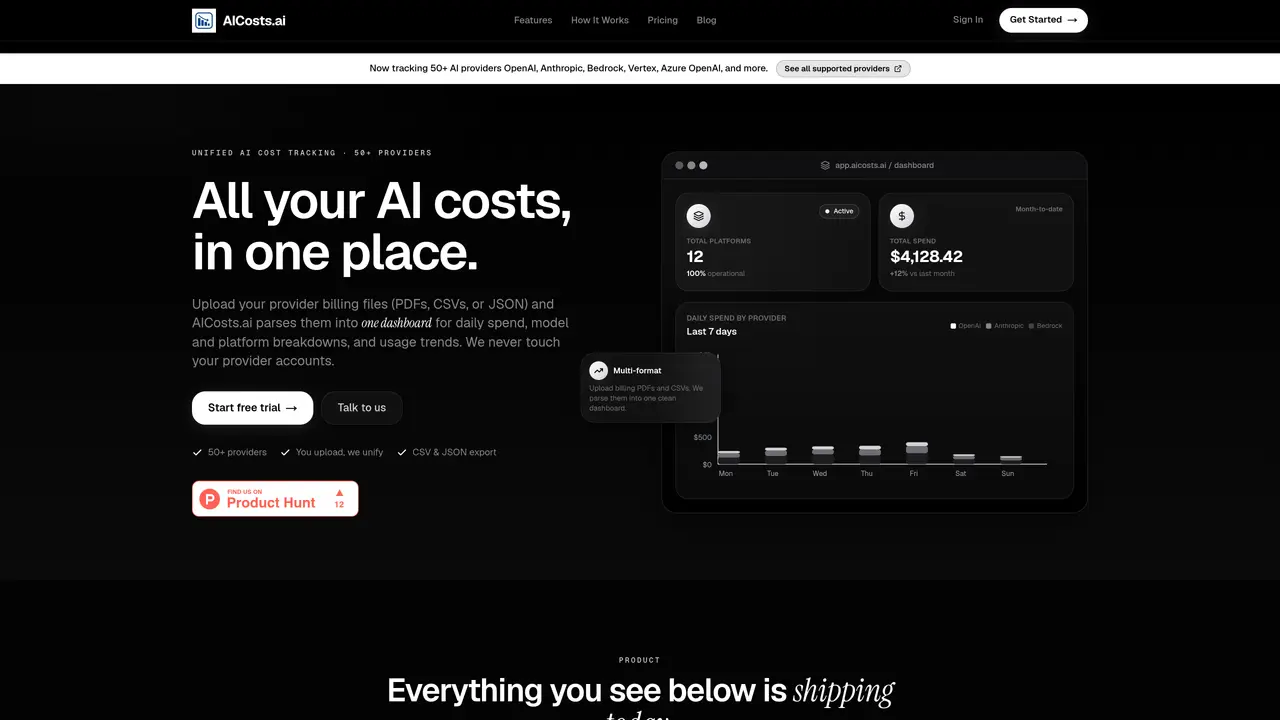
AICosts.ai is a centralized platform for tracking, analyzing, and optimizing spending across multiple AI services. It consolidates billing data from over 50 providers—including OpenAI, Anthropic, Google, and Azure—into a single dashboard, eliminating the need to log into separate billing portals. Users upload invoices or billing files in PDF, CSV, or JSON format, and the platform parses them into a normalized structure for daily spend tracking, model-level breakdowns, and usage trends. The tool never accesses provider accounts or user prompts, ensuring data privacy while providing invoice-accurate cost insights. AICosts.ai supports budget controls with automated email alerts, allowing teams to monitor spending against predefined limits and avoid unexpected overages. It also enables exporting unified cost data for further analysis or integration with external systems. Designed for finance teams, engineering leads, and AI-native startups, the platform helps organizations maximize return on AI investments by identifying cost inefficiencies and optimizing resource allocation without sacrificing performance or scalability.
AICosts.ai centralizes tracking and analysis of AI spending by consolidating billing data from over 50 providers into a single dashboard. It parses uploaded invoices or billing files into a normalized format, providing daily spend breakdowns, budget controls, and optimization insights.
The platform is built for finance teams, engineering leads, CTOs, and AI-native startups who need to monitor and control AI spending across multiple providers. It is particularly useful for organizations running AI in production or using three or more AI services.
AICosts.ai never accesses user provider accounts or handles prompts and completions. Users upload billing files directly, and the platform processes only the exported invoices or data, ensuring data privacy and security.
Yes, the platform supports tracking costs for AI agent workflows by allowing users to upload logs from automation tools like n8n or Make.com. These logs can be exported and analyzed alongside other AI service costs.
Yes, users can set monthly budgets for all providers or specific platforms and receive email alerts when spending reaches 50%, 80%, or 100% of the budget. Alerts are deduplicated to avoid spam.
Start by uploading your AI provider billing files (PDF, CSV, or JSON) into the platform. The tool will parse the data into a unified dashboard where you can review spend, set budgets, and export data for further analysis.
aicosts.ai · third-party estimates from Similarweb
Share of visits by channel
Share of visits · estimated visits
Business & Marketing · Sep 2026
Traffic figures are third-party estimates, good for scale and trends; they can differ from a company's own numbers. Updated monthly.
We use essential cookies to run aitoolnavio™, and optional cookies to analyze traffic and measure our marketing. You choose what we use — optional cookies stay off unless you turn them on. See our Privacy Policy.
One short email a week: fresh tools worth trying, honest takes and the updates that actually matter. No spam, unsubscribe any time.
Cloud accounting software that automates bookkeeping, invoicing, and financial reporting for small and growing businesses.
AI-powered budgeting companion that auto-categorizes spending, forecasts expenses, and offers conversational guidance within YNAB’s trusted zero-based system.
A bookkeeping automation platform that captures receipts, invoices, and statements, extracts data, and syncs to accounting software for SMBs and accounting firms.
Send money globally, track payments, and save with competitive rates and low fees.
AI market intelligence platform that turns natural-language queries into analyst-grade insights with real-time monitoring and AI-generated summaries.
Revolutionize planning: Connect, model, and forecast across all business areas.
AI-powered real estate platform for finding deals, analyzing properties, and building investor workflows with nationwide data and predictive analytics.
AI-powered terminal for researching global stocks with financial data, AI summaries, KPIs, filings, and portfolio dashboards.
Trendspider is a sophisticated all-in-one market research and trading software designed to enhance the trading strategies of investors and traders.
Develop, backtest, and analyze trading strategies with drag-and-drop builder, extensive data sources, and real-time market data.
Stock market data API delivering real-time prices, fundamentals, and news for financial modeling and trading applications.
Zocks is an AI assistant for financial advisors that automates meeting notes, client emails, forms, and CRM updates.
Matched on what this tool does — grouped by the job you would be replacing.
matches Centralized tracking of AI service spending · Unified visibility of expenses across multiple platforms · Detailed usage analytics and reporting
Tracks and alerts on AI provider spend across models and projects
Centralized token governance and routing platform for AI model calls
Centralized SaaS and AI spend visibility and governance platform for finance teams