Cloud accounting software that automates bookkeeping, invoicing, and financial reporting for small and growing businesses.
36M visits/mo+0.9%#4 Business & Marketing

Automate financial tracking, link banking services, and view key financial metrics in one place.
Nanonets Automated Accounting is the perfect solution for busy entrepreneurs and small business owners. Our automated platform simplifies the process of tracking financials, giving you real-time visibility into your finances and allowing you to make informed decisions. With Nanonets Automated Accounting, you can easily link your banking accounts, credit cards, and other financial services to your account. This gives you a comprehensive view of your financials in one place, so you can quickly identify and address any discrepancies or areas of concern. Plus, our intuitive dashboard makes it easy to view key financial metrics, such as cash flow, expenses, and revenue. Our automated system also eliminates the need for manual entry and reduces the time needed to reconcile your books. Nanonets Automated Accounting is the perfect solution for entrepreneurs and small business owners who want to stay on top of their financials without spending hours of their precious time doing it.
Nanonets Automated Accounting automates financial data processing by extracting, validating, and syncing transactional data from documents like invoices and receipts into accounting systems such as QuickBooks, Xero, and SAP. It reduces manual entry and reconciles books in real time.
The tool is designed for entrepreneurs, small business owners, and finance teams who need to streamline financial workflows without migrating systems or undergoing complex integrations. It suits businesses using ERP, CRM, or accounting platforms.
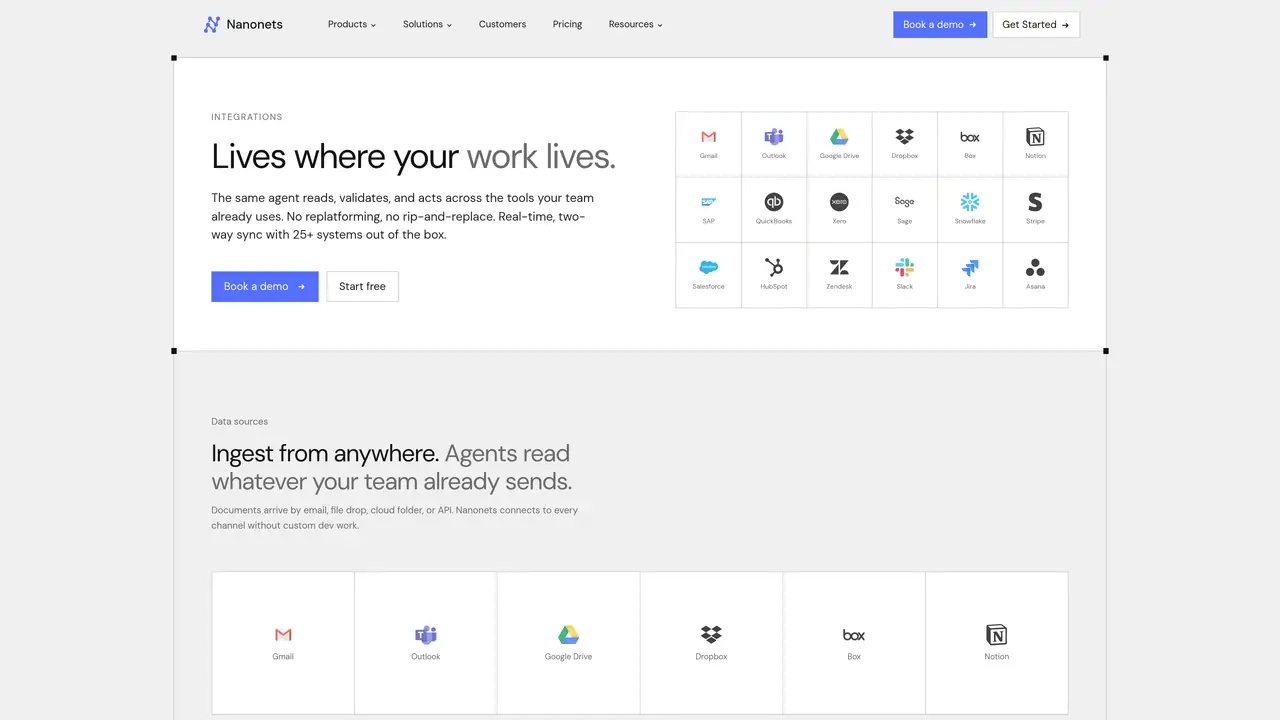
Nanonets connects natively with over 25 systems, including QuickBooks, Xero, SAP, Salesforce, and Slack, enabling real-time two-way sync. It authenticates once and processes data across tools without requiring custom development or replatforming.
The platform ingests documents from email, cloud storage, file drops, or APIs, handling formats like invoices, receipts, and vendor statements. It extracts and validates data regardless of layout or format.
Yes, every action is logged with full provenance, offering compliance teams a clear audit trail and finance teams reconciled records. The system tracks data flow from ingestion to sync.
Users can start a free trial or book a demo to see the tool in action with their specific documents and workflows. No credit card is required to begin, and the team can scope custom integrations during the onboarding process.
We use essential cookies to run aitoolnavio™, and optional cookies to analyze traffic and measure our marketing. You choose what we use — optional cookies stay off unless you turn them on. See our Privacy Policy.
One short email a week: fresh tools worth trying, honest takes and the updates that actually matter. No spam, unsubscribe any time.
Cloud accounting software that automates bookkeeping, invoicing, and financial reporting for small and growing businesses.
AI-powered budgeting companion that auto-categorizes spending, forecasts expenses, and offers conversational guidance within YNAB’s trusted zero-based system.
A bookkeeping automation platform that captures receipts, invoices, and statements, extracts data, and syncs to accounting software for SMBs and accounting firms.
Send money globally, track payments, and save with competitive rates and low fees.
AI market intelligence platform that turns natural-language queries into analyst-grade insights with real-time monitoring and AI-generated summaries.
Revolutionize planning: Connect, model, and forecast across all business areas.
AI-powered real estate platform for finding deals, analyzing properties, and building investor workflows with nationwide data and predictive analytics.
AI-powered terminal for researching global stocks with financial data, AI summaries, KPIs, filings, and portfolio dashboards.
Trendspider is a sophisticated all-in-one market research and trading software designed to enhance the trading strategies of investors and traders.
Develop, backtest, and analyze trading strategies with drag-and-drop builder, extensive data sources, and real-time market data.
Stock market data API delivering real-time prices, fundamentals, and news for financial modeling and trading applications.
Zocks is an AI assistant for financial advisors that automates meeting notes, client emails, forms, and CRM updates.
Matched on what this tool does — grouped by the job you would be replacing.
matches Automate financial tracking · Link banking and financial services · View key financial metrics in one place
Cloud accounting software that automates bookkeeping, invoicing, and financial reporting for small and growing businesses.
Automate complex financial reconciliations with AI-driven insights.
Revolutionize finance with AI-driven automation and seamless integration.
AI accounting tool that automates bookkeeping and delivers financial insights to streamline business decisions.