An AI chat platform for roleplaying, storytelling, and learning by chatting with millions of user-created AI characters.
151M visits/mo-5.5%#2 Chatbots & Assistants

An AI interview copilot for software engineers and job seekers that provides real-time hints, voice prompts, and post-interview review across common interview platforms.
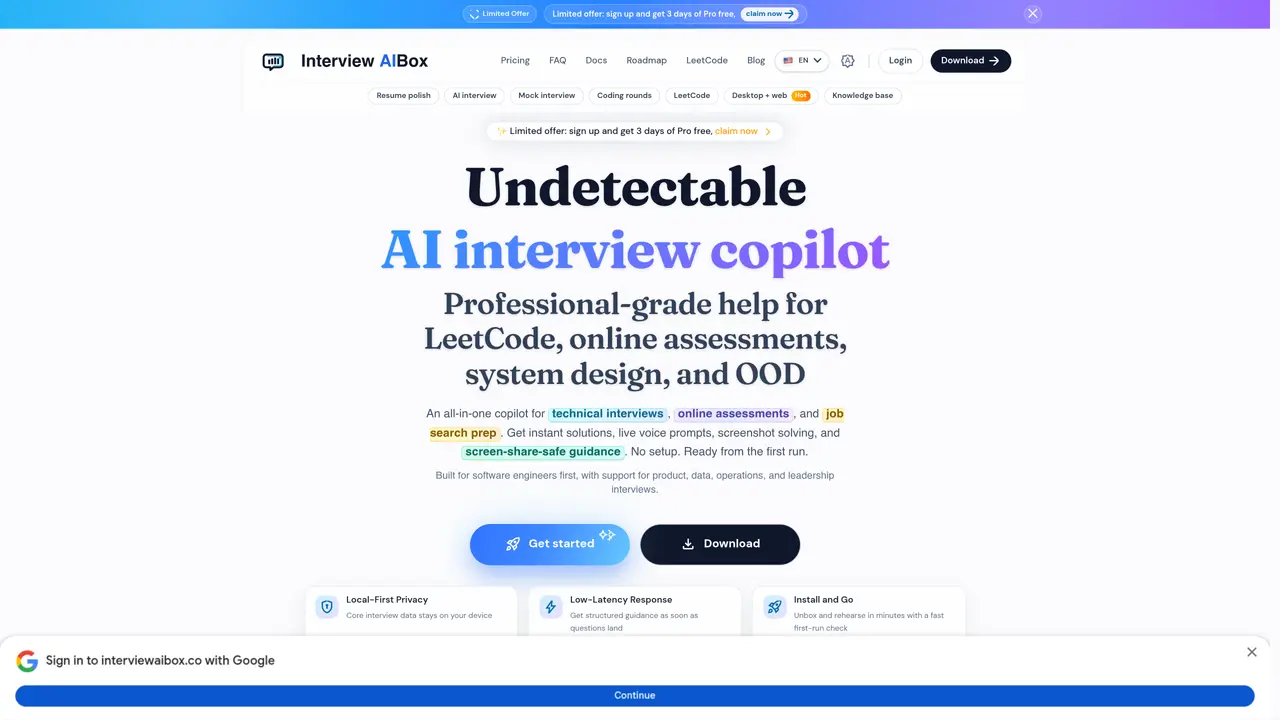
Interview AIBox is a desktop AI copilot designed for software engineers, students, and job seekers seeking real-time assistance during technical and behavioral interviews. It offers live AI assistance with voice transcription to capture interview questions and deliver structured guidance, including behavioral STAR frameworks and system design prompts, helping users reduce freezing and improve responses. The tool includes an instant solver for coding rounds and online assessments, supporting LeetCode-style problems and ACM/algorithms with solution guidance and complexity-focused hints. Screenshot solving and a local knowledge base allow users to incorporate resume content, notes, and job descriptions for more personalized answers. It features stealth and safety checks tailored for screen-share-sensitive environments, including anti-cheat self-checks and compatibility guidance for platforms like Zoom, Google Meet, Microsoft Teams, and HackerRank-style environments. Interview AIBox emphasizes local-first privacy, low-latency responses, and platform-focused stealth tooling, with desktop support for macOS and Windows.
Interview AIBox is an undetectable AI copilot designed to assist software engineers, students, and job seekers during technical and behavioral interviews. It provides real-time AI guidance, live voice prompts, and structured responses tailored for screen-share-sensitive environments.
The tool transcribes interview questions in real time and delivers live AI assistance, including behavioral STAR frameworks, system design prompts, and coding solutions. It operates with low latency and remains invisible during screen sharing to avoid detection.
Yes, it includes an instant solver for LeetCode-style problems, ACM/algorithms, and online assessments like HackerRank. Users receive solution guidance, complexity-focused hints, and code examples during coding rounds.
The tool is designed to work seamlessly across platforms such as Zoom, Google Meet, Microsoft Teams, Webex, HackerRank, CoderPad, and Codility, including enterprise and custom meeting setups.
It employs local-first privacy, keeping core interview data on the user's device. Stealth features include process-level invisibility, no overlay in recordings, and click-through functionality to avoid detection during screen sharing.
Interview AIBox supports macOS and Windows and requires a lightweight installer for quick setup. It is optimized for low-latency responses and works across desktop and web environments.
interviewaibox.co · third-party estimates from Similarweb
Last 4 months · grows by one month every month
Share of visits · estimated visits
Chatbots & Assistants · Sep 2026
Traffic figures are third-party estimates, good for scale and trends; they can differ from a company's own numbers. Updated monthly.
We use essential cookies to run aitoolnavio™, and optional cookies to analyze traffic and measure our marketing. You choose what we use — optional cookies stay off unless you turn them on. See our Privacy Policy.
One short email a week: fresh tools worth trying, honest takes and the updates that actually matter. No spam, unsubscribe any time.
An AI chat platform for roleplaying, storytelling, and learning by chatting with millions of user-created AI characters.
Create and interact with AI companions and virtual characters using GPT-4o on Chub AI's platform.
Create stunning visuals, access image recognition and processing, and express creatively with natural language processing.
Create fully customizable AI companions with persistent memory, selfies, and live voice calls.
Practice conversing with AI, improve pronunciation, and learn a new language in an immersive, safe environment.
Train, customize, optimize, and deploy models easily for powerful AI projects.
AI-powered tarot readings and personalized interpretations for self-reflection and guidance.
Quickly narrow searches by category, control results by country or language, and find relevant, accurate results with ease.
Chat with AI friends, mentors, and characters on the world's largest conversational AI platform for entertainment.
Generate presentations, create interactive slideshows, and customize with themes, fonts, and colors.
Trendspider is a sophisticated all-in-one market research and trading software designed to enhance the trading strategies of investors and traders.
An AI chat platform for immersive, personalized interactions with virtual companions, including image generation.
Matched on what this tool does — grouped by the job you would be replacing.
Paid placement · similar tools from listings that support aitoolnavio™
Instant lead response for home-service pros: your phone rings on every new lead, plus 14 days of follow-up
matches Live AI assistance with voice transcription · Stealth and safety checks for screen-share environments · Compatibility with Zoom, Google Meet, Microsoft Teams, and HackerRank
matches Instant solver for coding rounds and online assessments · Screenshot solving with local knowledge base · System design prompt support
matches Behavioral STAR framework guidance
Real-time AI interview assistant that transcribes interviewer audio and provides hidden answer suggestions during live interviews on Zoom, Google Meet, Teams, and coding sessions.
AI interview assistant that provides real-time answers during live video calls without being detected
Real-time AI interview assistant that transcribes speech and suggests structured answers during live calls on Zoom, Teams, and Meet.
AI desktop assistant for job seekers that provides real-time, context-aware answers during interviews, meetings, and exams.
AI interview copilot that provides live, undetectable assistance during coding and technical interviews via screengrabs or selected text.
An AI interview assistant for job seekers that runs live mock sessions, delivers real-time talking points, and prepares users for consulting, product, and coding interviews.
AI-driven personalized coaching for interview preparation, enhancing candidates' skills, confidence, and strategy.
Real-time AI copilot for coding and job interviews that runs locally on Windows
Final Round AI is an AI Interview Assistant that helps candidates prepare for and respond to interview questions in real-time.
Real-time AI interview assistant that transcribes questions and surfaces suggested answers during live interviews on Zoom, Meet, Teams, and coding platforms.
Local-first AI assistant that listens to interviews and streams answers to a paired device