




AI-powered video messaging tool that records, shares, and manages video messages with AI-generated titles, summaries, and tasks.
16M visits/mo-3.4%#5 Chatbots & Assistants

Local-first AI assistant that listens to interviews and streams answers to a paired device
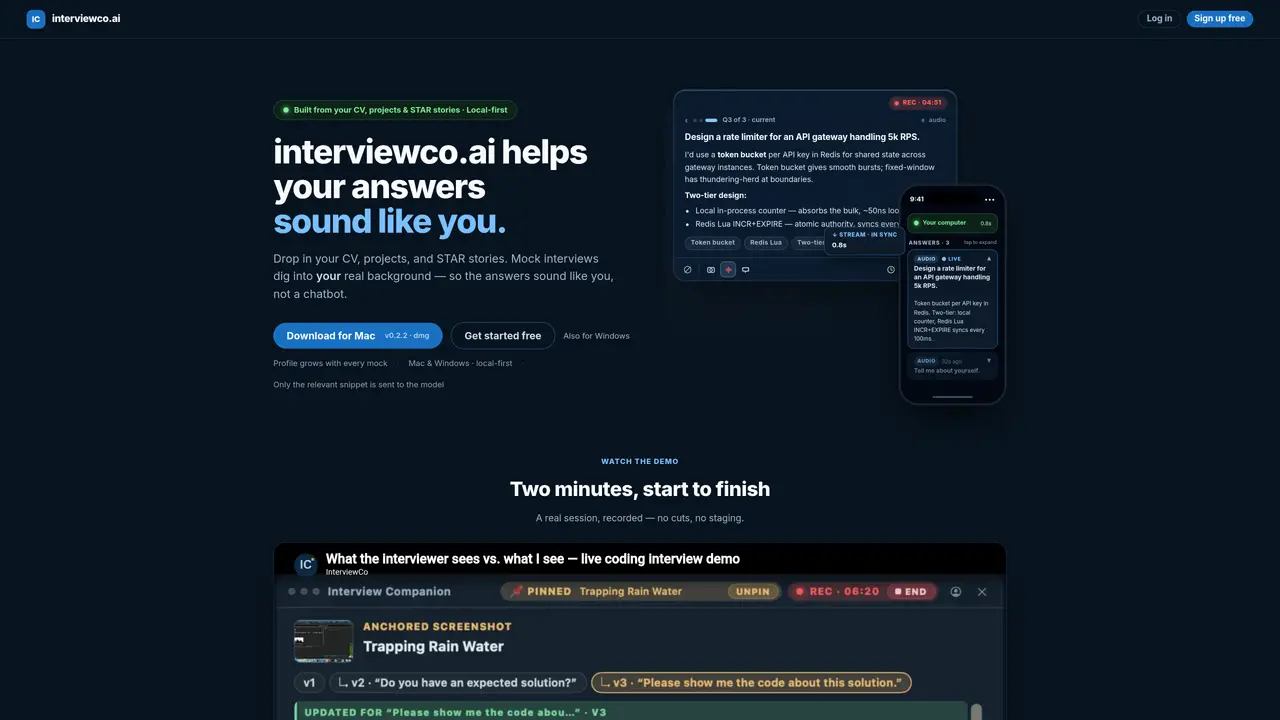
Interview Companion is a desktop application for Mac and Windows that provides real-time AI assistance during technical interviews. It captures system audio and optionally screen content, then streams generated answers to a paired iPhone or browser in under a second. The tool builds a personal profile from a user’s CV, projects, and STAR-formatted behavioral stories, which it uses to tailor responses that reflect the user’s actual experience rather than generic LLM output. Answers are generated locally on the user’s computer and only relevant context is sent to the model provider, maintaining privacy while ensuring up-to-date responses. The application supports coding rounds via screenshot-based problem solving, system design interviews with structured outlines, behavioral rounds using personal stories, and recruiter screens with targeted talking points. Sessions are synced between devices, allowing the interviewer to see the candidate’s natural thought process rather than a pre-written script.
Interview Companion is a desktop application for Mac and Windows that provides real-time AI assistance during technical interviews. It captures system audio and optionally screen content locally on your computer, then streams generated answers to a paired iPhone or browser in under a second. The tool uses a personal profile built from your CV, projects, and STAR-formatted behavioral stories to tailor responses that reflect your actual experience.
Interview Companion is designed for engineers preparing for technical interviews, including coding rounds, system design interviews, behavioral rounds, and recruiter screens. It is particularly useful for senior engineering candidates looking to adapt their responses to their own background rather than generic LLM output.
No. Interview Companion operates as a local-first application, meaning all audio buffers, screen pixels, profile data, and transcripts stay on your computer. Only the transcribed question text, relevant profile fragments, and cropped question screenshot (in vision mode) are sent to the AI model provider for processing.
The tool ensures privacy by keeping raw microphone and system audio buffers, screenshots, and session transcripts on your local device. Only the transcribed question and selected profile fragments are forwarded to the model provider, and all communication is secured with TLS encryption.
Yes. Interview Companion supports coding rounds via screenshot-based problem solving, system design interviews with structured outlines, behavioral rounds using personal STAR stories, and recruiter screens with targeted talking points. It adapts to the specific needs of each interview stage.
To get started, download the application for Mac or Windows from the official website, create an account, and upload your CV, projects, and STAR-formatted behavioral stories to build your personal profile. The tool then uses this profile to tailor responses during mock or real interviews.
We use essential cookies to run aitoolnavio™, and optional cookies to analyze traffic and measure our marketing. You choose what we use — optional cookies stay off unless you turn them on. See our Privacy Policy.
One short email a week: fresh tools worth trying, honest takes and the updates that actually matter. No spam, unsubscribe any time.
AI-powered video messaging tool that records, shares, and manages video messages with AI-generated titles, summaries, and tasks.
Hardware device that records conversations and converts them into searchable transcripts, summaries, and notes.
Automate transcription, generate summaries, identify speakers, and timestamps for video-conferencing conversations.
AI-powered meeting recorder and summarizer that captures, transcribes, and generates actionable insights from conversations.
Automatically record, transcribe, take notes, and create summaries with key insights during meetings.
Transforms audio/video to summarized text, instantly, across platforms.
Automatically transcribe meetings, create summaries, and securely store audio files in a searchable format.
Automatically turn meetings into searchable notes and tasks.
Wearable AI device that captures conversations and meetings, then auto-generates transcripts, summaries, action items, mind maps, and searchable notes.
Record, transcribe, and share key insights from virtual trainings, online meetings, and content creation.
Record, transcribe, and summarize online meetings from Google Meet and Zoom with AI, then share insights across collaboration tools.
Transform audio/video to text with precision, supporting 1500+ platforms, enriched by AI features.
Matched on what this tool does — grouped by the job you would be replacing.
matches Local system-audio capture without virtual drivers · Real-time AI assistant that listens and writes live answers during interviews · Invisible overlay during screen sharing
LockedIn AI is a 100% hidden interview copilot that helps you crack live interviews in any industry in real time.
An AI interview copilot for software engineers and job seekers that provides real-time hints, voice prompts, and post-interview review across common interview platforms.
Real-time AI assistant that listens and writes live answers during interviews
Stealth desktop AI assistant for real-time technical interview support










