An AI chat platform for roleplaying, storytelling, and learning by chatting with millions of user-created AI characters.

Personae
$9.99Starting price
0Popularity
About Personae
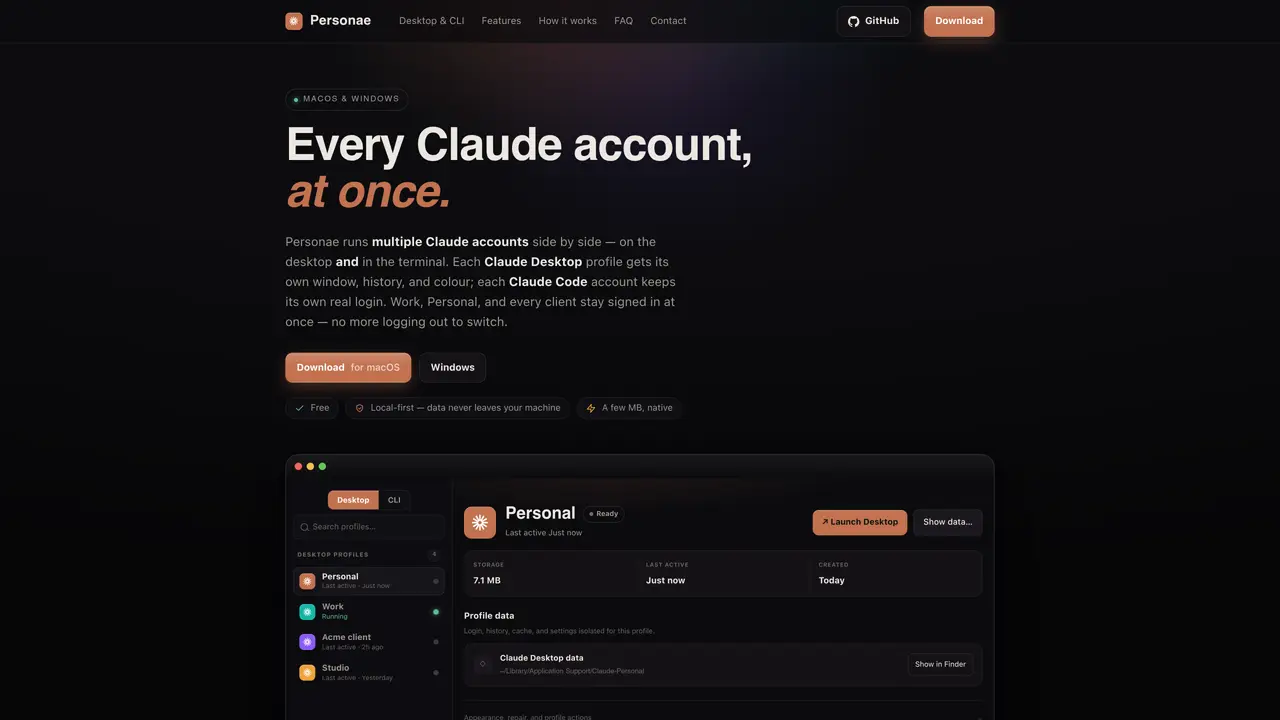
Personae allows users to run multiple Claude accounts at the same time on both desktop and command-line interfaces. Each account operates in its own isolated environment with separate logins, chat histories, cookies, and settings. Desktop profiles appear as distinct windows with unique icons and colors, while CLI accounts maintain individual logins that refresh automatically. The tool supports both macOS and Windows and integrates with popular IDEs like VS Code, Cursor, Windsurf, and Antigravity. Users can bind project folders to specific accounts, ensuring the correct Claude instance opens with the right credentials. Personae manages session expiration and quota usage, providing visibility into login status and resource consumption. It is designed to be lightweight, local-first, and private, with no telemetry or server dependencies.
Key features
- Desktop profiles with isolated windows and custom colors
- CLI accounts with real logins and automatic refresh
- IDE integration for VS Code, Cursor, Windsurf, and Antigravity
- Project folder binding to specific accounts
- Session expiration tracking and quota monitoring
- 11 tinted profile colors with OS-registered icons
- Light/dark mode and system theme support
- Keyboard-driven navigation and account switching
Use cases
- Managing separate work and personal Claude accounts simultaneously
- Running multiple client accounts for different projects
- Isolating side projects or research environments
Pros
- Supports both desktop and CLI interfaces for multiple accounts
- Isolates login, history, cookies, and settings per account
- Integrates with VS Code, Cursor, Windsurf, and Antigravity
- Local-first with no telemetry or server dependencies
- Lightweight native app built on Tauri
Cons
- No Linux support
- CLI beta on Windows
- Requires existing Claude Desktop or Claude Code installation
Frequently asked questions about Personae
Can I run two or more Claude accounts at the same time?
Yes. Personae has no instance limit and allows users to open multiple Claude Desktop windows and Claude Code terminals simultaneously, each signed in to a different account.
Does Personae work with Claude Code (the CLI)?
Yes. Personae supports CLI accounts, where each account carries its own real Claude login and refreshes automatically, enabling terminal-based workflows with multiple identities.
How do I switch between accounts in Personae?
Switch accounts by launching the corresponding Desktop profile window or by opening a project folder bound to a specific CLI account, without needing to log out or sign in repeatedly.
Is Personae compatible with popular IDEs like VS Code or Cursor?
Yes. Personae can bind project folders to specific accounts, ensuring that when opened in supported IDEs like VS Code, Cursor, Windsurf, or Antigravity, Claude Code launches already signed in to the correct account.
Does Personae collect any user data or require an account?
No. Personae is local-first, requires no account creation, and has no telemetry or server dependencies; it orchestrates the user's existing Claude installations entirely on their machine.
How does Personae handle session expiration and quota usage?
Personae provides visibility into each account's session expiration and quota usage, pulled live from Anthropic, and allows users to sign in again with one click when needed.