

AI chatbot for conversation, work, research, coding, and content creation.
5.9B visits/mo+5%#1 Chatbots & Assistants
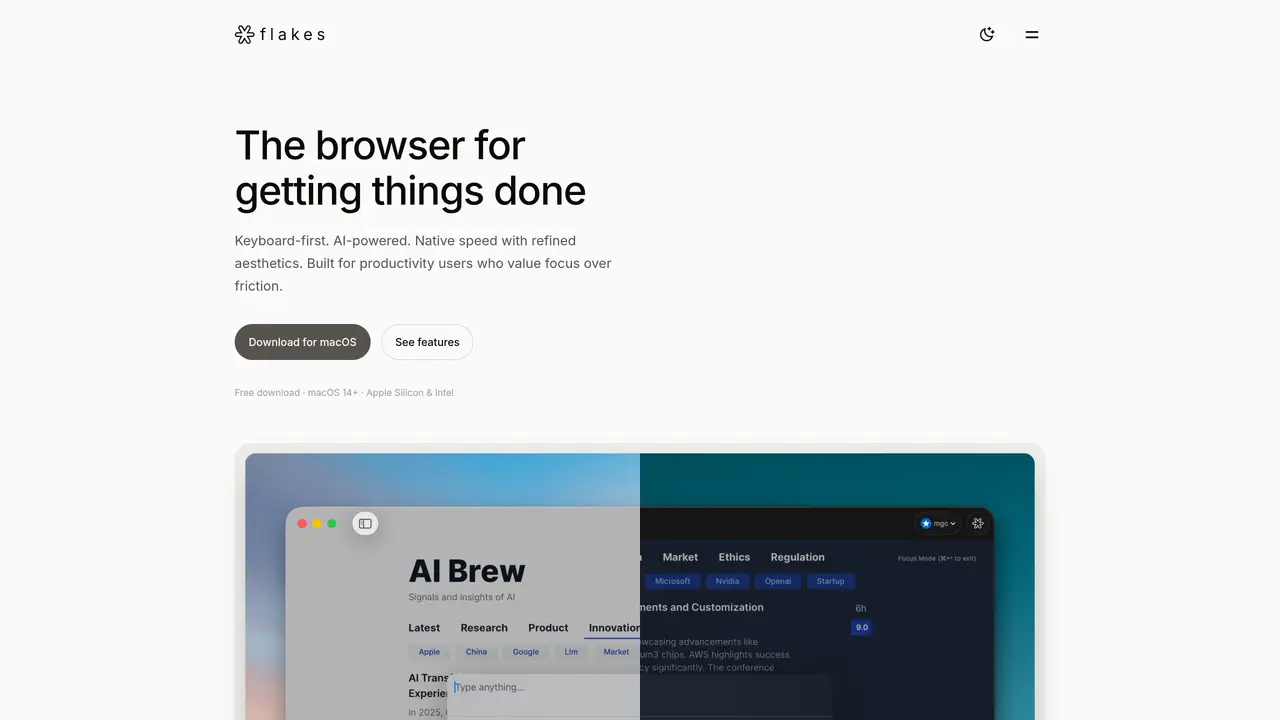
Flakes is an AI native, keyboard first browser for macOS focused on helping users stay in a state of deep work. It blends Vim style navigation, a powerful command palette, and an embedded assistant called Drift AI that understands open tabs, all inside a fast SwiftUI and WebKit based interface built to minimize clutter and distractions. Key Features: Keyboard-first navigation: Vim inspired h j k l controls, link hints, tab switching, and window management keep power users on the keyboard instead of the trackpad. Command palette (⌘K): A single shortcut searches history, opens URLs, runs browser commands, and triggers AI queries, reducing the need to memorize many separate shortcuts. Drift AI context awareness: The built in assistant reads open tabs to answer questions, summarize, translate pages in real time, and hold conversations about whatever content is visible, with AI features optional and off by default. Focus mode and smart history: A distraction free reading mode hides toolbars and the address bar, pairs with built in ad blocking, and works alongside smart history to reduce tab overload. Native macOS performance and privacy: Built with SwiftUI and WebKit, Flakes delivers quick cold starts, smooth scrolling, a relatively small memory footprint, local browsing with default ad blocking, and an isolated private mode that leaves no history.
Flakes is an AI-native, keyboard-first browser for macOS designed for productivity-focused users who prioritize deep work and minimal distractions. It caters to individuals who prefer keyboard navigation and AI-powered assistance to streamline browsing and content interaction.
Flakes uses Vim-style navigation with h/j/k/l keys for movement, link hints with the 'f' key, and a command palette triggered by ⌘K to handle searches, commands, and AI queries. This allows users to manage tabs, scroll, and interact with content entirely from the keyboard.
Drift AI is an embedded assistant that understands the content of open tabs, enabling users to ask questions, summarize pages, translate content in real time, and hold conversations about visible material. AI features are optional and disabled by default.
Yes, Flakes includes a local browser with default ad blocking, a private mode that leaves no history and operates in isolated memory, and a focus on keeping user data private. AI features are crafted with privacy in mind.
Users can download Flakes for macOS (compatible with macOS 14+ and both Apple Silicon and Intel chips) from the official website. The browser is free to download, and users can provide feedback or ask questions via email.
Currently, Flakes is only available for macOS and does not support other operating systems like Windows or Linux.
flakes.ai · third-party estimates from Similarweb
Last 4 months · grows by one month every month
Share of visits · estimated visits
Chatbots & Assistants · Sep 2026
Traffic figures are third-party estimates, good for scale and trends; they can differ from a company's own numbers. Updated monthly.
We use essential cookies to run aitoolnavio™, and optional cookies to analyze traffic and measure our marketing. You choose what we use — optional cookies stay off unless you turn them on. See our Privacy Policy.
One short email a week: fresh tools worth trying, honest takes and the updates that actually matter. No spam, unsubscribe any time.
AI chatbot for conversation, work, research, coding, and content creation.
Efficiently answer research queries, translate natural language to SQL, and utilize OpenAI WebGPT and larger language models.
Search privately, customize interface, track search history, and stay in control of online activities.
Transforms queries into real-time, customized pages with expert insights.
Search scientific papers, discover relevant publications, and enhance understanding of academic literature.
Access research, sort data, and get insights with predictive analytics.
Access hundreds of millions of answers powered by AI technology.
Create research report with references
Search a large knowledge base for verified articles, facts, opinions, and multimedia to answer questions across any topic.
Chat with many top models for everyday tasks.
Centralized AI industry news aggregator with curated daily selections, model rankings, and trending topics.
A free AI platform that answers questions, searches across languages, and generates slides, mind maps, docs, images, and webpages.
Matched on what this tool does — grouped by the job you would be replacing.
matches Keyboard-first navigation · Command palette (⌘K) · Native macOS performance and privacy
AI-powered productivity tool for Mac that accelerates workflows with quick commands, customizable scripts, and community extensions.
Control any Mac app with natural language commands, replacing clicks and shortcuts for faster workflows.
A macOS AI assistant that lets users control their computer with natural language commands across applications.
Mac command center with local AI, window management and clipboard history