AI chatbot for conversation, work, research, coding, and content creation.
5.9B visits/mo+5%#1 Chatbots & Assistants

Real-time speech translation with live captions and voice for Mac audio, meetings and calls
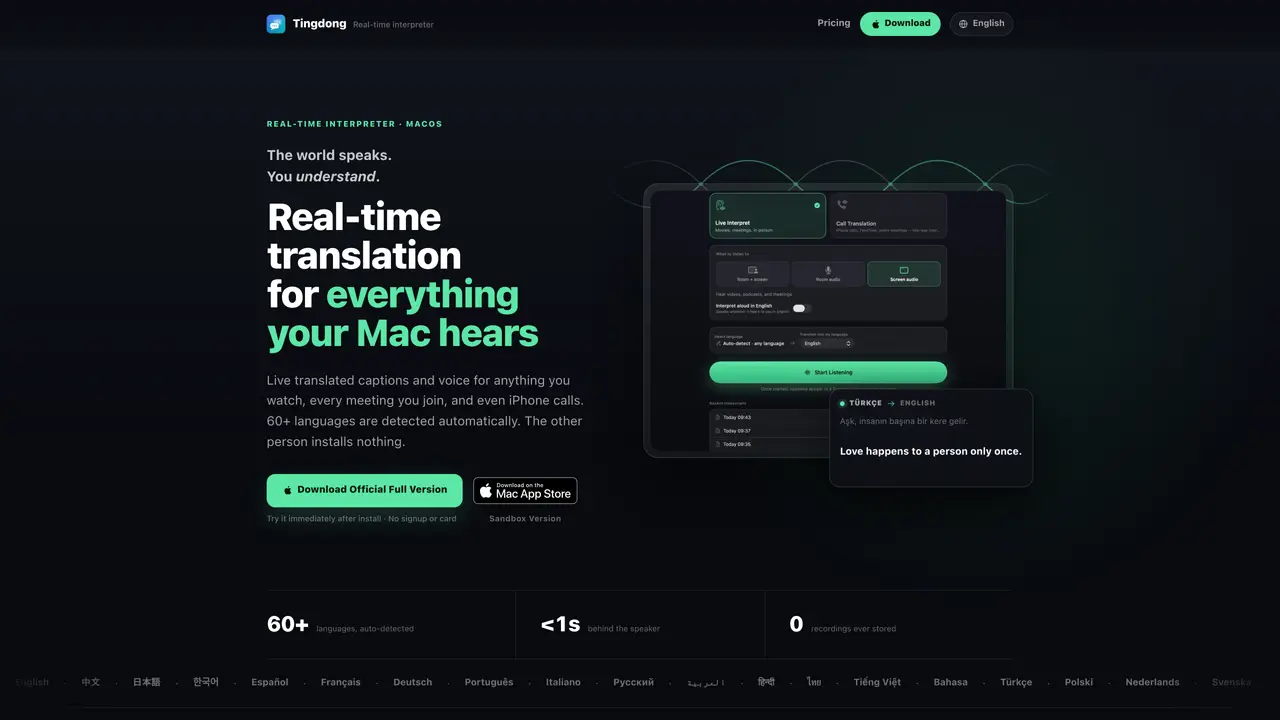
Tingdong is a macOS application that provides real-time speech translation for audio and video content. It captures system audio from videos, podcasts, online classes and meetings, displaying live translated captions on screen without requiring manual language selection. The tool supports 60+ languages with automatic detection and near-instant translation, allowing users to follow content in their preferred language. For iPhone calls, Tingdong routes the audio to a Mac via Bluetooth to enable two-way live interpretation, speaking translated responses back to the caller. The app includes a zero-chrome mode for projecting captions on large screens and a read-aloud feature for personal listening. Transcripts and translations remain local to the user’s device, with no audio recordings stored by Tingdong servers. A membership covers live captions and call translation for everyday use, billed by the second.
Tingdong is a macOS application designed for real-time speech translation. It converts system audio from videos, podcasts, online classes, and meetings into live translated captions on screen. It also enables two-way live interpretation for iPhone calls by routing the audio to a Mac via Bluetooth, supporting over 60 languages with automatic detection.
Tingdong is suitable for individuals who need real-time translation for media consumption, online meetings, or phone calls. It benefits multilingual users, professionals attending international meetings, students in foreign-language classes, and travelers communicating in unfamiliar languages.
Tingdong operates on a membership model where a single subscription covers live captions and call translation for everyday use. Billing is done by the second, and memberships can be canceled anytime. A free trial is available upon installation without requiring signup or payment details.
Tingdong captures system audio directly from the Mac, so it works with any application playing audio or video, such as YouTube, Netflix, Zoom, Teams, Meet, or podcast apps. For iPhone calls, it uses Bluetooth to receive call audio on the Mac, requiring no additional integrations.
Tingdong ensures privacy by never storing audio recordings or using user data for model training. Audio streams through a live recognition channel and is immediately discarded. Transcripts and translations remain local to the user’s device, and billing is based on usage time rather than content.
To start using Tingdong, download and install the app on a Mac. No signup or payment is required for the initial trial. For live captions, simply play audio or video content on your Mac. For iPhone call translation, pair your iPhone with your Mac via Bluetooth and follow the in-app instructions to enable call translation.
We use essential cookies to run aitoolnavio™, and optional cookies to analyze traffic and measure our marketing. You choose what we use — optional cookies stay off unless you turn them on. See our Privacy Policy.
One short email a week: fresh tools worth trying, honest takes and the updates that actually matter. No spam, unsubscribe any time.
AI chatbot for conversation, work, research, coding, and content creation.
Efficiently answer research queries, translate natural language to SQL, and utilize OpenAI WebGPT and larger language models.
Search privately, customize interface, track search history, and stay in control of online activities.
Transforms queries into real-time, customized pages with expert insights.
Search scientific papers, discover relevant publications, and enhance understanding of academic literature.
Access research, sort data, and get insights with predictive analytics.
Access hundreds of millions of answers powered by AI technology.
Create research report with references
Search a large knowledge base for verified articles, facts, opinions, and multimedia to answer questions across any topic.
Chat with many top models for everyday tasks.
Centralized AI industry news aggregator with curated daily selections, model rankings, and trending topics.
A free AI platform that answers questions, searches across languages, and generates slides, mind maps, docs, images, and webpages.
Matched on what this tool does — grouped by the job you would be replacing.
matches Real-time speech translation with live captions and voice for Mac audio, meetings and calls · Two-way call translation via Bluetooth · Big-screen projection mode
Real-time AI translation for multilingual video meetings, enabling live voice, chat, and document translation with zero data retention.
Instant AI-powered voice and video translation for live meetings in 50+ languages with no downloads or accounts required.
Browser-based live voice translation for face-to-face conversations in 60+ languages
Real-time AI voice translation for video calls via virtual microphone
matches Live captions for system audio and video · Read-aloud for captions · Local transcript storage
Generate content, correct spelling, suggest synonyms to enhance writing.
Live captions, dictation, translation, and transcripts for Mac
Real-time system audio and voice translator for PC