

Generate content, correct spelling, suggest synonyms to enhance writing.
173M visits/mo+0.1%#1 Productivity & Office
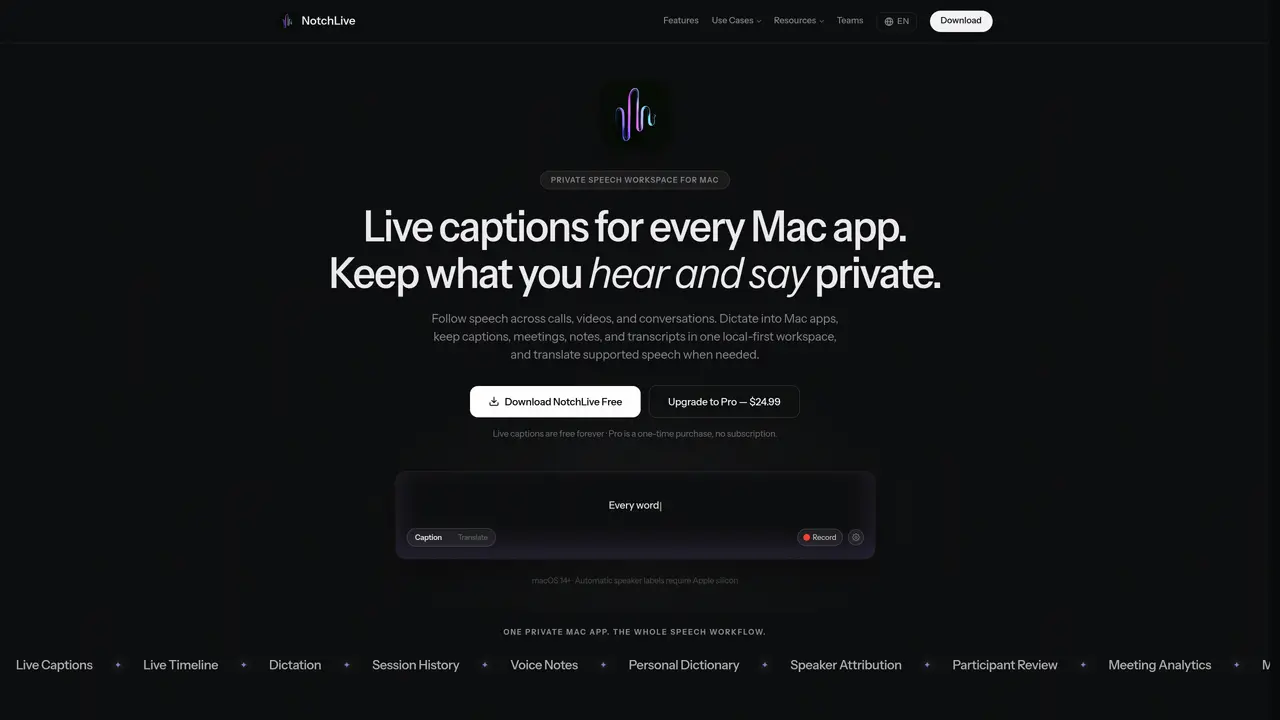
NotchLive provides live captions, dictation, translation, and transcripts for Mac users. It operates locally on the device without relying on cloud meeting bots or host settings, supporting private audio capture for calls, lectures, and meetings. The tool offers translated captions for multilingual conversations and maintains local-first storage for sensitive content such as legal or research interviews. It integrates with various Mac apps and audio sources, enabling accessibility features for hearing-impaired users. Captions and transcripts can be exported for documentation or sharing purposes. The application targets professionals, consultants, researchers, and legal practitioners who require accurate, private transcription during live interactions.
NotchLive captures system audio, so it works with any app without requiring host settings or meeting bots. It transcribes speech locally using on-device Whisper AI and displays live captions near the top of the Mac workspace.
An internet connection is only needed for initial model and language pack downloads. All speech recognition and processing occur locally on the device.
Whisper AI transcribes over 90 languages, and translation is available to 20 languages via Apple Translation on macOS 15 and later.
No. It assigns anonymous, meeting-local speaker labels and does not create persistent voiceprints or identify individuals.
The Participant Review feature allows renaming, merging, reassigning, splitting, or leaving speech unresolved to ensure accurate speaker attribution.
Meeting Analytics measures metrics like words, turns, speaking time, and conversation balance directly from the transcript and reviewed participant map, without relying on a generative model.
notchlive.app · third-party estimates from Similarweb
Last 4 months · grows by one month every month
Share of visits by channel
Share of visits · estimated visits
Other countries: 1.1%
How people reach this site from other AI tools
10 a month · 0.2% of all visits
Productivity & Office · Sep 2026
Traffic figures are third-party estimates, good for scale and trends; they can differ from a company's own numbers. Updated monthly.
We use essential cookies to run aitoolnavio™, and optional cookies to analyze traffic and measure our marketing. You choose what we use — optional cookies stay off unless you turn them on. See our Privacy Policy.
One short email a week: fresh tools worth trying, honest takes and the updates that actually matter. No spam, unsubscribe any time.
Generate content, correct spelling, suggest synonyms to enhance writing.
Turn messy team ideas into actionable plans with Miro's visual workspace.
Leverage analytics, automate tasks, share documents, and coordinate projects.
Integrates AI into Airtable to analyze data, summarize insights, draft content, and automate workflows without prior AI experience.
Cloud accounting software that automates bookkeeping, invoicing, and financial reporting for small and growing businesses.
Streamline teamwork, manage projects, automate tasks efficiently.
Automate code, research, and documents using agents.
AI assistant for safe, reliable productivity with code, collaboration, and integrations.
Create customizable tables, databases, and spreadsheets, share data securely with team members.
Easy-to-use CRM platform that automates lead capturing, prioritizes tasks, and provides sales pipeline analytics for businesses of all sizes.
Transforms thoughts into actions, enhancing productivity and efficiency.
Write & run code in 50+ languages, auto-complete with AI, and code faster with an intuitive interface.
Matched on what this tool does — grouped by the job you would be replacing.
Paid placement · similar tools from listings that support aitoolnavio™
Instant lead response for home-service pros: your phone rings on every new lead, plus 14 days of follow-up
matches Live captions for calls and meetings · Real-time translation · Compatibility with Mac apps and audio sources
matches Dictation and speech-to-text · Local-first transcription storage · Export to SRT and VTT formats
Real-time speech translation with live captions and voice for Mac audio, meetings and calls
Real-time AI voice translation for video calls via virtual microphone
Offline voice-to-text dictation app for Mac and Windows
Transcribes audio and video files to text in 90+ languages
Offline AI transcription app that turns audio and video into editable captions in 60+ languages with SRT/VTT export.
Browser extension that transcribes and summarizes audio or video locally in Chrome, Brave, or Edge
Browser-based tool for local audio and video transcription and subtitle editing