
Build Discord bots with words, not code
551K visits/mo-4.7%#65 Chatbots & Assistants

Create AI Chatbots, generate shareable links, and understand natural language effortlessly.
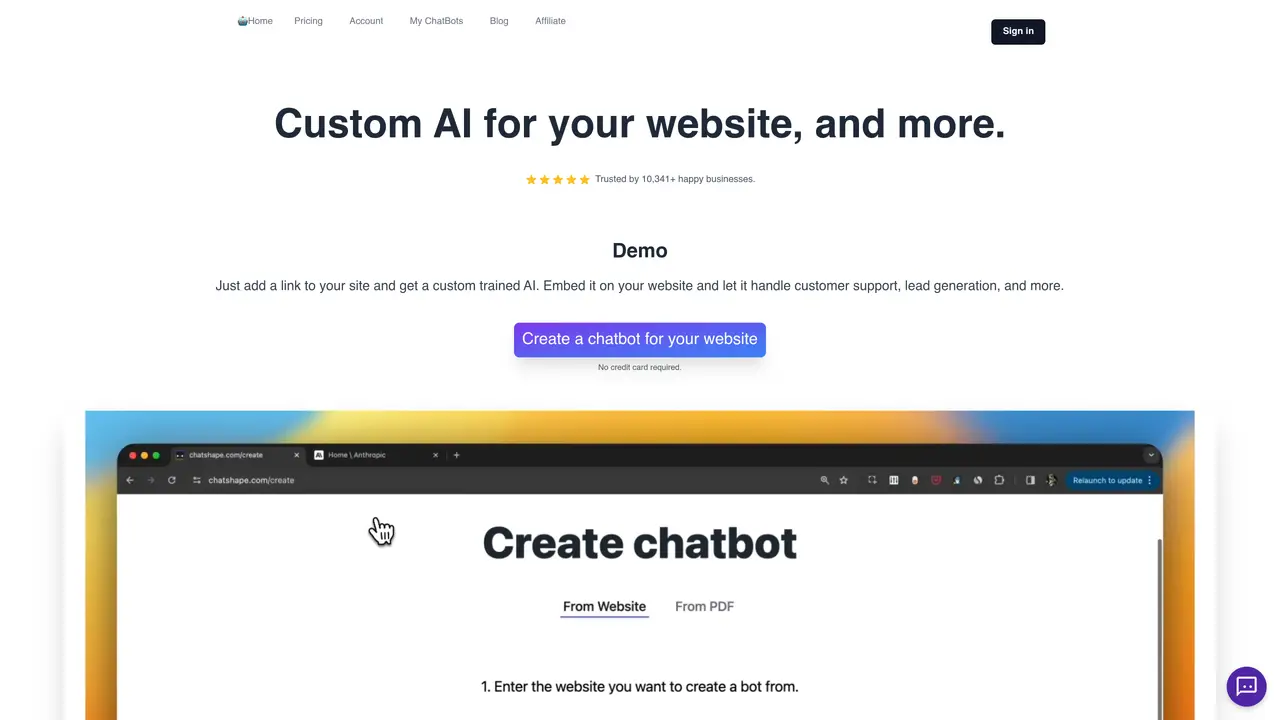
ChatShape is the perfect tool for businesses that need a customized chatbot to help their customers. This AI Chatbot builder extension allows you to create a GPT (Generative Pre-trained Transformer) Chatbot that knows your data. With just a few clicks in the extension, you can generate a shareable link to your own chatbot that you can use to ask any questions. This easy-to-use tool eliminates the tedious task of manually programming and debugging a chatbot, saving you both time and money. The chatbot has the ability to learn and understand natural language, making it easier to communicate with customers. In addition, it can also remember user preferences, helping to provide a personalized experience. With ChatShape, businesses can quickly create a powerful chatbot that can engage customers, answer their questions, and provide helpful information. The tool is suitable for businesses of all sizes and industries, as it provides an easy-to-use interface and customizable features. It allows users to create a GPT chatbot with just a few clicks, which can be used to automate customer support, sales, or marketing tasks. The chatbot can also be integrated with existing systems, making it a seamless addition to any business’s operations.
ChatShape is an AI-powered chatbot builder that allows users to create custom chatbots for their websites by simply adding a link to their site or uploading documents like PDFs. The tool trains a chatbot on the provided data, enabling it to answer customer queries instantly and automate tasks such as lead generation and customer support.
When you provide a website link, ChatShape’s crawler extracts all visible, copyable text from the page and generates a chatbot trained on that content. You can review the extracted links and proceed to customize the chatbot before embedding it on your website.
Yes, ChatShape allows users to upload multiple PDF files to create a chatbot trained on the content of those documents. This feature is useful for businesses that rely on manuals, guides, or other text-based resources.
Yes, ChatShape includes an option to enable an email input form within the chat window, allowing the chatbot to collect leads. These leads can be viewed in the dashboard, along with their conversation history, and exported to a CSV file for further use.
Yes, ChatShape records all chatbot messages in the dashboard, where users can view and export conversation data. This helps businesses track engagement and refine their chatbot’s responses over time.
Yes, ChatShape allows users to update the chatbot’s prompt and start message to tailor its responses. These settings can be adjusted both before and after embedding the chatbot on the website to improve accuracy and alignment with business needs.
chatshape.com · third-party estimates from Similarweb
Last 4 months · grows by one month every month
Share of visits · estimated visits
Chatbots & Assistants · Sep 2026
Traffic figures are third-party estimates, good for scale and trends; they can differ from a company's own numbers. Updated monthly.
We use essential cookies to run aitoolnavio™, and optional cookies to analyze traffic and measure our marketing. You choose what we use — optional cookies stay off unless you turn them on. See our Privacy Policy.
One short email a week: fresh tools worth trying, honest takes and the updates that actually matter. No spam, unsubscribe any time.
Build Discord bots with words, not code
No-code platform to build and deploy custom chatbots for Discord, Telegram, and Cici without coding skills.
Unified, customizable interface for AI-powered conversations
Create custom dialogs, deploy bots to multiple channels, and leverage NLP and ML for understanding user inputs.
Create personalized GPT models, deploy to websites and chatbots, and unlock powerful possibilities with OpenAI's LLMs and GPT.
Automate customer support, capture leads, and promote offers with personalized chatbot conversations.
Unified interface for chatting with multiple AI models and building web apps from prompts
Build no-code chatbots for Facebook, Instagram, and WhatsApp to automate conversations and customer interactions.
No-code AI chatbot builder for websites and WhatsApp with drag-and-drop simplicity.
Build no-code AI chatbots and agents for WhatsApp, web, Instagram, Facebook, Telegram, MS Teams and more.
Create custom chatbot templates, track conversions with dynamic prompts, and optimize campaigns with detailed analytics.
No-code platform to build AI chatbots, CRM, and multichannel messaging with built-in automation and payments.
Matched on what this tool does — grouped by the job you would be replacing.
matches Create customized AI Chatbots with GPT technology · Customizable templates for advanced chatbot design
Transform PDFs into interactive chatbots for virtual classrooms, provide instant feedback, and personalize learning experiences.
Create GPT-powered chatbots effortlessly to automate customer interactions.
Create chatbots that understand natural language, build advanced flows, track engagement & analyze customer needs.
matches Generate shareable links for easy use and access
matches Automatically learn and understand natural language · Remember user preferences for personalized experience
Automate customer inquiries, track interactions, and integrate with existing tools for a unified customer support experience.
Create custom FAQs, automate customer service, and analyze customer behavior for enhanced customer support.
Automate customer service, create custom chatbot conversations, and provide multilingual support for efficient customer service.
Enhance customer support with accurate responses and AI-powered natural language processing.
An AI chat platform for roleplaying, storytelling, and learning by chatting with millions of user-created AI characters.
Automatically answers queries, analyzes sentiment, and customizes AI for specific business needs.
Automate customer conversations, integrate with customer service tools, and track satisfaction with advanced analytics.
Create personalized conversations, streamline inquiries with NLP, and easily integrate the chatbot into your website or app.