Discover personalized fashion, receive expert advice, and enjoy convenient shopping with free shipping and returns.
6.8M visits/mo+15.2%#5 Lifestyle & Education

Ask questions, get real-time help, and customize your experience with this tool.
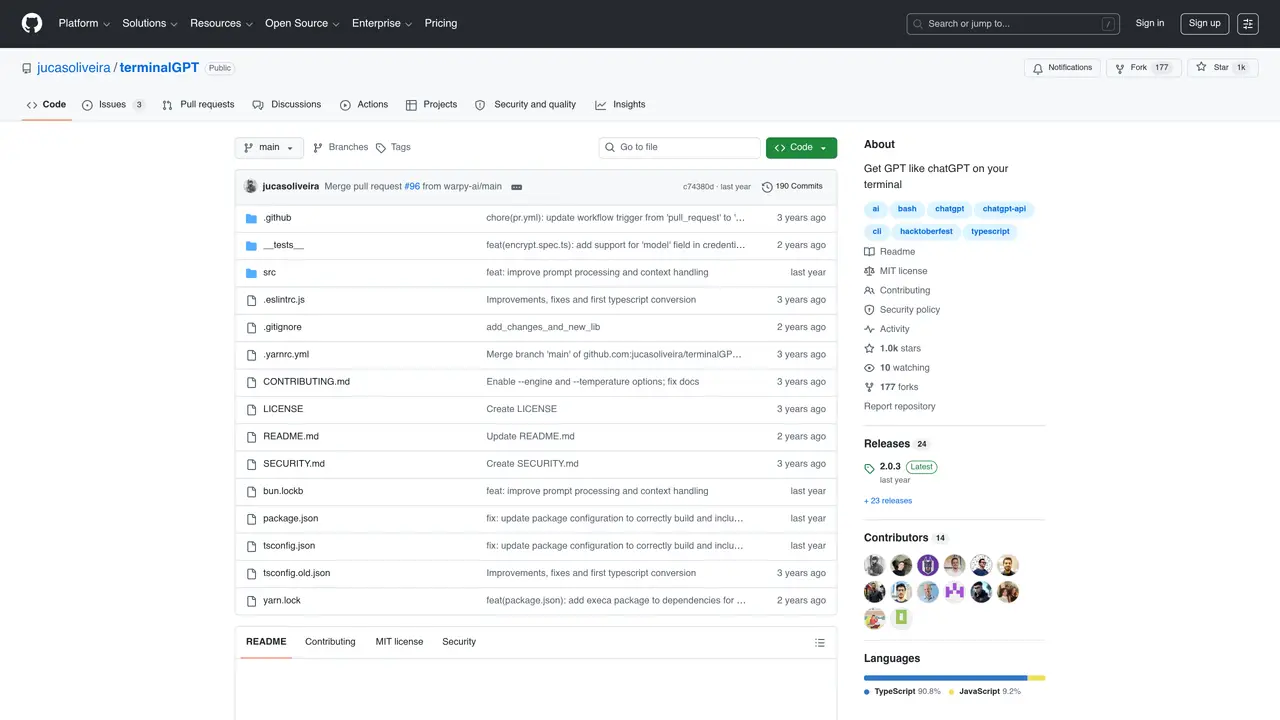
chatGPT on your terminal is an innovative conversational AI that brings natural language processing to the command line. It enables users to have real-time conversations with a virtual assistant right on their computer. With chatGPT, users can quickly and easily access a wide range of information, from technical support to product recommendations. As an open source tool, users can customize and personalize their experience, while still benefiting from the power of AI. chatGPT is designed to be both powerful and easy-to-use. It features a conversational interface that allows users to ask questions, get answers, and receive help with tasks. It can also be used to conduct research, find information, and interact with customers. Its natural language processing capabilities allow it to understand and respond to complex questions, and its robust architecture enables it to process multiple requests simultaneously. Plus, its open source nature allows users to customize it to their own needs and preferences.
GitHub, Inc.
San Francisco, California, US · Founded 2008
TerminalGPT is an open-source command-line tool that enables users to interact with a GPT-like AI model directly from their terminal. It requires an API key from a supported LLM provider such as OpenAI, Anthropic, Groq, or Gemini to function.
TerminalGPT is designed for developers, system administrators, and users comfortable with the command line who want to leverage AI-powered conversational assistance for tasks like coding, research, or general queries without leaving their terminal environment.
TerminalGPT can be installed globally using npm with the command 'npm install -g terminalgpt' or via yarn using 'yarn global add terminalgpt'. It can also be run directly using npx without installation.
Users need an API key from a supported large language model provider such as OpenAI, Anthropic, Groq, or Gemini. The API key is required to authenticate and enable the AI interactions.
After installation, start a chat session by running the command 'tgpt chat' in the terminal. On the first run, you will be prompted to enter your API key.
Yes, TerminalGPT provides an option to delete all conversations using the command 'tgpt delete'.
We use essential cookies to run aitoolnavio™, and optional cookies to analyze traffic and measure our marketing. You choose what we use — optional cookies stay off unless you turn them on. See our Privacy Policy.
One short email a week: fresh tools worth trying, honest takes and the updates that actually matter. No spam, unsubscribe any time.
Discover personalized fashion, receive expert advice, and enjoy convenient shopping with free shipping and returns.
Personal assistant that coordinates tasks across apps and devices via text or call
Quickly narrow searches by category, control results by country or language, and find relevant, accurate results with ease.
Optimizes schedules by auto-organizing tasks and meetings.
AI assistant that drafts, reviews, and researches legal documents for lawyers and law firms.
Real-time task tracking, project management, collaboration, and task assignment.
An AI voice assistant that delivers emotionally intelligent, context-aware conversations with natural timing and personal engagement.
Identify technologies, analyze data, and refine search criteria with AI-powered tools for patent research and trend analysis.
Automate audio and video transcription, timestamps, speaker labels, diarization, and export with customizations.
An AI chat platform for immersive, personalized interactions with virtual companions, including image generation.
Customer relations assistant in Gmail
AI-driven app personalizing adaptive workouts for continuous improvement.
Matched on what this tool does — grouped by the job you would be replacing.
matches Conversational interface for asking questions and getting answers · Real-time help with tasks · Customizable and personalizable experience
AI chatbot for conversation, work, research, coding, and content creation.
An open-source CLI tool that integrates Google's Gemini model directly into your terminal for autonomous task execution.
Open-source desktop AI chat app that runs local LLMs offline or connects to cloud providers via API keys.
Create natural conversations, get instant responses, and benefit from advanced language models in a sleek, dark mode interface.
matches Conversational interface for asking questions and getting answers · Real-time help with tasks · Natural language processing capabilities
An AI chat platform for roleplaying, storytelling, and learning by chatting with millions of user-created AI characters.
Effortlessly create engaging chatbots using powerful natural language processing and intuitive features.
Get recommendations, generate content, and have meaningful conversations directly in your WhatsApp chats.
Nvidia open-source voice model enabling real-time, full-duplex voice chats with customizable personas for interactive applications.