Discover personalized fashion, receive expert advice, and enjoy convenient shopping with free shipping and returns.
6.8M visits/mo+15.2%#5 Lifestyle & Education

Chat with ChatGPT, generate summaries, check grammar, customize length, and store prompts.
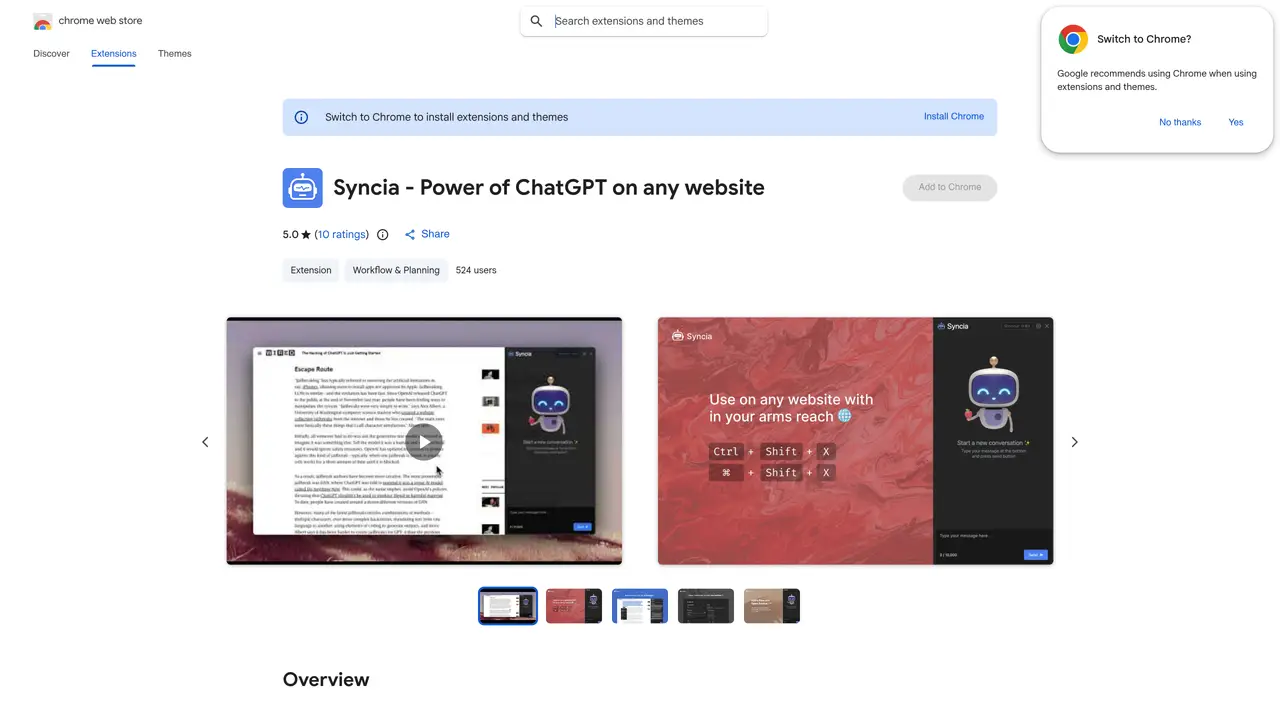
Syncia is a free and open-source browser extension designed to enhance productivity and streamline online interactions directly within the browser. It provides users with a seamless way to access ChatGPT, an AI chatbot powered by OpenAI’s GPT model, without leaving the webpage they are viewing. By pressing the shortcut “ctrl+shift+x”, users can instantly open a chat interface to ask questions, seek explanations, or generate ideas, all while maintaining context from the current website. The extension also offers practical text-processing features, such as generating summaries, checking grammar, and adjusting text length, all accessible through a floating menu that appears when text is selected. Syncia supports customization by allowing users to input their own OpenAI API key, ensuring data privacy and flexibility. Additionally, it enables the storage of custom prompts for quick reuse, making repetitive tasks more efficient. Whether for research, writing assistance, or quick AI-powered insights, Syncia aims to make online workflows smoother and more intuitive.
Syncia is a free and open-source browser extension that integrates ChatGPT functionality directly into any website. It allows users to chat with ChatGPT via a sidebar or use a floating menu for tasks like summarizing selected text, checking grammar, and customizing text length.
Syncia is designed for users who want to enhance their browsing experience with AI-powered tools. It suits students, professionals, writers, and anyone looking to streamline tasks like summarizing content, improving grammar, or generating text directly on web pages.
Install Syncia from the Chrome Web Store, then use the shortcut 'ctrl+shift+x' to open the sidebar. You can also select text on any webpage and use the floating menu for quick actions. For advanced features, enter your OpenAI API key in the settings.
Yes, Syncia allows users to input their own OpenAI API key to access ChatGPT features. This enables personalized usage and avoids rate limits associated with shared keys.
Syncia is a free and open-source tool that does not collect or sell user data. It operates within the browser and does not transfer data for unrelated purposes, ensuring user privacy.
Syncia provides a fully customizable settings page where users can adjust features like text length, language preferences, and stored custom prompts. The extension also allows users to set keyboard shortcuts for quick access.
We use essential cookies to run aitoolnavio™, and optional cookies to analyze traffic and measure our marketing. You choose what we use — optional cookies stay off unless you turn them on. See our Privacy Policy.
One short email a week: fresh tools worth trying, honest takes and the updates that actually matter. No spam, unsubscribe any time.
Discover personalized fashion, receive expert advice, and enjoy convenient shopping with free shipping and returns.
Personal assistant that coordinates tasks across apps and devices via text or call
Quickly narrow searches by category, control results by country or language, and find relevant, accurate results with ease.
Optimizes schedules by auto-organizing tasks and meetings.
AI assistant that drafts, reviews, and researches legal documents for lawyers and law firms.
Real-time task tracking, project management, collaboration, and task assignment.
An AI voice assistant that delivers emotionally intelligent, context-aware conversations with natural timing and personal engagement.
Identify technologies, analyze data, and refine search criteria with AI-powered tools for patent research and trend analysis.
Automate audio and video transcription, timestamps, speaker labels, diarization, and export with customizations.
An AI chat platform for immersive, personalized interactions with virtual companions, including image generation.
Customer relations assistant in Gmail
AI-driven app personalizing adaptive workouts for continuous improvement.
Matched on what this tool does — grouped by the job you would be replacing.
matches Chat with ChatGPT · Store custom prompts
AI chatbot for conversation, work, research, coding, and content creation.
An AI chat platform for roleplaying, storytelling, and learning by chatting with millions of user-created AI characters.
Unified workspace to centralize access to leading AI models like Claude and Bard for teams via a single chat interface.
macOS productivity app that brings ChatGPT shortcuts into any app to automate text tasks and streamline workflows for Apple users.
matches Generate text summaries · Check grammar issues · Customize text length
matches Use own Open AI API key
Generate content, correct spelling, suggest synonyms to enhance writing.
AI-powered writing tool for paraphrasing, summarizing, and enhancing writing effortlessly.
AI-powered writing assistant with suggestions, translations, corrections.
Automate text generation, build custom models, and access OpenAI API effortlessly.
Interactive playground for testing and exploring Inkling, an open-weights AI reasoning model, with adjustable settings and quick-start prompts.