

Turn spreadsheets into custom business apps without writing code using this no-code platform.
21M visits/mo+0.1%#15 Coding & Development
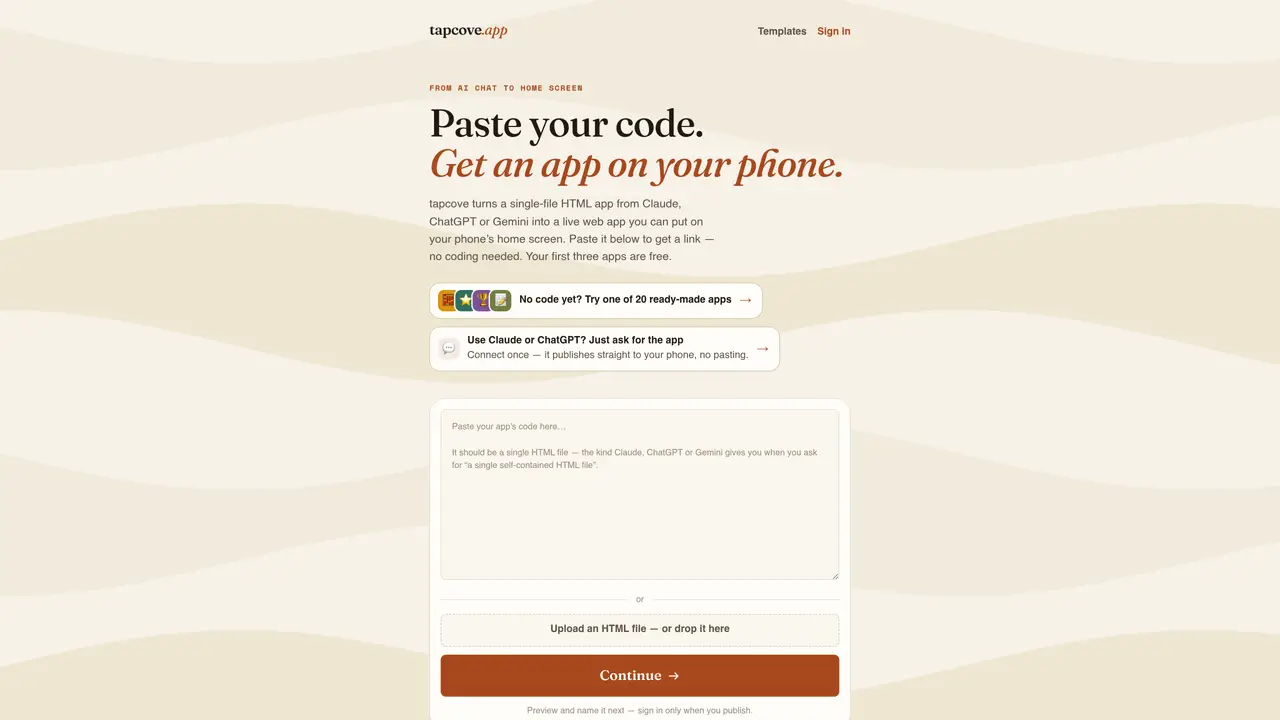
tapcove hosts a single-file HTML application at a private link and provides a guided process to add it to a phone’s home screen as a standalone app icon. The tool accepts code pasted directly or generated by AI assistants like Claude, ChatGPT, or Gemini, and automatically handles hosting, manifests, and icons. Users preview the app in-browser, name it, and follow a short guide to install it on iOS or Android without coding or App Store submission. No hosting setup or technical configuration is required beyond pasting the HTML file. The service also supports direct publishing from AI chat interfaces via a connector, eliminating the need to copy and paste code repeatedly. Ready-made templates are available for common use cases such as habit tracking, chore charts, and grocery lists, which can be customized or used as-is. Each app runs in a sandboxed environment to isolate it from other content and scans for potential security risks in pasted code.
tapcove hosts a single-file HTML application at a private link and guides users through adding it to their phone’s home screen as a standalone app icon. It accepts code from AI assistants like Claude, ChatGPT, or Gemini, and automates hosting, manifests, and icons without requiring coding or App Store submission.
No coding knowledge is required. Users only need to paste code generated by an AI assistant into tapcove’s interface. The tool handles hosting, install manifests, and app icons automatically.
tapcove works with any AI tool that generates a single self-contained HTML file, including Claude, ChatGPT, and Gemini. It can also strip markdown code fences if accidentally copied.
Open the app’s tapcove link on your phone and follow the built-in guide. On iPhone, use Safari’s Share menu to add to Home Screen; on Android, use Chrome’s menu to add to Home screen or tap Install.
Yes. Users can connect tapcove to Claude or ChatGPT via a connector link in their AI tool’s settings. After setup, apps can be published directly from chat without manual pasting.
Yes. Each hosted app runs in a sandboxed environment on its own origin, preventing access to other apps or tapcove’s account. tapcove also scans pasted code for malware and phishing patterns.
We use essential cookies to run aitoolnavio™, and optional cookies to analyze traffic and measure our marketing. You choose what we use — optional cookies stay off unless you turn them on. See our Privacy Policy.
One short email a week: fresh tools worth trying, honest takes and the updates that actually matter. No spam, unsubscribe any time.
Turn spreadsheets into custom business apps without writing code using this no-code platform.
Transform ideas into fully functional applications with Lovable, a groundbreaking AI tool.
Explore and test Google’s experimental AI tools and prototypes before they become products.
Build full applications swiftly without coding expertise.
Build scalable apps with AI-driven tools.
AI-native builder that turns prompts into full-stack web apps, syncs to GitHub, and deploys to Vercel in seconds with visual editing.
Create AI-powered applications, customize features, build & test rapidly with intuitive UI.
AI-powered visual platform that turns prompts or images into mobile and web apps with drag-and-drop simplicity.
Turn natural language into full-stack apps, SaaS products, and websites without coding using an AI-powered no-code builder.
AI-powered app builder that turns data into functional web apps without coding.
Low-code platform accelerates enterprise app development with AI.
Rork turns app ideas into fully functional mobile apps for iOS, Android, and web in minutes using AI, no coding required.
Matched on what this tool does — grouped by the job you would be replacing.
matches Paste single-file HTML code or upload an HTML file · Instant preview and naming of hosted apps · Guided installation to home screen on iOS and Android
Turn text descriptions into professional websites or apps with ready-to-use code, no coding required.
Describe an idea, get a tiny phone app.
AI no-code platform that builds and publishes iOS/Android apps from plain-language descriptions without coding.
AI-powered no-code platform that turns text prompts into native iOS and Android apps with built-in backend, database, and hosting for non-technical teams.