AI-powered website builder that generates a professional site in under a minute and includes tools for content, SEO, and analytics.
52M visits/mo+0.7%#4 Coding & Development
BuilderStudio is a native macOS agentic coding platform from WunderCorp that helps builders and teams create, edit, preview, and deploy software with AI agents.
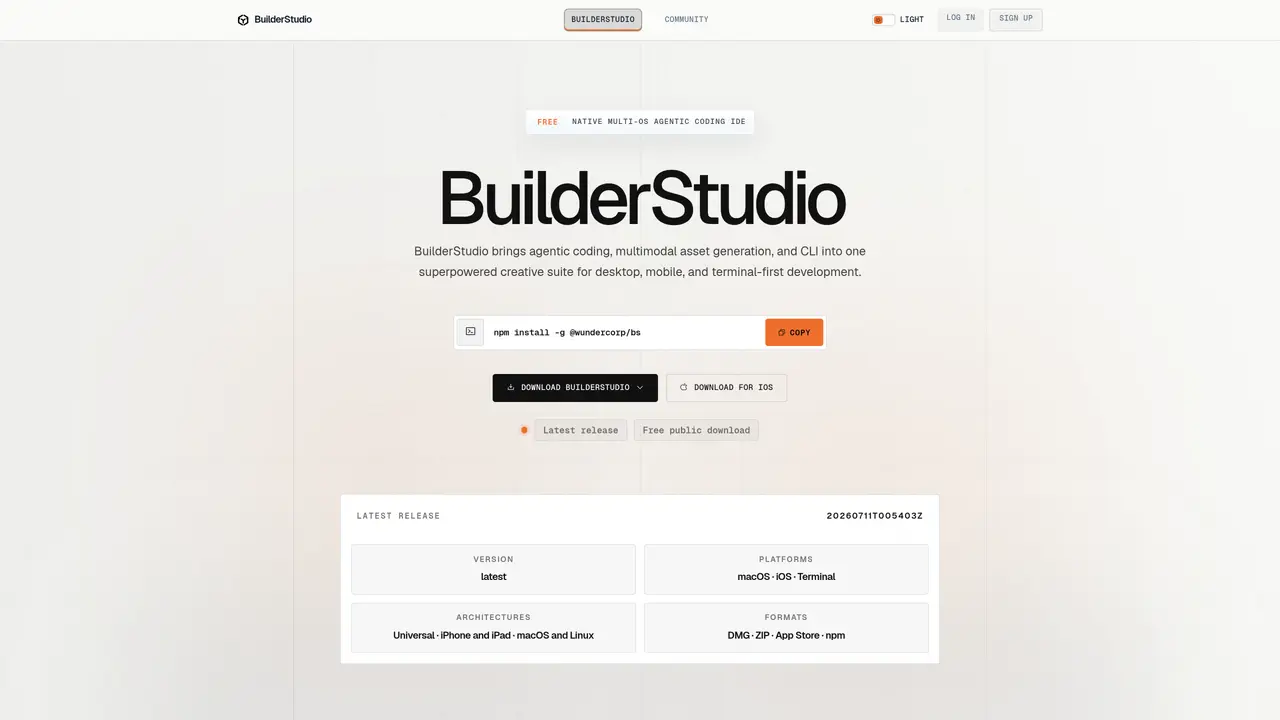
Teams want to use AI coding agents, but current workflows are often fragmented, insecure, hard to standardize, or locked into a single provider. Developers struggle with local agentic development, npm/package supply-chain risks, inconsistent AI-generated code, generic-looking AI-built apps, difficult team onboarding, and scattered workflows across IDEs, terminals, cloud sandboxes, model providers, and deployment tools. BuilderStudio is a native macOS agentic coding platform from WunderCorp that helps builders and teams create, edit, preview, package, and deploy software with AI agents while keeping more control over their development workflow. It combines local and cloud-enabled execution, reusable Skills, guided Pathways, MCP integrations, terminal workflows, app previews, and flexible access to 380+ AI models. BuilderStudio gives teams a repeatable workspace for secure, agent-assisted software development. Use Cases And Features 1. Build MVPs and internal tools faster: Turn product ideas into working applications with AI agents, source editing, previews, terminal access, and deployment workflows in one place. 2. Standardize AI development across teams: Use reusable Skills and Pathways to make AI-assisted coding more consistent, repeatable, and easier to onboard across a company. 3. Develop locally with more control: Run agentic coding workflows on macOS with Colima/Docker support, MCP integrations, and flexible model choice to reduce vendor lock-in and improve security.
BuilderStudio is a native macOS agentic coding IDE designed to provide a focused local workspace for building applications. It integrates source editing, terminal workflows, MCP-aware tools, reusable Skills, model access, local previews, and source packaging into a single desktop application.
BuilderStudio is intended for builders, developers, and teams who want to create, edit, preview, package, and deploy software using AI agents while maintaining control over their development workflow. It suits those who prefer local-first development with the option to transition to cloud deployment.
BuilderStudio provides flexible access to over 380 AI models through OpenRouter integration, allowing users to select models that best fit their project needs. This reduces vendor lock-in and offers greater flexibility in model choice.
Yes, BuilderStudio supports team collaboration by offering reusable Skills and guided Pathways, which help standardize AI-assisted coding workflows across a company. This makes onboarding and consistency easier for teams.
BuilderStudio allows users to prepare a clean source bundle locally and then hand it off to the BuilderStudio control plane for deployment. This ensures a secure and controlled transition from local development to cloud deployment.
To get started, download the BuilderStudio app from the official website. The app is available as a recommended Apple Silicon DMG package or an alternate ZIP archive for macOS. Once downloaded, create or open a project, and begin using the integrated tools for building, previewing, and packaging your application.
We use essential cookies to run aitoolnavio™, and optional cookies to analyze traffic and measure our marketing. You choose what we use — optional cookies stay off unless you turn them on. See our Privacy Policy.
One short email a week: fresh tools worth trying, honest takes and the updates that actually matter. No spam, unsubscribe any time.
AI-powered website builder that generates a professional site in under a minute and includes tools for content, SEO, and analytics.
AI-powered coding platform that uses agents to plan, write, and test software with real-time feedback and verifiable artifacts.
Automate code, research, and documents using agents.
AI-powered code assistant that generates, reviews, optimizes, and debugs code with natural language prompts and editor integrations.
AI assistant for safe, reliable productivity with code, collaboration, and integrations.
AI-powered IDE for autonomous coding tasks and agentic development workflows
Privacy-focused AI chatbot that generates uncensored text, code, images, and translations without storing conversations or requiring an account.
A free web-based AI chatbot and agent for writing, coding, research, and content creation with multilingual support.
Write & run code in 50+ languages, auto-complete with AI, and code faster with an intuitive interface.
An IDE that automates legacy-to-modern code migration using autonomous coding agents.
AI models that return typed decisions with calibrated confidence for software automation
Practice coding challenges, improve technical skills, get detailed explanations, compare performance with peers.
Matched on what this tool does — grouped by the job you would be replacing.
matches Native macOS agentic coding platform · Supports local and cloud-enabled workflows · Reusable Skills for consistent AI-assisted coding
AI-powered IDE for autonomous coding tasks and agentic development workflows
AI coding agent for large-scale codebases with terminal-native workflows
AI-native desktop IDE for teams to collaborate and ship software with AI agents and Git
Local-first agentic coding environment for inspecting and orchestrating AI agents
matches Local-first agentic coding platform · Terminal access for flexible workflow management · App previews for visualizing AI-built applications
Free, open-source desktop platform to install, run, and automate AI apps and agents locally without coding.
A macOS desktop app for deploying and managing OpenClaw autonomous agents and no-code workflows locally without terminal setup.