AI-powered website builder that generates a professional site in under a minute and includes tools for content, SEO, and analytics.
52M visits/mo+0.7%#4 Coding & Development

JetBrains plugin that captures code changes, rationale, and decisions into a queryable project memory
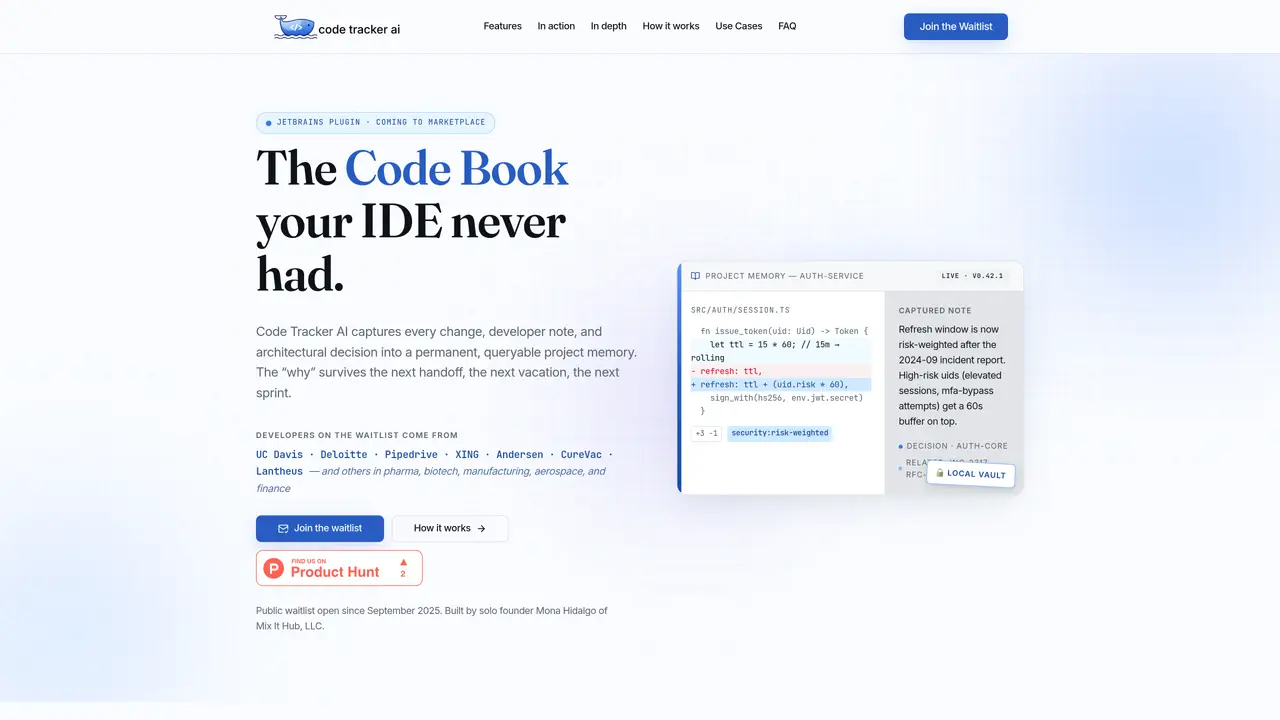
Code Tracker AI is a JetBrains plugin that records every code change alongside its rationale, architectural decisions, and developer notes into a permanent, encrypted project memory stored locally. The tool captures not only what changed but why it changed—rejected alternatives, constraints, and tradeoffs—preserving institutional knowledge that typically disappears during handoffs or vacations. It integrates directly into the IDE workflow, eliminating the need for external documentation tools or manual logging. The plugin includes four main components: a Build Log that automatically writes AI-generated narratives of each coding session, an AI Insights engine that scans code for issues with plain-English explanations, a Code Books editor for creating and maintaining technical documentation, and a Brain Werks Clock for managing focus and avoiding burnout. All captured data remains encrypted on the user’s local machine, with no cloud sync or opaque storage of project memory.
Code Tracker AI is a JetBrains plugin that captures every code change, developer rationale, and architectural decision into a permanent, encrypted project memory stored locally. It preserves institutional knowledge that typically disappears during handoffs or vacations.
The tool is designed for developers, teams, and organizations in industries like pharma, biotech, manufacturing, aerospace, and finance who need to retain institutional knowledge, improve onboarding, or maintain audit trails of technical decisions.
It integrates directly into JetBrains IDEs to automatically log code changes, decisions, and notes into a local vault. The plugin includes features like Build Log, AI Insights, Code Books, and Brain Werks Clock to capture, analyze, and document work in real time.
No, all captured data remains encrypted on the user’s local machine with no cloud sync or opaque storage of project memory.
Yes, it includes a Code Books editor for creating and maintaining technical documentation like architecture overviews, runbooks, and onboarding guides directly within the IDE.
It works natively with all JetBrains IDEs, including IntelliJ IDEA, PyCharm, WebStorm, and Android Studio, without requiring external tools or dashboards.
We use essential cookies to run aitoolnavio™, and optional cookies to analyze traffic and measure our marketing. You choose what we use — optional cookies stay off unless you turn them on. See our Privacy Policy.
One short email a week: fresh tools worth trying, honest takes and the updates that actually matter. No spam, unsubscribe any time.
AI-powered website builder that generates a professional site in under a minute and includes tools for content, SEO, and analytics.
AI-powered coding platform that uses agents to plan, write, and test software with real-time feedback and verifiable artifacts.
Automate code, research, and documents using agents.
AI-powered code assistant that generates, reviews, optimizes, and debugs code with natural language prompts and editor integrations.
AI assistant for safe, reliable productivity with code, collaboration, and integrations.
AI-powered IDE for autonomous coding tasks and agentic development workflows
Privacy-focused AI chatbot that generates uncensored text, code, images, and translations without storing conversations or requiring an account.
A free web-based AI chatbot and agent for writing, coding, research, and content creation with multilingual support.
Write & run code in 50+ languages, auto-complete with AI, and code faster with an intuitive interface.
An IDE that automates legacy-to-modern code migration using autonomous coding agents.
AI models that return typed decisions with calibrated confidence for software automation
Practice coding challenges, improve technical skills, get detailed explanations, compare performance with peers.
Matched on what this tool does — grouped by the job you would be replacing.
matches Captures every code change with rationale and decisions · Encrypted local vault for project memory · AI-powered recall for querying past decisions
Captures and recalls coding context across sessions as plain markdown files
Persistent memory layer for coding agents that preserves project evidence and context across sessions
Structured project memory for AI coding agents
Memory MCP server integrates Memory with Cursor, Claude Desktop and Windsurf for persistent context across sessions.
matches JetBrains IDE plugin with IntelliJ Platform SDK integration
AI coding assistant that adds autocomplete, chat, debugging, and file-editing agents in VS Code and JetBrains with BYOK model control.
Supermaven delivers lightning-fast AI code completions with a 1 million token context window for high-quality suggestions.
Automate code analysis, speed up coding with intuitive interface, and expand coding knowledge effortlessly.
An AI coding assistant that integrates with IDEs to provide code completion, generation, editing, debugging, and explanations.