Generate content, correct spelling, suggest synonyms to enhance writing.
173M visits/mo+0.1%#1 Productivity & Office

Memory MCP server integrates Memory with Cursor, Claude Desktop and Windsurf for persistent context across sessions.
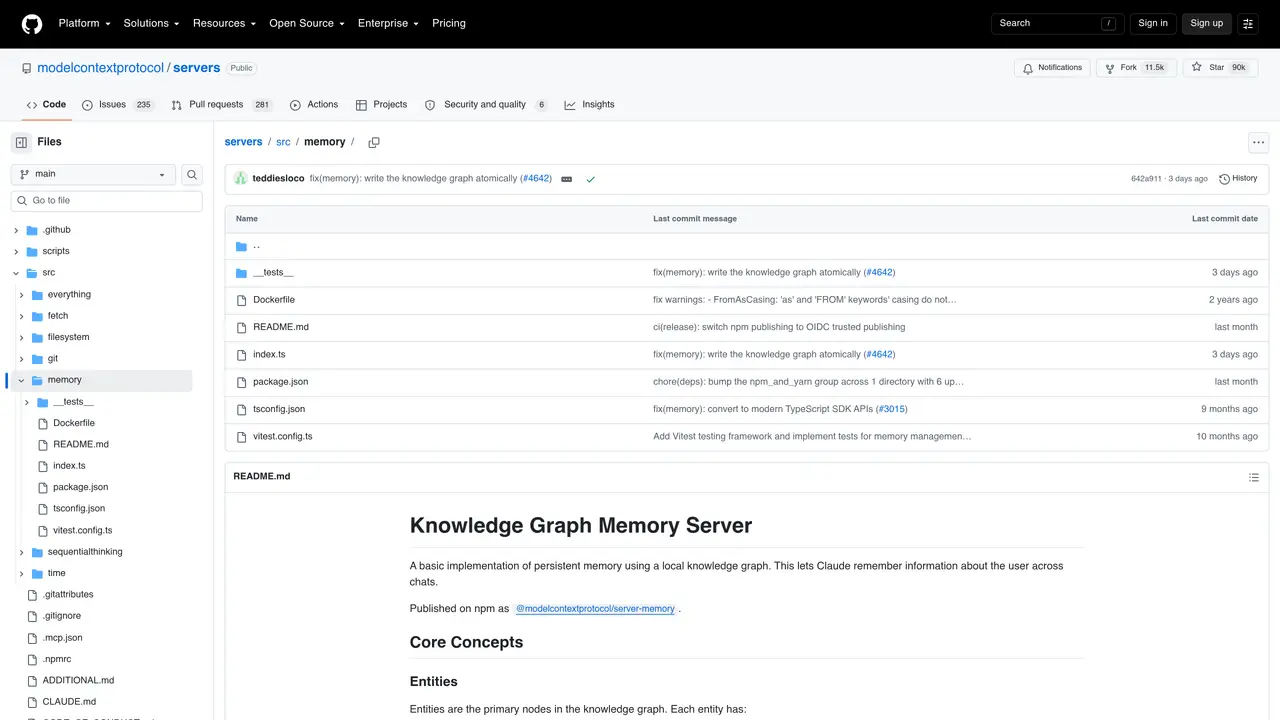
Memory MCP server is an open-source MCP server that enables persistent memory storage and retrieval for AI coding assistants. It connects Memory to Cursor, Claude Desktop and Windsurf, allowing these tools to maintain long-term context across sessions without losing track of prior conversations or project details. The server acts as a bridge, storing relevant information such as code snippets, project goals, and user preferences so that AI assistants can reference them in future interactions. This is particularly useful for ongoing development projects where continuity and context retention are critical. By leveraging Memory MCP, developers can reduce repetitive setup steps and ensure that AI tools have access to the full history of a project, improving efficiency and reducing errors. The server is designed to be lightweight and integrates seamlessly with supported editors and IDEs through the MCP protocol.
GitHub, Inc.
San Francisco, California, US · Founded 2008
Memory MCP is an open-source server that provides persistent memory storage for AI coding assistants. It maintains long-term context across sessions by storing entities, relations, and observations in a local knowledge graph, allowing AI tools to reference prior conversations and project details.
Memory MCP is designed to integrate with AI coding assistants that support the Model Context Protocol (MCP), such as Cursor, Claude Desktop, and Windsurf. It acts as a bridge to provide these tools with persistent memory capabilities.
Memory MCP stores memory as a knowledge graph with entities (nodes), relations (connections), and observations (facts). Entities can represent people, organizations, or events, while relations define how they interact. Observations are discrete facts attached to entities.
As an open-source tool, Memory MCP can be customized or extended by modifying its codebase. The API provides functions for creating, updating, and deleting entities, relations, and observations, allowing for tailored memory management.
While Memory MCP is primarily designed for AI coding assistants, its knowledge graph structure could potentially support other use cases requiring persistent memory. However, its features are optimized for development workflows.
To get started, install the server from npm as @modelcontextprotocol/server-memory, configure it to connect with your supported AI assistant or editor, and define the entities, relations, and observations you want to track. The README provides detailed setup instructions.
We use essential cookies to run aitoolnavio™, and optional cookies to analyze traffic and measure our marketing. You choose what we use — optional cookies stay off unless you turn them on. See our Privacy Policy.
One short email a week: fresh tools worth trying, honest takes and the updates that actually matter. No spam, unsubscribe any time.
Generate content, correct spelling, suggest synonyms to enhance writing.
Turn messy team ideas into actionable plans with Miro's visual workspace.
Leverage analytics, automate tasks, share documents, and coordinate projects.
Integrates AI into Airtable to analyze data, summarize insights, draft content, and automate workflows without prior AI experience.
Cloud accounting software that automates bookkeeping, invoicing, and financial reporting for small and growing businesses.
Streamline teamwork, manage projects, automate tasks efficiently.
Automate code, research, and documents using agents.
AI assistant for safe, reliable productivity with code, collaboration, and integrations.
Create customizable tables, databases, and spreadsheets, share data securely with team members.
Easy-to-use CRM platform that automates lead capturing, prioritizes tasks, and provides sales pipeline analytics for businesses of all sizes.
Transforms thoughts into actions, enhancing productivity and efficiency.
Write & run code in 50+ languages, auto-complete with AI, and code faster with an intuitive interface.
Matched on what this tool does — grouped by the job you would be replacing.
Paid placement · similar tools from listings that support aitoolnavio™
Instant lead response for home-service pros: your phone rings on every new lead, plus 14 days of follow-up
matches Persistent memory storage across sessions · Context retention for ongoing projects · Long-term context tracking
matches Integration with Cursor, Claude Desktop, and Windsurf · Seamless editor and IDE compatibility · Lightweight MCP server architecture
Pieces auto-captures your workflow context across tools and surfaces it via a privacy-first AI assistant for faster recall and reuse.
Stores coding assistants' project history locally.
Transform AI interactions with personalized, long-term memory that remembers context across sessions for deeper engagement.
Structured project memory for AI coding agents
Qdrant MCP server connects Qdrant vector search to Cursor, Claude Desktop, and Windsurf via the MCP protocol.
Connect Chroma Mcp to Cursor, Claude Desktop and Windsurf via an MCP server.
Connect Fetch to Cursor, Claude Desktop and Windsurf via the Fetch MCP server.
Open-source MCP server that connects Supabase to Cursor, Claude Desktop, and Windsurf for database interactions.