
AI-powered website builder that generates a professional site in under a minute and includes tools for content, SEO, and analytics.
52M visits/mo+0.7%#4 Coding & Development

Connect Fetch to Cursor, Claude Desktop and Windsurf via the Fetch MCP server.
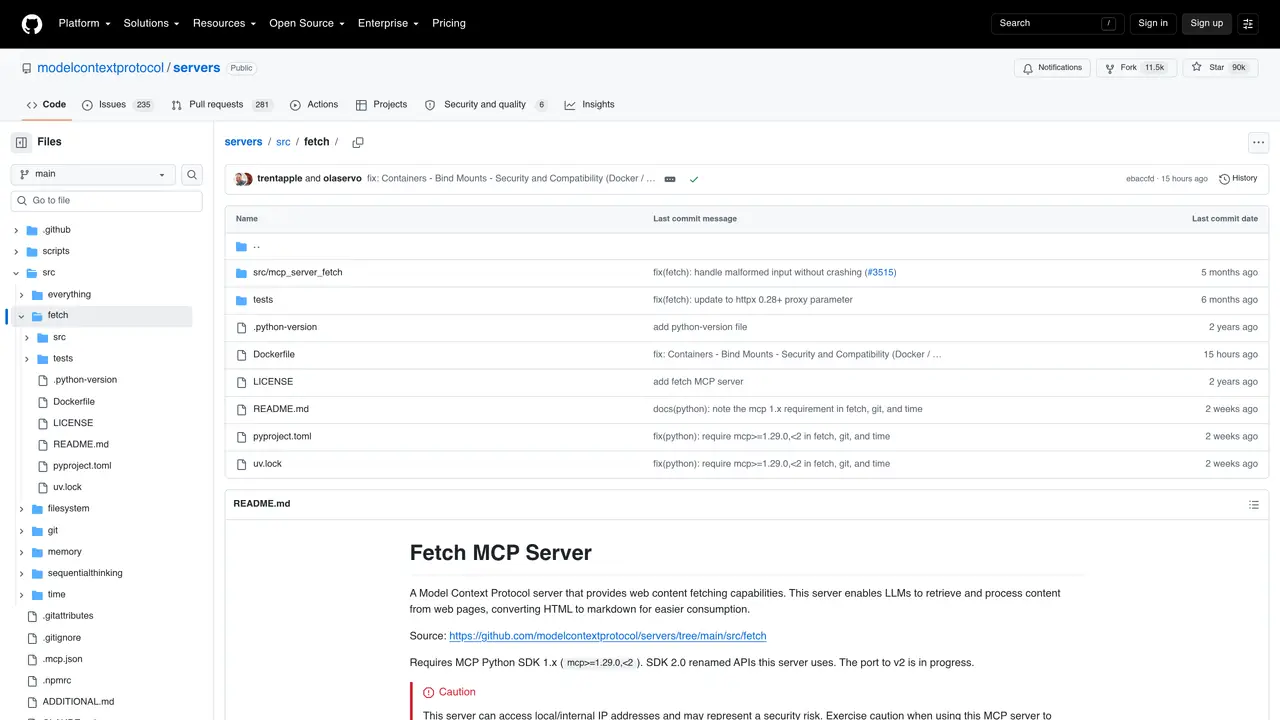
The Fetch MCP server enables integration between Fetch and major AI coding assistants such as Cursor, Claude Desktop, and Windsurf. It acts as a bridge that allows these tools to interact with Fetch’s web and scraping capabilities directly through the Model Context Protocol (MCP). By exposing Fetch’s functionality as an MCP server, it simplifies the process of fetching web content, scraping data, or performing HTTP requests within AI-assisted development workflows. This integration is particularly useful for developers who rely on AI coding tools to automate web-based tasks without leaving their preferred environment. The server supports standard HTTP methods and can handle requests for retrieving, parsing, and processing web resources efficiently. It is designed to be lightweight and easy to deploy, making it accessible for both individual developers and teams working on AI-driven projects that require real-time web data access.
GitHub, Inc.
San Francisco, California, US · Founded 2008
Fetch MCP is a Model Context Protocol server that provides web content fetching capabilities, allowing LLMs to retrieve and process web pages by converting HTML to markdown for easier consumption.
It is designed for developers and teams using AI coding assistants like Cursor, Claude Desktop, or Windsurf who need to automate web-based tasks without leaving their preferred environment.
Fetch MCP supports chunked reading of webpages using the start_index argument, allowing models to read content in segments until they find the required information.
Fetch MCP can be installed via uv (recommended), pip, or Docker, with configuration options provided for tools like Claude.app and VS Code.
Yes, by default, Fetch MCP will obey a website's robots.txt file if the request can be made.
Fetch MCP can access local or internal IP addresses, which may pose a security risk; users should exercise caution and ensure proper configuration to avoid exposing sensitive data.
We use essential cookies to run aitoolnavio™, and optional cookies to analyze traffic and measure our marketing. You choose what we use — optional cookies stay off unless you turn them on. See our Privacy Policy.
One short email a week: fresh tools worth trying, honest takes and the updates that actually matter. No spam, unsubscribe any time.
AI-powered website builder that generates a professional site in under a minute and includes tools for content, SEO, and analytics.
AI-powered coding platform that uses agents to plan, write, and test software with real-time feedback and verifiable artifacts.
Automate code, research, and documents using agents.
AI-powered code assistant that generates, reviews, optimizes, and debugs code with natural language prompts and editor integrations.
AI assistant for safe, reliable productivity with code, collaboration, and integrations.
AI-powered IDE for autonomous coding tasks and agentic development workflows
Privacy-focused AI chatbot that generates uncensored text, code, images, and translations without storing conversations or requiring an account.
A free web-based AI chatbot and agent for writing, coding, research, and content creation with multilingual support.
Write & run code in 50+ languages, auto-complete with AI, and code faster with an intuitive interface.
An IDE that automates legacy-to-modern code migration using autonomous coding agents.
AI models that return typed decisions with calibrated confidence for software automation
Practice coding challenges, improve technical skills, get detailed explanations, compare performance with peers.
Matched on what this tool does — grouped by the job you would be replacing.
matches Enables web scraping and content retrieval via MCP · Handles real-time web data access requests · Works with Model Context Protocol (MCP) for seamless integration
Fetch live web pages, search the web, and inject real-time content into your AI assistant's context.
Fetch live web pages and search results directly into your AI assistant's context with this open-source MCP server.
MCP server that connects Browserbase to Cursor, Claude Desktop, and Windsurf for web automation and scraping.
matches Exposes Fetch as an MCP server for AI coding assistants · Integrates with Cursor, Claude Desktop, and Windsurf · Lightweight and easy to deploy
Qdrant MCP server connects Qdrant vector search to Cursor, Claude Desktop, and Windsurf via the MCP protocol.
Neon MCP server connects Neon databases to Cursor, Claude Desktop and Windsurf via MCP.
Open-source MCP server that connects Supabase to Cursor, Claude Desktop, and Windsurf for database interactions.
Memory MCP server integrates Memory with Cursor, Claude Desktop and Windsurf for persistent context across sessions.













