

AI-powered website builder that generates a professional site in under a minute and includes tools for content, SEO, and analytics.
52M visits/mo+0.7%#4 Coding & Development
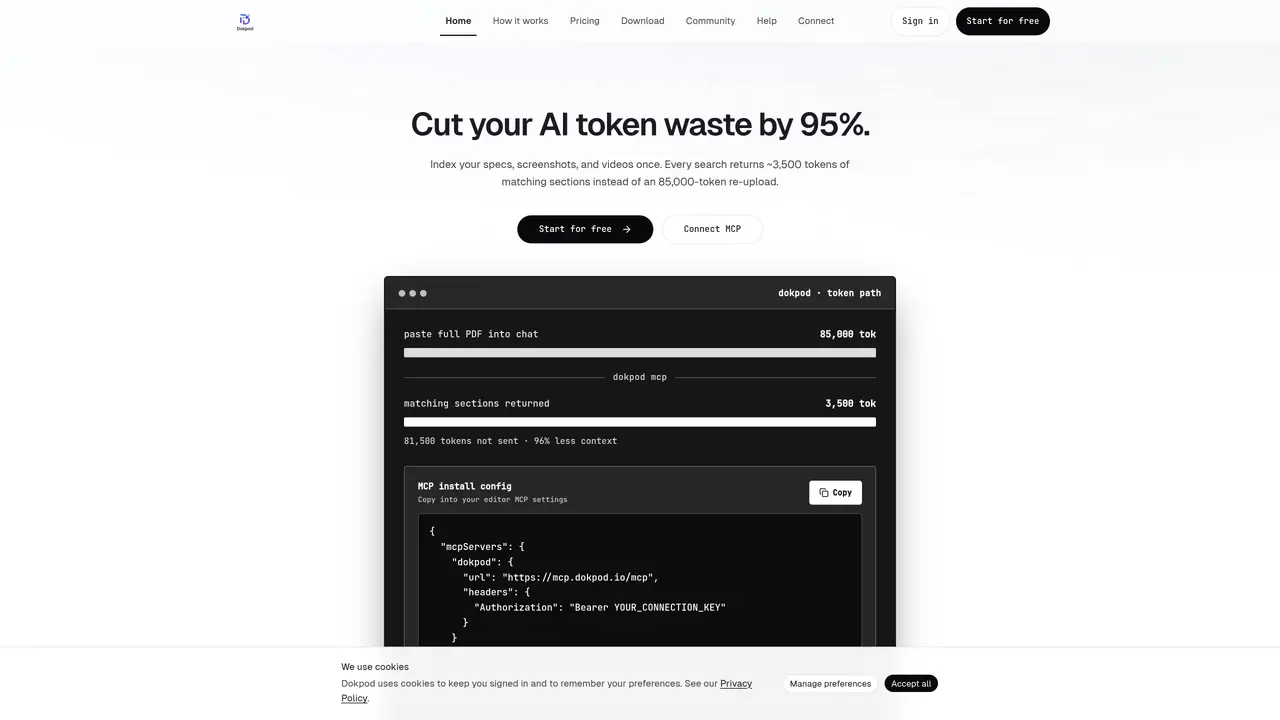
Dokpod indexes files, links, videos, and images into searchable sections once. When queried via MCP, it returns only the relevant sections (typically around 3,500 tokens) instead of entire documents. This reduces token usage by 80–95% compared to pasting full files into chat. The tool supports multiple formats including PDFs, Word, Excel, images, CSV, YouTube videos, and URLs. Dokpod offers both a desktop app with on-device indexing and a hosted cloud solution with shared vaults for teams. Users connect via MCP to their AI editors, enabling natural language queries without re-uploading files. The platform emphasizes privacy, with private vaults by default and optional team sharing with scoped access. It is designed for developers and teams who frequently use AI editors and need efficient document retrieval.
The Local plan is a Dokpod Desktop-only subscription that runs indexing and search on the user's machine. It does not include a cloud vault or hosted MCP server.
Dokpod does not offer a permanent free tier. Users can start a 7-day Pro free trial with full cloud access or subscribe to the Local plan for desktop-only use.
If the trial is not canceled, the subscription automatically starts. If canceled during the trial, uploads and MCP search are paused at the trial's end, but files are retained.
Yes, users can upgrade to yearly billing at any time from the billing settings, with prorated adjustments. Switching from yearly to monthly takes effect at the end of the billing period.
Team plans are priced per seat with a minimum of 3 seats. One admin manages billing, and vault sharing with scoped MCP access can be enabled for team members.
Dokpod indexes files into small sections and returns only matching chunks (often about 3.5K tokens) via MCP, rather than sending entire documents, reducing token usage by 80–95%.
We use essential cookies to run aitoolnavio™, and optional cookies to analyze traffic and measure our marketing. You choose what we use — optional cookies stay off unless you turn them on. See our Privacy Policy.
One short email a week: fresh tools worth trying, honest takes and the updates that actually matter. No spam, unsubscribe any time.
AI-powered website builder that generates a professional site in under a minute and includes tools for content, SEO, and analytics.
AI-powered coding platform that uses agents to plan, write, and test software with real-time feedback and verifiable artifacts.
Automate code, research, and documents using agents.
AI-powered code assistant that generates, reviews, optimizes, and debugs code with natural language prompts and editor integrations.
AI assistant for safe, reliable productivity with code, collaboration, and integrations.
AI-powered IDE for autonomous coding tasks and agentic development workflows
Privacy-focused AI chatbot that generates uncensored text, code, images, and translations without storing conversations or requiring an account.
A free web-based AI chatbot and agent for writing, coding, research, and content creation with multilingual support.
Write & run code in 50+ languages, auto-complete with AI, and code faster with an intuitive interface.
An IDE that automates legacy-to-modern code migration using autonomous coding agents.
AI models that return typed decisions with calibrated confidence for software automation
Practice coding challenges, improve technical skills, get detailed explanations, compare performance with peers.
Matched on what this tool does — grouped by the job you would be replacing.
matches On-device indexing and search (Desktop plan) · Hosted cloud vault with 25–150 GB storage · Team vault sharing with permission controls
Upload and chat with multiple PDFs using AI-generated links for private, secure document analysis and summarization.
AI-powered local file search for macOS that indexes documents, media, and other files offline for instant, private retrieval.
RAG-as-a-Service platform for agents and apps with real-time indexing, retrieval with citations, and multimodal support.
Local document AI for querying PDFs, Markdown, and text files with citations
matches Video and image indexing with transcripts and OCR · Chunked search returning ~3,500 tokens per query
DocuGenie packs 10 AI document tools into one app, including handwriting & image OCR, invoice/receipt/bank-statement to Excel, and more.
Instantly convert PDF, Word, PowerPoint, Excel, CSV, and HTML files into clean markdown
Converts PDFs, images and Office files into structured JSON, CSV or Excel with AI-powered OCR and field extraction.
Searches screenshots and images by text descriptions or OCR content