Summarizes, extracts, and rewrites content from files.
89M visits/mo+8.7%#2 Productivity & Office

Instantly convert PDF, Word, PowerPoint, Excel, CSV, and HTML files into clean markdown
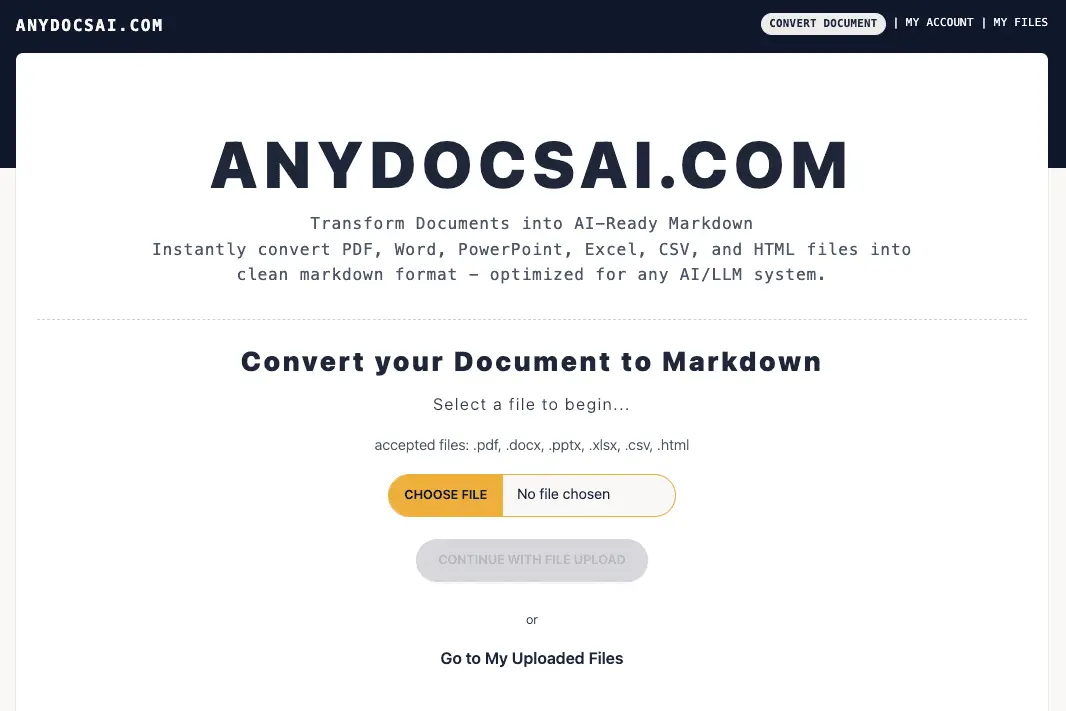
AnyDocsAI.com transforms documents into AI-ready Markdown, supporting formats such as PDF, Word, PowerPoint, Excel, CSV, and HTML. The platform converts files into clean, structured Markdown optimized for AI and LLM systems, ensuring compatibility with modern workflows. Users can leverage built-in summarization to distill key insights from lengthy documents, while the chat and Q&A features enable interactive exploration of content without manual review. The tool is designed for technical writers who need to migrate documentation from traditional formats like Word and PDF into Markdown for software projects. Researchers benefit from converting data-heavy Excel spreadsheets and academic PDFs into structured Markdown for analysis or sharing. Marketing teams can quickly repurpose PowerPoint presentations and HTML blog posts into Markdown for knowledge bases or content management systems, streamlining content reuse and collaboration. The platform emphasizes ease of use, allowing users to upload files and receive AI-optimized Markdown with minimal setup.
AnyDocsAI.com supports conversion of PDF, Word, PowerPoint, Excel, CSV, HTML files, and images into markdown format.
Yes, the tool allows users to chat or ask questions about the content of their documents after conversion.
It is designed for technical writers, researchers, and marketing teams who need to convert documents into markdown for AI systems or knowledge bases.
Yes, the tool includes summarization capabilities for documents after conversion to markdown.
The tool converts documents into clean markdown format, which is optimized for compatibility with AI and large language models.
Yes, it is suitable for converting collections of documents into markdown for integration into a new knowledge base or content management system.
anydocsai.com · third-party estimates from Similarweb
Last 2 months · grows by one month every month
Productivity & Office · Sep 2026
Traffic figures are third-party estimates, good for scale and trends; they can differ from a company's own numbers. Updated monthly.
We use essential cookies to run aitoolnavio™, and optional cookies to analyze traffic and measure our marketing. You choose what we use — optional cookies stay off unless you turn them on. See our Privacy Policy.
One short email a week: fresh tools worth trying, honest takes and the updates that actually matter. No spam, unsubscribe any time.
Summarizes, extracts, and rewrites content from files.
Free tool to collect, organize, cite and share research sources
An AI-powered PDF editor and converter for editing, OCR, signing, annotating, merging, and chatting with documents across devices.
Browser-based PDF editor that edits, signs, converts, merges, compresses, and shares files, with AI for form filling, document chat, and PDF creation.
Streamline PDF interaction with AI summarization, batch processing, and secure Q&A.
Efficiently find data, extract key topics, map entities, analyze sentiment, and highlight important points in your PDF documents.
All-in-one AI platform for writing, image, music, and analysis.
AI-powered PDF editor with built-in agents for summarization, translation, and document analysis.
Obtain information, navigate documents, and customize responses with an AI-powered chatbot and user-friendly interface.
Summarize, chat with, and clean up PDFs.
Find sections, analyze & extract content, and interact with documents efficiently using AI-powered technology.
Generate comprehensive PDF reports, leverage NLP and ML to understand documents, save time and money with faster decision-making.
Matched on what this tool does — grouped by the job you would be replacing.
matches Convert PDF, Word, PowerPoint, Excel, CSV, and HTML files into clean markdown
Open-source AI document parser that converts PDFs, images, and documents into structured Markdown or JSON for AI workflows.
A cloud-based document transformation tool that converts files and web content into AI-ready Markdown or structured JSON for developers and data teams.
Online converter turning PDF, Word and other files into clean Markdown for AI workflows
Converts documents and images to and from Markdown format
matches Chat/Q&A with the document
matches Summarization of documents
AI chatbot for conversation, work, research, coding, and content creation.
Upload documents and ask AI questions about their content online
Generate actionable insights from any document.
Extract insights from PDFs, Word docs, CSVs, Excel files, and SQL databases by chatting with them in natural language.
Generate content, correct spelling, suggest synonyms to enhance writing.
Summarizes, extracts, and rewrites content from files.
AI-powered writing tool for paraphrasing, summarizing, and enhancing writing effortlessly.