Summarizes, extracts, and rewrites content from files.
89M visits/mo+8.7%#2 Productivity & Office

An AI-powered PDF editor and converter for editing, OCR, signing, annotating, merging, and chatting with documents across devices.
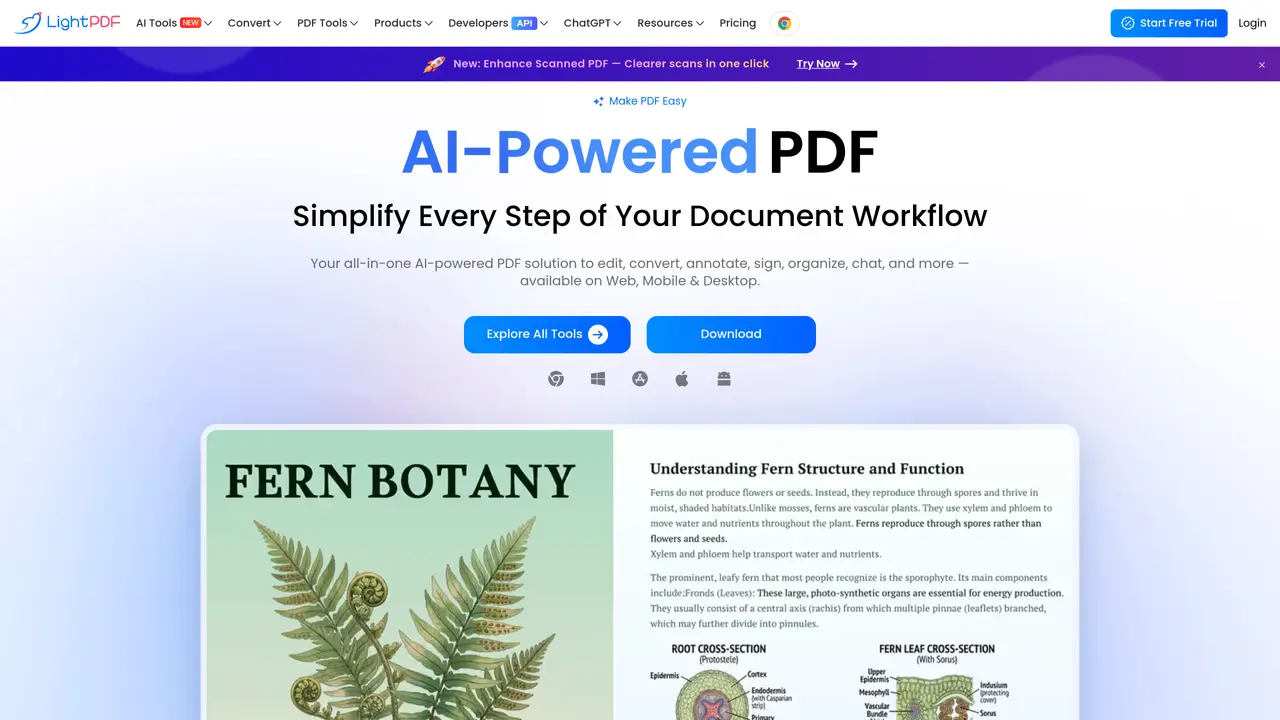
LightPDF is an AI-powered, cloud-based PDF editor and converter designed for students, freelancers, small teams, and everyday users who need to view, edit, convert, and understand documents. It supports cross-device access via web, desktop (Windows, macOS), and mobile (iOS, Android) platforms. Users can upload files or URLs to interact with documents through AI Chat, enabling tasks like asking questions, summarizing content, extracting key points, explaining concepts, and analyzing information. The tool offers robust PDF editing capabilities, including text, image, and link editing, annotation and comment features, file merging and compression, and page-level cleanup options such as deleting or whiteout content. LightPDF also provides extensive conversion tools, supporting formats like DOC/DOCX, XLS/XLSX, PPT/PPTX, JPG/PNG, TIFF, HEIC, WebP, SVG, HTML, EPUB, OFD, and CAJ. Its OCR and scanning workflows extract text from scanned PDFs and images with multi-language recognition, with batch processing available on premium plans. The platform includes 25 free online PDF tools and offers developer options through PDF APIs and SDKs for integrating document workflows into applications. Pricing follows a freemium model with free online tools limited to 10MB per task, while paid plans range from weekly to lifetime options, including business plans with per-user pricing.
LightPDF is an AI-powered PDF editor, converter, and reader available across web, desktop, and mobile platforms. It allows users to edit, convert, annotate, sign, organize, and interact with PDFs using AI features such as summarization, question answering, and content extraction.
LightPDF is designed for students, freelancers, small teams, and everyday users who need to manage PDF documents efficiently. It suits anyone requiring document editing, conversion, or AI-powered interactions with PDF content.
LightPDF's AI Chat enables users to upload PDFs or URLs and interact with the document by asking questions, summarizing content, extracting key points, explaining concepts, and analyzing information. This feature streamlines document understanding and reduces manual review time.
LightPDF is available on web browsers, desktop platforms (Windows and macOS), and mobile devices (iOS and Android). Users can access their documents and AI tools seamlessly across all supported platforms with a single account.
Yes, LightPDF includes OCR (Optical Character Recognition) to extract text from scanned PDFs and images. It supports multi-language recognition and offers batch processing for handling multiple files efficiently.
LightPDF provides developer options through PDF APIs and SDKs, allowing integration of its document workflows into third-party applications. This enables businesses to embed PDF editing, conversion, and AI features within their own software.
lightpdf.com · third-party estimates from Similarweb
Last 4 months · grows by one month every month
Share of visits · estimated visits
Other countries: 58.3%
How people reach this site from other AI tools
5.3K a month · 0.3% of all visits
Productivity & Office · Sep 2026
Traffic figures are third-party estimates, good for scale and trends; they can differ from a company's own numbers. Updated monthly.
We use essential cookies to run aitoolnavio™, and optional cookies to analyze traffic and measure our marketing. You choose what we use — optional cookies stay off unless you turn them on. See our Privacy Policy.
One short email a week: fresh tools worth trying, honest takes and the updates that actually matter. No spam, unsubscribe any time.
Summarizes, extracts, and rewrites content from files.
Automate citation and reference management, aid research with text and data mining, and securely store and share documents.
Capture, organize, and share ideas, notes, and documents effortlessly.
Headless CMS that lets developers manage structured content and deliver it anywhere via flexible APIs and real-time collaboration tools.
Efficiently create and manage cases, streamline workflows, securely store and share documents, and collaborate with colleagues.
Access files, collaborate, and secure your data with unbeatable customizable system.
Browser-based PDF editor that edits, signs, converts, merges, compresses, and shares files, with AI for form filling, document chat, and PDF creation.
Securely store, access, and search documents from any device with ease.
Create and customize legal documents, consult lawyers, and access legal guides all in one platform.
Centralize brand assets, automate approvals, and collaborate with external partners in a single digital asset management platform.
AI diagramming and documentation tool for engineering teams to create and update cloud architecture, ERDs, and flowcharts from prompts, code, and CI/CD workflows.
All-in-one legal case management platform for law firms, combining intake, e-signatures, payments, analytics, and reporting in one secure system.
Matched on what this tool does — grouped by the job you would be replacing.
matches Edit text, images, links, and annotations in PDFs · Convert between PDF and 20+ formats (DOCX, XLSX, PPTX, JPG, PNG, etc.) · OCR and batch scanning with multi-language text extraction
AI-powered PDF editor with built-in agents for summarization, translation, and document analysis.
AI-powered PDF editor that lets users edit text in original fonts and convert scans to editable files
AI-driven PDF editor for seamless editing and conversion.
Lightweight AI-powered PDF editor for macOS with on-device processing
matches AI-powered document chat for Q&A, summarization, and analysis
matches 25 free online PDF tools included · Cross-platform access via web, desktop, and mobile · Cloud storage for document access across devices
Compare: LightPDF vs pdf.net
An AI productivity workspace that turns documents and text into presentations, chats with PDFs, and generates long-form content for students, educators, and marketers.
Upload and chat with multiple PDFs using AI-generated links for private, secure document analysis and summarization.
Browser extension that lets users query web pages and documents with multiple AI models via a side panel
Browser-based PDF tools for merging, compressing, converting and editing files
A free online PDF tool that lets you AI OCR, merge, compress, sign, convert and protect PDFs directly in your browser.
Suite of 37 browser-based tools for PDF and image editing without uploads
Browser-based PDF processing and conversion tools