Convert PDFs to Word, Excel, PowerPoint, HTML, merge multiple PDFs, and extract images.
2.2M visits/mo+5.4%#35 Productivity & Office
Online converter turning PDF, Word and other files into clean Markdown for AI workflows
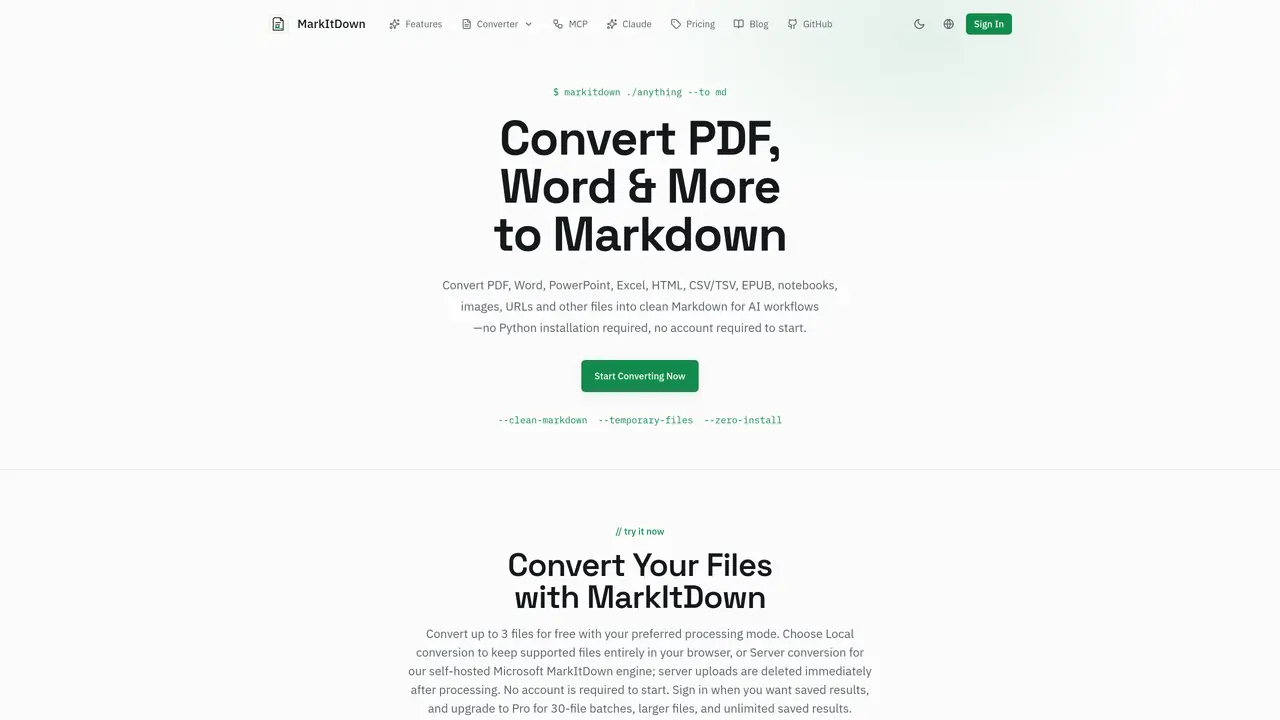
MarkItDown is an online service that converts documents and data files into structured Markdown. It supports formats including PDF, DOCX, PPTX, XLS/XLSX, HTML, CSV/TSV, JSON, XML, EPUB, IPYNB, public URLs and images via OCR. The tool preserves document structure such as headings, tables, lists, links and inline formatting during conversion. Users can choose between local processing, which keeps files entirely in the browser, or server processing using a self-hosted Microsoft MarkItDown engine. Server uploads are deleted immediately after processing. The output is previewed before download and can be used directly in AI workflows, RAG pipelines, vector databases, knowledge bases and documentation sites. No account is required to start, and results can be saved after signing in.
MarkItDown supports converting PDF, DOCX, PPTX, XLS/XLSX, HTML/HTM, TXT/MD, CSV/TSV, JSON/XML, EPUB, IPYNB, public URLs, and PNG/JPG/WebP images via OCR.
No account is required to start converting files. Users can sign in later to save results or upgrade to Pro for additional features.
Files processed via server conversion are uploaded temporarily and deleted immediately after processing. Local conversion keeps files entirely in the browser.
Yes, MarkItDown generates clean, structured Markdown output designed for direct use in AI workflows, RAG pipelines, vector databases, and knowledge bases.
Local processing keeps files entirely in the browser, while Server processing uses a self-hosted Microsoft MarkItDown engine with temporary uploads deleted after conversion.
Yes, MarkItDown is inspired by Microsoft's open-source MarkItDown utility and uses a self-hosted conversion service based on the same technology.
markitdown.tech · third-party estimates from Similarweb
Last 4 months · grows by one month every month
Share of visits by channel
Productivity & Office · Sep 2026
Traffic figures are third-party estimates, good for scale and trends; they can differ from a company's own numbers. Updated monthly.
We use essential cookies to run aitoolnavio™, and optional cookies to analyze traffic and measure our marketing. You choose what we use — optional cookies stay off unless you turn them on. See our Privacy Policy.
One short email a week: fresh tools worth trying, honest takes and the updates that actually matter. No spam, unsubscribe any time.
Convert PDFs to Word, Excel, PowerPoint, HTML, merge multiple PDFs, and extract images.
End-to-end encrypted file sharing with built-in AI editing for photos, videos, and documents.
Free online directory offering AI-powered file editing tools for PDFs, images, videos, QR codes, and text.
A browser-based media management platform for storing, searching, and collaborating on photos, videos, and design files with AI tagging.
Secure cloud storage and organization tool with encryption and authentication for remote access and collaboration.
Converts PDF, Word, Excel and images to AI-ready Markdown in-browser
AI-powered desktop app that renames and organizes files by analyzing content with a local LLM for privacy-preserving file management.
Mac-only AI tool that automatically sorts files into a personalized folder system without reading file contents.
macOS app that renames screenshots and files by content and provides private, offline search for Mac users.
Browser-based PDF tools for merging, compressing, converting and editing files
Web-based file converter that transforms documents into clean Markdown for AI workflows
Free online PDF tools for merging, splitting, compressing and converting files without signup
Matched on what this tool does — grouped by the job you would be replacing.
matches PDF to Markdown conversion · Word, PowerPoint and Excel to Markdown · HTML and CSV/TSV to Markdown
Converts PDF, Word, Excel and images to AI-ready Markdown in-browser
Converts documents and images to and from Markdown format
Converts documents and web links into AI-friendly Markdown format
Converts documents, images, audio and video to clean Markdown