Convert PDFs to Word, Excel, PowerPoint, HTML, merge multiple PDFs, and extract images.
2.2M visits/mo+5.4%#35 Productivity & Office

macOS app that renames screenshots and files by content and provides private, offline search for Mac users.
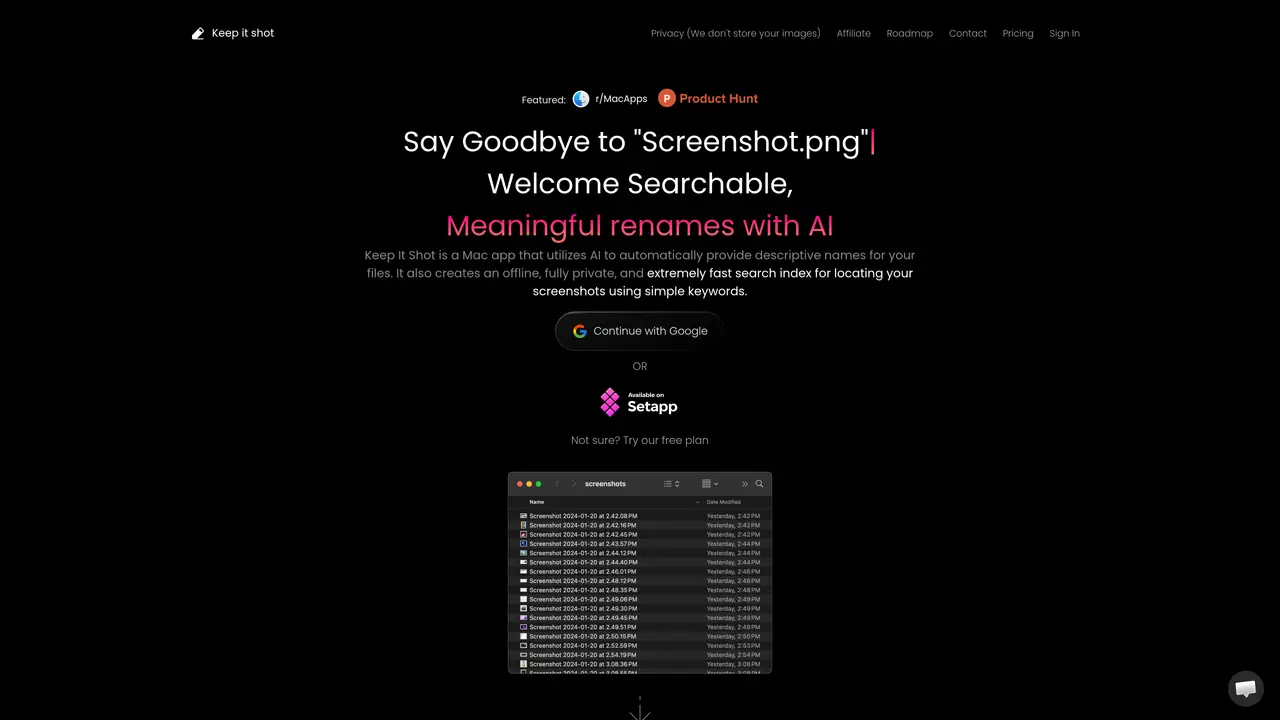
Keep It Shot is a macOS desktop application designed for individual Mac users, product managers, and designers who need to organize and quickly retrieve screenshots and other media files. The app uses AI to analyze file content and automatically generates descriptive filenames, supporting images, videos, and documents. It offers bulk renaming capabilities and can auto-rename new screenshots upon creation, ensuring immediate organization. Keep It Shot builds a fully private, offline local search index that leverages OCR, short descriptions, and keywords to make files searchable with simple terms, without storing images. Users can customize rename prompts to control naming style and specificity. The tool is optimized for screenshot-heavy workflows and requires macOS 10.15 or later. It operates on a freemium model with credit-based usage, where each rename consumes credits, and offers plans tailored for different user needs, including a one-time purchase option and availability via Setapp.
Keep It Shot is a macOS desktop application that uses AI to automatically generate descriptive filenames for screenshots and other media files, while also creating a fully private, offline local search index for quick retrieval.
The tool is designed for individual Mac users, product managers, and designers who frequently work with screenshots and need an efficient way to organize and search through media files.
Keep It Shot does not store images; it operates entirely offline and locally on the user's Mac, ensuring full privacy for all files and data.
Yes, Keep It Shot can auto-rename new screenshots upon creation and allows users to define custom renaming preferences for tailored results.
Yes, Keep It Shot offers a free plan that allows users to try the app before committing to a paid plan.
Users can download Keep It Shot directly from the official website and begin organizing their media files with AI-powered renaming and search capabilities.
keepitshot.com · third-party estimates from Similarweb
Last 4 months · grows by one month every month
Share of visits · estimated visits
Productivity & Office · Sep 2026
Traffic figures are third-party estimates, good for scale and trends; they can differ from a company's own numbers. Updated monthly.
We use essential cookies to run aitoolnavio™, and optional cookies to analyze traffic and measure our marketing. You choose what we use — optional cookies stay off unless you turn them on. See our Privacy Policy.
One short email a week: fresh tools worth trying, honest takes and the updates that actually matter. No spam, unsubscribe any time.
Convert PDFs to Word, Excel, PowerPoint, HTML, merge multiple PDFs, and extract images.
End-to-end encrypted file sharing with built-in AI editing for photos, videos, and documents.
Free online directory offering AI-powered file editing tools for PDFs, images, videos, QR codes, and text.
A browser-based media management platform for storing, searching, and collaborating on photos, videos, and design files with AI tagging.
Secure cloud storage and organization tool with encryption and authentication for remote access and collaboration.
Converts PDF, Word, Excel and images to AI-ready Markdown in-browser
AI-powered desktop app that renames and organizes files by analyzing content with a local LLM for privacy-preserving file management.
Mac-only AI tool that automatically sorts files into a personalized folder system without reading file contents.
Browser-based PDF tools for merging, compressing, converting and editing files
Online converter turning PDF, Word and other files into clean Markdown for AI workflows
Web-based file converter that transforms documents into clean Markdown for AI workflows
Free online PDF tools for merging, splitting, compressing and converting files without signup
Matched on what this tool does — grouped by the job you would be replacing.
matches AI-powered content-based renaming for screenshots and files · Bulk renaming and auto-rename on file creation · Custom rename prompts for naming control
AI-powered desktop app that renames and organizes files by analyzing content with a local LLM for privacy-preserving file management.
Desktop AI file renamer for Mac and Windows that analyzes images and documents to generate meaningful filenames with local or private cloud processing options.
Automatically names and organizes Mac screenshots with AI to keep your desktop tidy.
AI-powered bulk file renamer for macOS that suggests descriptive filenames from document content with user approval.
matches Offline, private local search index using OCR and keywords · Fast keyword search optimized for screenshot workflows · No cloud storage or external data sharing
AI-powered local file search for macOS that indexes documents, media, and other files offline for instant, private retrieval.
A local AI tool that lets users chat with documents, request summaries, and ask questions privately on Mac.
Indexes documents once for AI search, reducing token usage by up to 95%
Creates a personalized local chatbot from your documents, notes, or videos using RTX acceleration for fast, private responses.