Summarizes, extracts, and rewrites content from files.
89M visits/mo+8.7%#2 Productivity & Office

Desktop AI file renamer for Mac and Windows that analyzes images and documents to generate meaningful filenames with local or private cloud processing options.
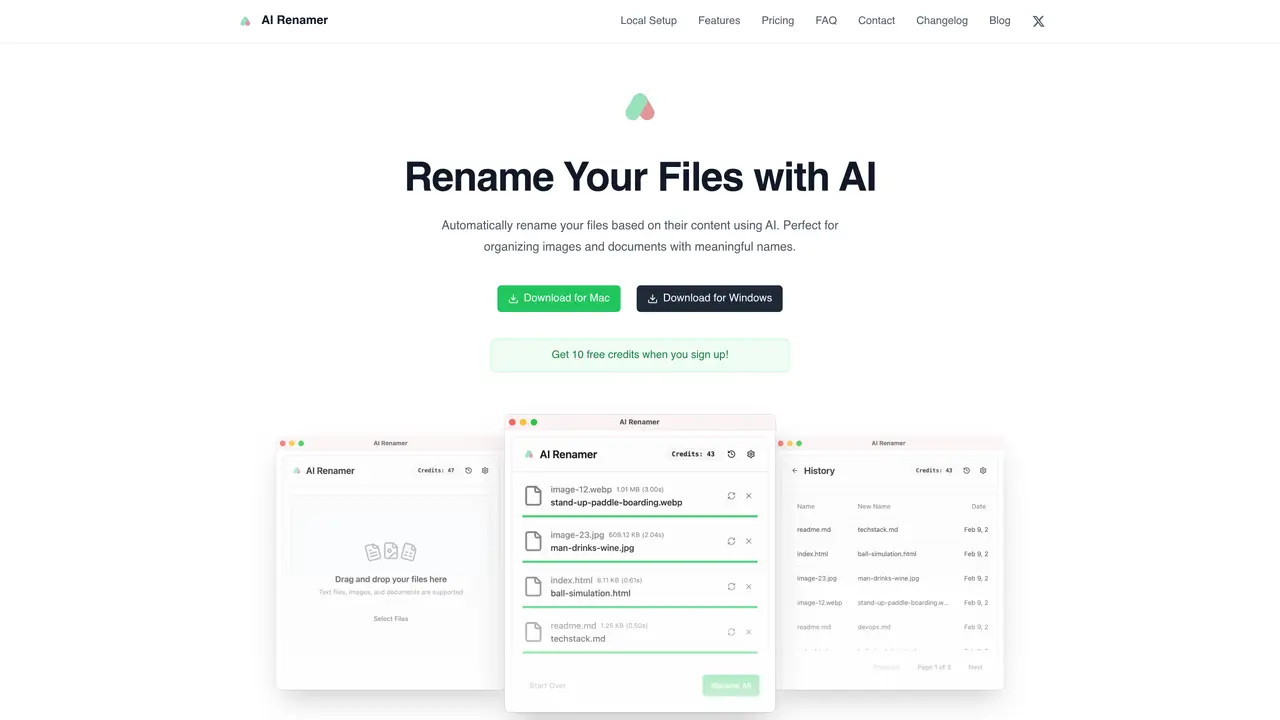
AI Renamer is a desktop application for Mac and Windows designed to help individuals organize personal images and documents by automatically generating descriptive filenames from file content. The tool analyzes image content and EXIF data along with document text to suggest meaningful file names, streamlining the process of keeping digital libraries tidy. Users can perform batch renaming through a drag-and-drop workflow, with a preview step before applying changes to ensure accuracy. Custom instructions allow users to guide naming patterns and formatting rules to match their preferences. The app offers two flexible processing modes: Local Mode, which uses on-device models via Ollama or LM Studio for privacy, and Cloud Mode, which privately processes files on servers with selectable models. This dual approach caters to users who prioritize control over their data as well as those who prefer the convenience of cloud-based processing. AI Renamer is particularly useful for organizing photos, screenshots, PDFs, and text files without manual effort.
AI Renamer analyzes file content, including image data and EXIF metadata for photos, as well as text from documents, to generate descriptive filenames. Users can preview suggested names before applying changes and customize naming patterns through instructions.
The cloud version supports a curated selection of AI models, including options from OpenAI and other providers, for processing files privately in the cloud.
The tool supports a wide range of file types, including images (JPG, PNG, GIF, WEBP) and documents (PDF, TXT, and other text-based formats).
In Cloud Mode, each rename operation consumes one credit, with credits never expiring and available for pay-as-you-go use.
Yes, AI Renamer provides a preview step before renaming, allowing users to review and approve suggested filenames to ensure accuracy.
Files are processed privately either on-device in Local Mode or in the cloud in Cloud Mode, and the service does not store user files beyond the processing session.
airenamer.app · third-party estimates from Similarweb
Last 4 months · grows by one month every month
Share of visits · estimated visits
Productivity & Office · Sep 2026
Traffic figures are third-party estimates, good for scale and trends; they can differ from a company's own numbers. Updated monthly.
We use essential cookies to run aitoolnavio™, and optional cookies to analyze traffic and measure our marketing. You choose what we use — optional cookies stay off unless you turn them on. See our Privacy Policy.
One short email a week: fresh tools worth trying, honest takes and the updates that actually matter. No spam, unsubscribe any time.
Summarizes, extracts, and rewrites content from files.
Automate citation and reference management, aid research with text and data mining, and securely store and share documents.
Capture, organize, and share ideas, notes, and documents effortlessly.
Headless CMS that lets developers manage structured content and deliver it anywhere via flexible APIs and real-time collaboration tools.
Efficiently create and manage cases, streamline workflows, securely store and share documents, and collaborate with colleagues.
Access files, collaborate, and secure your data with unbeatable customizable system.
An AI-powered PDF editor and converter for editing, OCR, signing, annotating, merging, and chatting with documents across devices.
Browser-based PDF editor that edits, signs, converts, merges, compresses, and shares files, with AI for form filling, document chat, and PDF creation.
Securely store, access, and search documents from any device with ease.
Create and customize legal documents, consult lawyers, and access legal guides all in one platform.
Centralize brand assets, automate approvals, and collaborate with external partners in a single digital asset management platform.
AI diagramming and documentation tool for engineering teams to create and update cloud architecture, ERDs, and flowcharts from prompts, code, and CI/CD workflows.
Matched on what this tool does — grouped by the job you would be replacing.
matches Smart content-based naming from image content, EXIF data, and document text · Batch renaming with drag-and-drop workflow and preview step · Custom instructions for naming patterns and formatting rules
Auto-renames messy files using content into clear labels.
AI-powered desktop app that renames and organizes files by analyzing content with a local LLM for privacy-preserving file management.
AI-powered file renamer for PDFs, scans and documents
AI-powered bulk file renamer for macOS that suggests descriptive filenames from document content with user approval.