AI-powered website builder that generates a professional site in under a minute and includes tools for content, SEO, and analytics.
52M visits/mo+0.7%#4 Coding & Development

Records and shares browser sessions with console, network, and steps for debugging
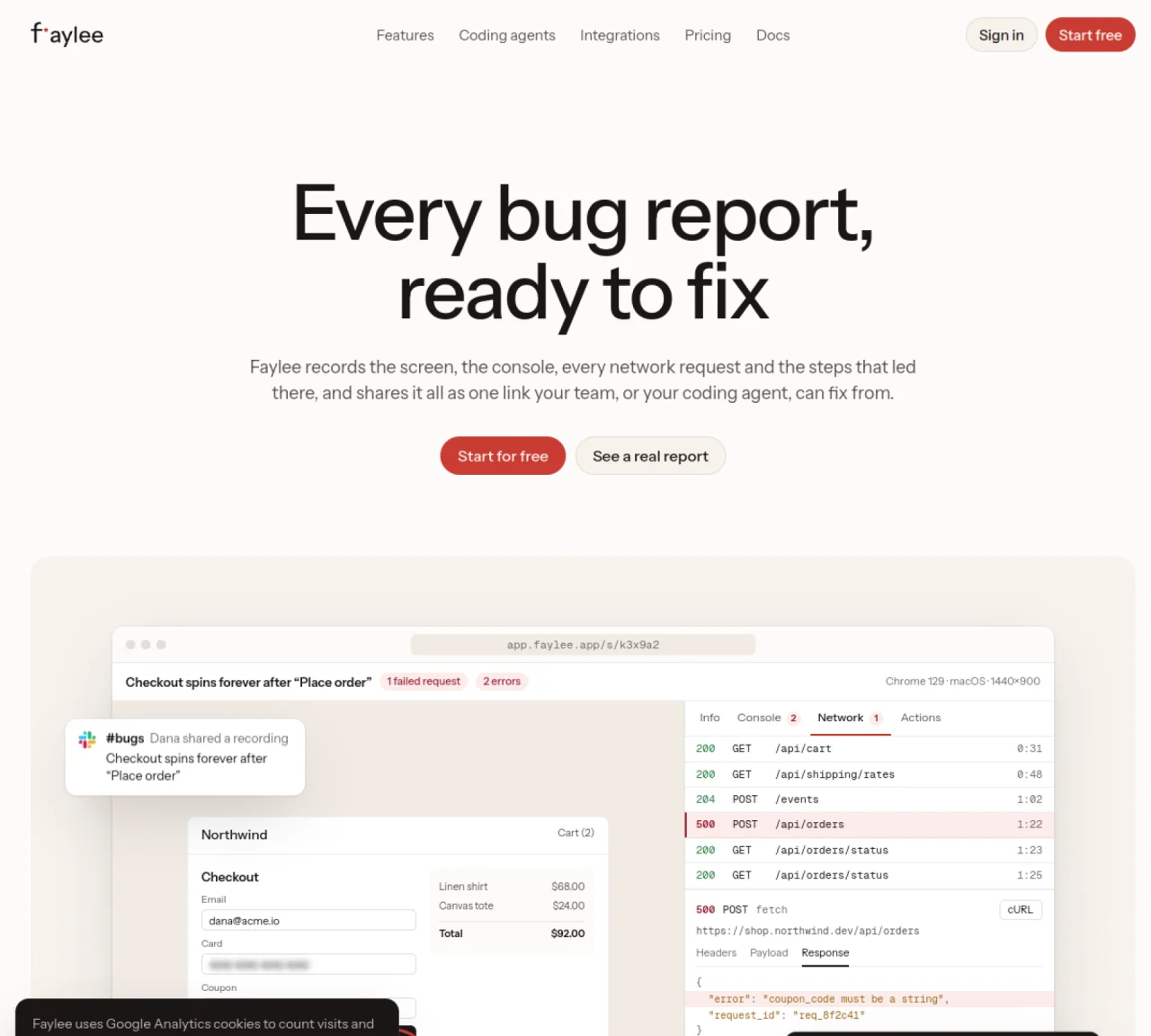
Faylee captures browser sessions including screen recordings, console logs, network requests, and user steps, then shares them as a single link. The tool is designed for development and product teams to diagnose and fix bugs efficiently. It records the last few minutes of a tab automatically and allows manual capture of screenshots or screen recordings. The shared link provides an instant replay of the session with synchronized console errors, network traffic, and backend traces from Sentry. Developers can inspect the page DOM at any moment, copy requests as cURL commands, or export sessions as HAR files. Faylee also supports coding agents by providing MCP server integration for automated debugging workflows.
Faylee records browser sessions, including screen recordings, console logs, network requests, and user steps, then shares them as a single link for teams or coding agents to review and debug.
Faylee is designed for development and product teams to diagnose and fix bugs efficiently, as well as for coding agents that require detailed session data for automated debugging workflows.
Faylee captures the last few minutes of a tab automatically and allows manual capture of screenshots or screen recordings, providing an instant replay with synchronized console errors, network traffic, and backend traces from Sentry.
Yes, Faylee supports integrations with coding agents and provides an MCP server integration for automated debugging workflows.
Users can start for free by visiting the Faylee website, signing in, and beginning to record sessions or share links for debugging purposes.
No, customers can send a recording from a link without installing anything.
We use essential cookies to run aitoolnavio™, and optional cookies to analyze traffic and measure our marketing. You choose what we use — optional cookies stay off unless you turn them on. See our Privacy Policy.
One short email a week: fresh tools worth trying, honest takes and the updates that actually matter. No spam, unsubscribe any time.
AI-powered website builder that generates a professional site in under a minute and includes tools for content, SEO, and analytics.
AI-powered coding platform that uses agents to plan, write, and test software with real-time feedback and verifiable artifacts.
Automate code, research, and documents using agents.
AI-powered code assistant that generates, reviews, optimizes, and debugs code with natural language prompts and editor integrations.
AI assistant for safe, reliable productivity with code, collaboration, and integrations.
AI-powered IDE for autonomous coding tasks and agentic development workflows
Privacy-focused AI chatbot that generates uncensored text, code, images, and translations without storing conversations or requiring an account.
A free web-based AI chatbot and agent for writing, coding, research, and content creation with multilingual support.
Write & run code in 50+ languages, auto-complete with AI, and code faster with an intuitive interface.
An IDE that automates legacy-to-modern code migration using autonomous coding agents.
AI models that return typed decisions with calibrated confidence for software automation
Practice coding challenges, improve technical skills, get detailed explanations, compare performance with peers.
Matched on what this tool does — grouped by the job you would be replacing.
matches Screen recording with narration · Console and network error capture · Automatic step recording
Session replay, issue tracking, and automated agents for product and engineering teams
Agentic website monitoring that automatically detects issues and opens pull requests to fix them
Bug reporting tool with session replay and technical evidence capture
AI-powered session replay tool that detects issues and drafts fixes
matches MCP server for coding agents · Session replay with frame timeline
Routes and manages cloud browser sessions across multiple providers with failover and session replay
Browser Cloud gives AI agents real Chrome sessions on demand, no headless fleet to babysit.
A local browser for running AI agents with real user logins and session replay