AI-powered website builder that generates a professional site in under a minute and includes tools for content, SEO, and analytics.
52M visits/mo+0.7%#4 Coding & Development

AI-powered PCB design assistant that suggests connections, answers questions, and simulates circuits in real time.
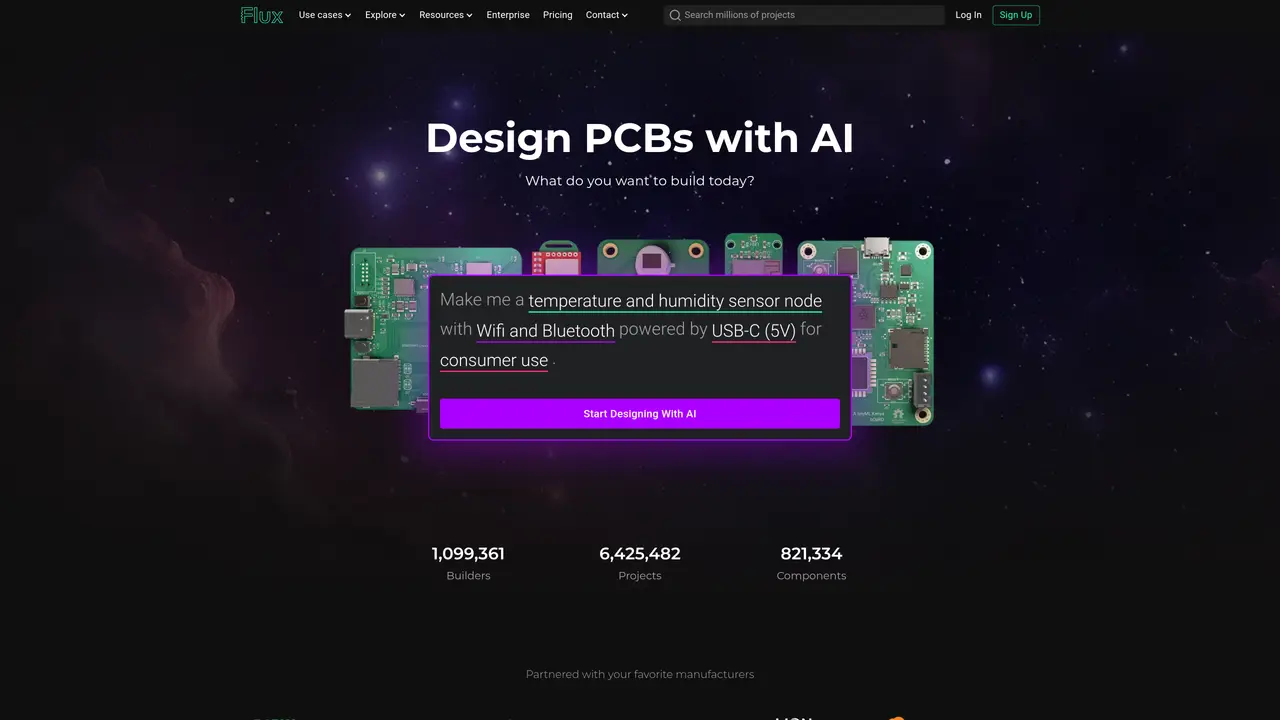
Flux AI is an AI copilot for printed circuit board (PCB) design and simulation, aimed at hardware engineers, PCB designers, and electronics engineers. It streamlines the process of creating and managing PCB projects by offering contextual assistance, such as suggesting connections and answering design-related questions. The platform supports cloud-based collaboration, allowing teams to work together on projects in real time. It includes a built-in SPICE simulator for testing and debugging circuits without leaving the design environment. Flux AI also provides a cloud-based library of components, enabling users to quickly access and integrate parts into their designs. The tool is designed to reduce manual calculations, particularly for impedance control, and improve efficiency in the PCB development workflow. While it requires some initial training and has limited offline functionality, it is well-suited for professionals who need an integrated solution for design, simulation, and collaboration.
Flux AI is an AI-powered platform designed for printed circuit board (PCB) design and simulation, serving hardware engineers, PCB designers, and electronics engineers. It assists users by generating PCB layouts, researching components, parsing datasheets, creating netlists, and reviewing designs through natural language prompts.
The tool is aimed at hardware engineers, PCB designers, electronics engineers, and teams working on PCB projects who need an integrated solution for design, simulation, and collaboration. It suits professionals looking to streamline workflows and reduce manual calculations.
Users provide natural language descriptions of their desired PCB functionality, such as a temperature and humidity sensor node with specific features. Flux AI then plans and generates the PCB layout, including components, connections, and power requirements, which can be further refined or reviewed.
Yes, Flux AI offers real-time cloud-based collaboration, allowing teams to work together on PCB projects simultaneously. This feature enables seamless sharing, feedback, and co-editing within the platform.
Flux AI includes a cloud-based library of components from partnered manufacturers, such as Texas Instruments, STMicroelectronics, and Analog Devices. It also supports common communication protocols like I2C, SPI, USB-C, and LoRaWAN, along with power modules and sensor interfaces.
Users can start designing with Flux AI directly in a web browser without installing any software. The platform offers tutorials, documentation, and a copilot feature to guide users through the design process, from initial concept to final PCB layout.
flux.ai · third-party estimates from Similarweb
Last 4 months · grows by one month every month
Share of visits · estimated visits
Other countries: 48.5%
How people reach this site from other AI tools
4.1K a month · 0.8% of all visits
Coding & Development · Sep 2026
Traffic figures are third-party estimates, good for scale and trends; they can differ from a company's own numbers. Updated monthly.
We use essential cookies to run aitoolnavio™, and optional cookies to analyze traffic and measure our marketing. You choose what we use — optional cookies stay off unless you turn them on. See our Privacy Policy.
One short email a week: fresh tools worth trying, honest takes and the updates that actually matter. No spam, unsubscribe any time.
AI-powered website builder that generates a professional site in under a minute and includes tools for content, SEO, and analytics.
AI-powered coding platform that uses agents to plan, write, and test software with real-time feedback and verifiable artifacts.
Automate code, research, and documents using agents.
AI-powered code assistant that generates, reviews, optimizes, and debugs code with natural language prompts and editor integrations.
AI assistant for safe, reliable productivity with code, collaboration, and integrations.
AI-powered IDE for autonomous coding tasks and agentic development workflows
Privacy-focused AI chatbot that generates uncensored text, code, images, and translations without storing conversations or requiring an account.
A free web-based AI chatbot and agent for writing, coding, research, and content creation with multilingual support.
Write & run code in 50+ languages, auto-complete with AI, and code faster with an intuitive interface.
An IDE that automates legacy-to-modern code migration using autonomous coding agents.
AI models that return typed decisions with calibrated confidence for software automation
Practice coding challenges, improve technical skills, get detailed explanations, compare performance with peers.
Matched on what this tool does — grouped by the job you would be replacing.
matches AI-assisted connection suggestions and contextual question answering · Built-in SPICE simulator for circuit testing and debugging · Cloud-based component library for quick part integration
An iOS app creation tool that builds native Swift and SwiftUI apps from plain English prompts, with real-time preview and code editing.
Online circuit simulator with real-time analysis and AI assistance
matches Cloud-based collaboration for real-time teamwork
matches Streamlined PCB project management
Collaboration and version control platform for software development and AI model hosting.
Visual collaboration platform for creating diagrams, mind maps, wireframes, and workflows with real-time teamwork.
A mobile IDE for coding, collaborating, and deploying software projects directly from iOS.
Cloud-based design and content creation tool for real-time collaboration, visual customization, and project management.
All-in-one project management platform for task management, team collaboration, and workflow visualization with time tracking and reporting.
Plan projects, track progress, streamline workflow, share files, and communicate collaboratively, maximizing productivity.
AI-powered platform for streamlining agile workflows, reducing time spent in JIRA and improving project planning and execution.