

AI-powered website builder that generates a professional site in under a minute and includes tools for content, SEO, and analytics.
52M visits/mo+0.7%#4 Coding & Development
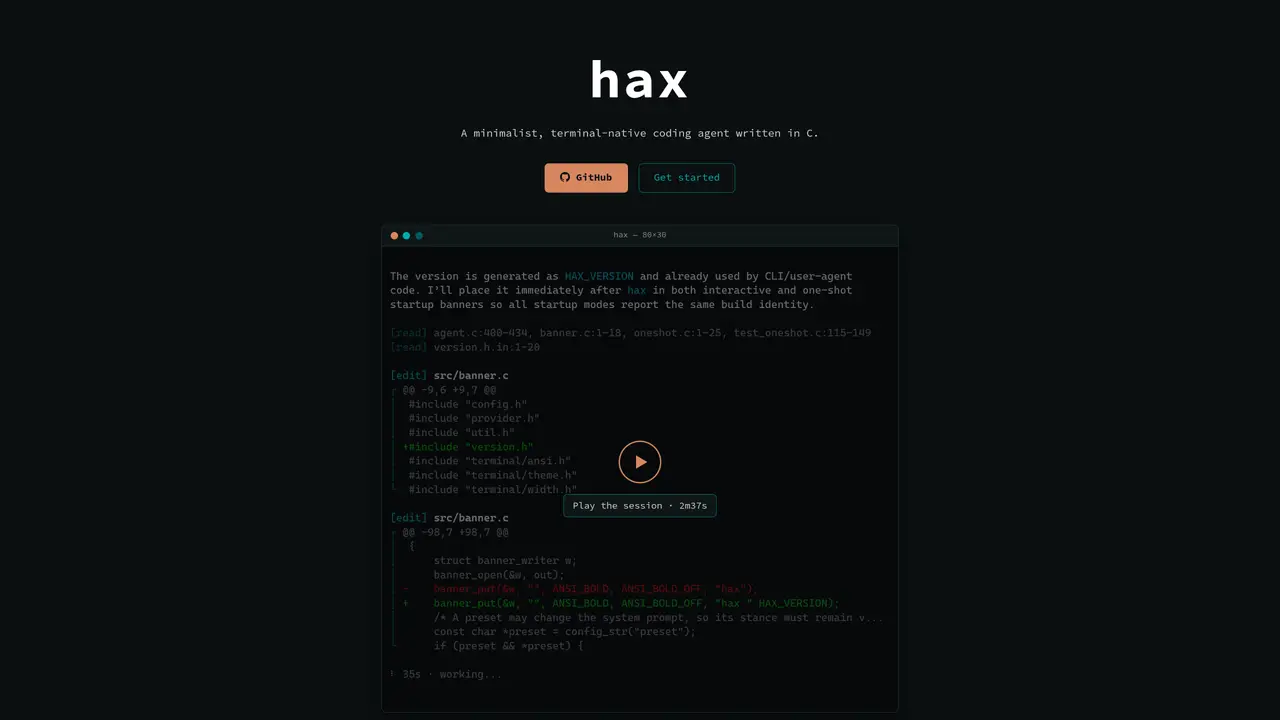
hax is a terminal-native coding agent designed for developers who prefer working within a command-line environment. It operates as a lightweight, single-binary tool written in C, minimizing dependencies and memory usage while maximizing responsiveness. The agent auto-discovers local model and runtime capabilities, supporting providers like llama.cpp, OpenAI, Anthropic, and OpenRouter without requiring complex configuration. It streams Markdown and tool output directly to the terminal, preserving native scrollback and avoiding terminal takeover. Sessions are inspectable through a transcript view and optional wire protocol traces, providing transparency into model interactions. hax adheres to Unix conventions, using XDG paths, plain-text config files, and subprocess-based composition rather than plugin architectures. It targets developers who run local models, audit tools, package software, or operate in resource-constrained environments.
hax is a terminal-native coding agent written in C, designed for developers who prefer working in a command-line environment. It functions as a lightweight, single-binary tool that auto-discovers local model and runtime capabilities, supporting providers like llama.cpp, OpenAI, Anthropic, and OpenRouter without requiring complex configuration.
hax targets developers who live in the terminal, run local models, audit tools, package software, or operate in resource-constrained environments. It is ideal for those who prefer minimalist, Unix-compliant tools over feature-heavy alternatives.
hax streams Markdown and tool output directly to the terminal while preserving native scrollback and avoiding terminal takeover. Sessions are inspectable through a transcript view and optional wire protocol traces, providing transparency into model interactions.
hax supports a broad range of providers, including OpenAI and compatible services, Anthropic, Codex via ChatGPT subscription, OpenRouter, OpenCode, Zen/Go, and llama.cpp. Additional providers are documented in the providers.md file.
To get started, install hax via Homebrew, download a prebuilt binary, or build from source. Run hax from the project directory you want it to work in, either interactively or in one-shot mode. The interactive REPL allows you to select providers and models dynamically.
hax runs natively on Linux, macOS, FreeBSD, and OpenBSD. On Windows, it requires use under the Windows Subsystem for Linux (WSL). Prebuilt static binaries are available for Linux and macOS, while BSD systems require building from source.
We use essential cookies to run aitoolnavio™, and optional cookies to analyze traffic and measure our marketing. You choose what we use — optional cookies stay off unless you turn them on. See our Privacy Policy.
One short email a week: fresh tools worth trying, honest takes and the updates that actually matter. No spam, unsubscribe any time.
AI-powered website builder that generates a professional site in under a minute and includes tools for content, SEO, and analytics.
AI-powered coding platform that uses agents to plan, write, and test software with real-time feedback and verifiable artifacts.
Automate code, research, and documents using agents.
AI-powered code assistant that generates, reviews, optimizes, and debugs code with natural language prompts and editor integrations.
AI assistant for safe, reliable productivity with code, collaboration, and integrations.
AI-powered IDE for autonomous coding tasks and agentic development workflows
Privacy-focused AI chatbot that generates uncensored text, code, images, and translations without storing conversations or requiring an account.
A free web-based AI chatbot and agent for writing, coding, research, and content creation with multilingual support.
Write & run code in 50+ languages, auto-complete with AI, and code faster with an intuitive interface.
An IDE that automates legacy-to-modern code migration using autonomous coding agents.
AI models that return typed decisions with calibrated confidence for software automation
Practice coding challenges, improve technical skills, get detailed explanations, compare performance with peers.
Matched on what this tool does — grouped by the job you would be replacing.
matches Terminal-native streaming output · Auto-discovery of local models · Transcript and trace inspection
Local-first tool that turns AI coding sessions into inspectable, reusable workflows
Terminal-based coding agent that executes locally or via remote models
CLI coding agent that generates and shows a plan before making any code changes