
AI-powered website builder that generates a professional site in under a minute and includes tools for content, SEO, and analytics.
52M visits/mo+0.7%#4 Coding & Development
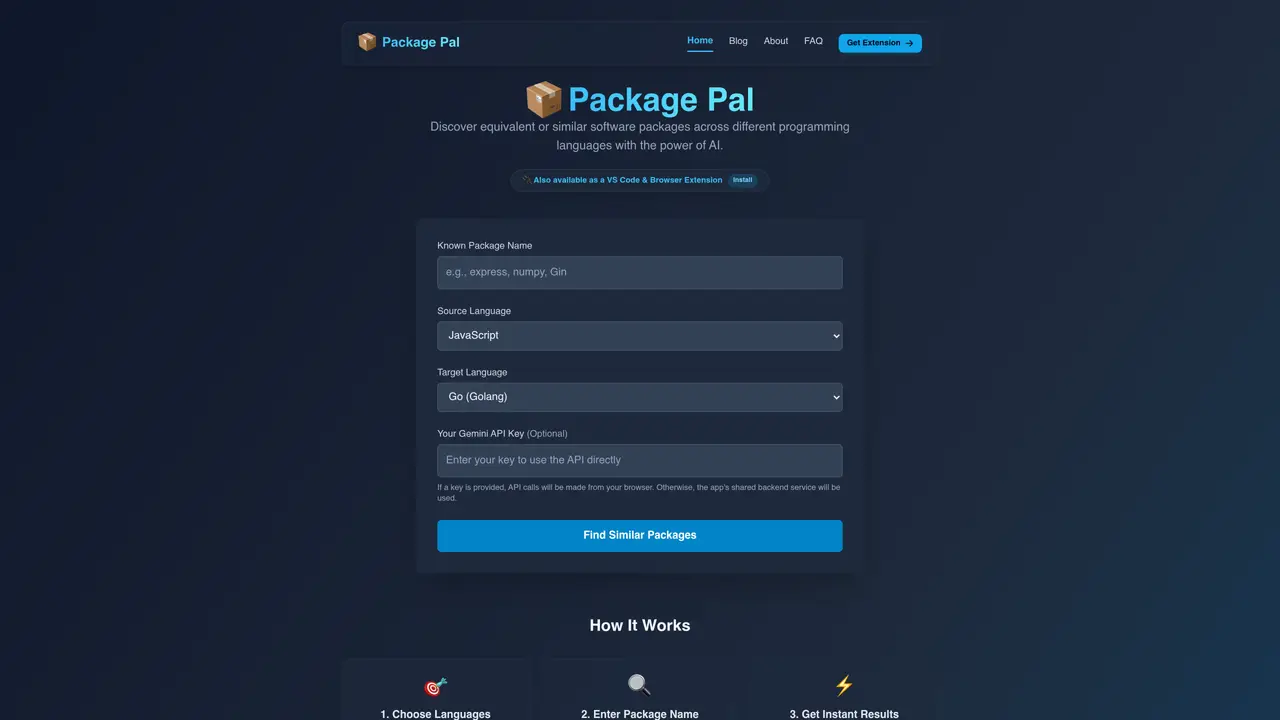
Package Pal is an AI-driven tool that helps developers find equivalent or similar software packages across different programming languages. Users select a source language and a target language, enter the name of a known package, and receive instant semantic matches with installation commands, usage examples, and documentation links. The service supports over 15 languages including Python, Go, Rust, JavaScript, Java, PHP, Ruby, Kotlin, C#, C++, Swift, Dart, Elixir, and Scala. It operates primarily as a web application and offers a VS Code extension that integrates package discovery directly into the editor. The tool uses Google’s Gemini AI to analyze package functionality rather than relying solely on name matching, aiming to provide accurate alternatives for tasks such as migrating codebases, refactoring services, or adopting new frameworks. Results can be generated client-side using a personal Gemini API key to maintain higher rate limits and privacy.
Package Pal is an AI-powered tool that helps developers find equivalent or similar software packages across different programming languages by analyzing package functionality rather than relying solely on name matching.
The web application is completely free to use. The VS Code extension requires a free Google Gemini API key from Google AI Studio to function.
Package Pal supports over 15 programming languages, including JavaScript, TypeScript, Python, Go, Rust, Java, Kotlin, C#, C++, Ruby, PHP, Swift, Dart, Elixir, and Scala.
Package Pal uses Google's Gemini AI to understand the semantic purpose of packages, resulting in highly accurate recommendations for popular packages. Users are advised to verify recommendations against official documentation.
No, Package Pal only sends package names and selected languages to its servers. The VS Code extension processes queries client-side using a personal Gemini API key, ensuring no source code leaves the user's machine.
To get started, visit the Package Pal website, select your source and target languages, enter the name of the package you know, and receive instant AI-generated alternatives with installation commands and documentation links. For the VS Code extension, install it from the marketplace and provide your Gemini API key.
packagepal.dev · third-party estimates from Similarweb
Last 2 months · grows by one month every month
Share of visits · estimated visits
Traffic figures are third-party estimates, good for scale and trends; they can differ from a company's own numbers. Updated monthly.
We use essential cookies to run aitoolnavio™, and optional cookies to analyze traffic and measure our marketing. You choose what we use — optional cookies stay off unless you turn them on. See our Privacy Policy.
One short email a week: fresh tools worth trying, honest takes and the updates that actually matter. No spam, unsubscribe any time.
AI-powered website builder that generates a professional site in under a minute and includes tools for content, SEO, and analytics.
AI-powered coding platform that uses agents to plan, write, and test software with real-time feedback and verifiable artifacts.
Automate code, research, and documents using agents.
AI-powered code assistant that generates, reviews, optimizes, and debugs code with natural language prompts and editor integrations.
AI assistant for safe, reliable productivity with code, collaboration, and integrations.
AI-powered IDE for autonomous coding tasks and agentic development workflows
Privacy-focused AI chatbot that generates uncensored text, code, images, and translations without storing conversations or requiring an account.
A free web-based AI chatbot and agent for writing, coding, research, and content creation with multilingual support.
Write & run code in 50+ languages, auto-complete with AI, and code faster with an intuitive interface.
An IDE that automates legacy-to-modern code migration using autonomous coding agents.
AI models that return typed decisions with calibrated confidence for software automation
Practice coding challenges, improve technical skills, get detailed explanations, compare performance with peers.
Matched on what this tool does — grouped by the job you would be replacing.
matches Instant package translation across languages · Semantic analysis of package functionality · Installation commands and usage examples
Automatically convert code to any language, batch convert multiple files, with an intuitive user interface for non-coders.
Generate accurate Java code, convert snippets to latest programming language, and instantly translate code between languages.
AI browser extension that validates, optimizes, translates, and documents code snippets across 100+ languages directly in the browser.
AI-powered code translator that converts code between programming languages while preserving logic and functionality.
matches VS Code extension integration
Automate code analysis, speed up coding with intuitive interface, and expand coding knowledge effortlessly.
Local-first tool that prepares focused code context for any AI chat