AI-powered website builder that generates a professional site in under a minute and includes tools for content, SEO, and analytics.
52M visits/mo+0.7%#4 Coding & Development
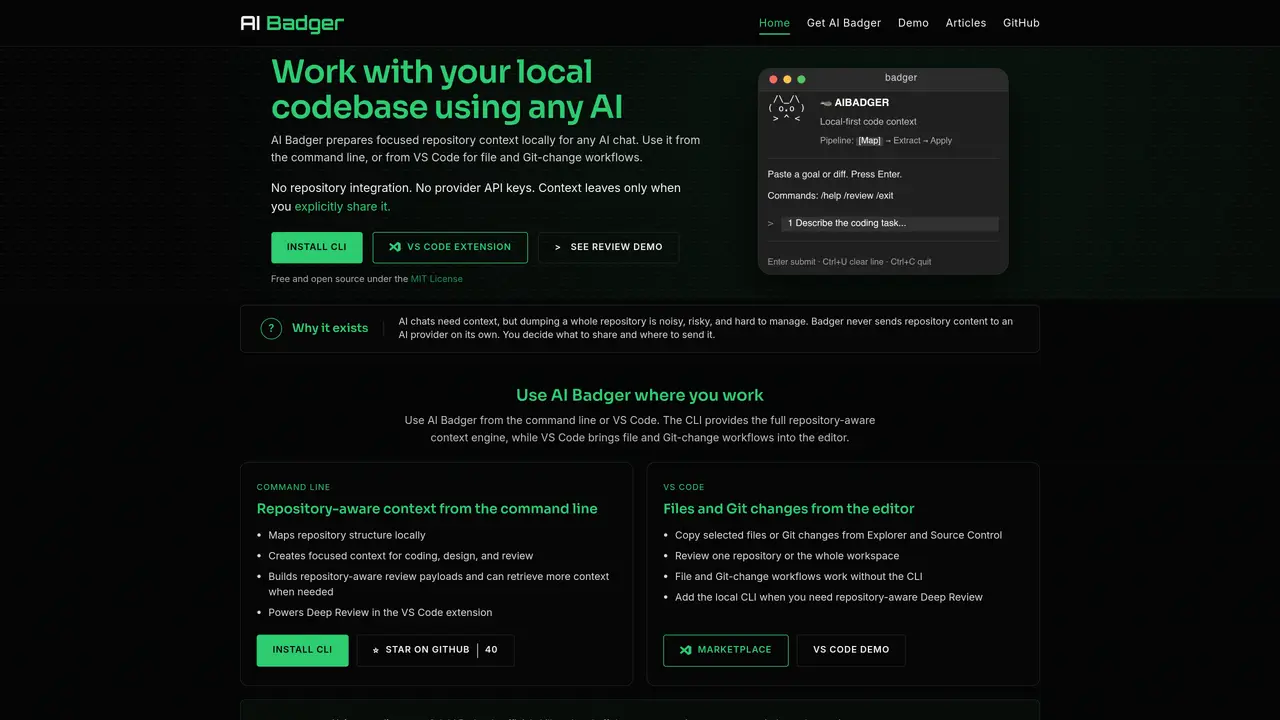
AI Badger prepares focused repository context locally for use with any AI chat interface. It operates either from the command line or integrates with VS Code to support file and Git-change workflows without requiring repository integration or provider API keys. The tool processes repositories locally, ensuring context remains under user control and only leaves the system when explicitly shared. Users can initiate context preparation by pasting a coding goal or diff, then paste the resulting focused context into AI chats such as ChatGPT, Claude, or Gemini. AI Badger supports both individual files and entire repositories, with the VS Code extension enabling direct file and Git-change workflows. It also offers a CLI for repository-aware context generation and review payloads. The tool is designed to avoid noisy, risky full-repository dumps by creating bounded, relevant context for coding, design, or review tasks.
AI Badger prepares focused repository context locally for use with any AI chat interface. It processes repositories without requiring repository integration or provider API keys, ensuring context remains under user control until explicitly shared.
AI Badger suits developers and teams who want to integrate local code context into AI chats like ChatGPT, Claude, or Gemini. It is designed for workflows involving coding, design, or review tasks without provider lock-in.
Users paste a coding goal or diff into AI Badger, which then prepares a focused, repository-aware context locally. This context can be pasted into any AI chat interface for further processing or review.
No, AI Badger operates without requiring repository integration or provider API keys. It processes repositories locally and only shares context when the user explicitly copies and pastes it into an AI chat.
Yes, AI Badger offers a VS Code extension that enables direct file and Git-change workflows within the editor. It also provides a CLI for repository-aware context generation and review payloads.
Yes, AI Badger is free and open source under the MIT License, allowing users to inspect, modify, and contribute to the tool.
We use essential cookies to run aitoolnavio™, and optional cookies to analyze traffic and measure our marketing. You choose what we use — optional cookies stay off unless you turn them on. See our Privacy Policy.
One short email a week: fresh tools worth trying, honest takes and the updates that actually matter. No spam, unsubscribe any time.
AI-powered website builder that generates a professional site in under a minute and includes tools for content, SEO, and analytics.
AI-powered coding platform that uses agents to plan, write, and test software with real-time feedback and verifiable artifacts.
Automate code, research, and documents using agents.
AI-powered code assistant that generates, reviews, optimizes, and debugs code with natural language prompts and editor integrations.
AI assistant for safe, reliable productivity with code, collaboration, and integrations.
AI-powered IDE for autonomous coding tasks and agentic development workflows
Privacy-focused AI chatbot that generates uncensored text, code, images, and translations without storing conversations or requiring an account.
A free web-based AI chatbot and agent for writing, coding, research, and content creation with multilingual support.
Write & run code in 50+ languages, auto-complete with AI, and code faster with an intuitive interface.
An IDE that automates legacy-to-modern code migration using autonomous coding agents.
AI models that return typed decisions with calibrated confidence for software automation
Practice coding challenges, improve technical skills, get detailed explanations, compare performance with peers.
Matched on what this tool does — grouped by the job you would be replacing.
matches Local repository context preparation · Command line interface for full repository-aware context · VS Code extension for file and Git-change workflows
macOS desktop app that builds structured AI prompts from local code repos for developers, with file selection, token estimates, and diff-based edits.
CLI tool that filters repository files before sending to LLM APIs
Modular workbench for designing and running agent workflows with model selection and cost tracking
Local-first desktop workspace for managing multiple AI models and tools in one interface
matches Integration with external AI chat tools · Simultaneous execution of multiple coding agents · Integrated patch and review tracking
matches Local repository context preparation · Command line interface for full repository-aware context · Repository-aware review payloads
Open-source, model-agnostic platform for autonomous cloud coding agents that plan, edit, test, debug, and apply real code changes across software projects.
AI coding assistant that operates inside the terminal for end-to-end development tasks
Local coding agent coordination workspace for macOS
Spatial IDE for orchestrating multiple AI coding agents on a shared canvas
Local control plane for inspecting and restricting Claude Code tool usage
Local-first workflow runtime for repository-aware coding tasks with configurable checks