AI-powered website builder that generates a professional site in under a minute and includes tools for content, SEO, and analytics.
52M visits/mo+0.7%#4 Coding & Development

AI coding assistant that operates inside the terminal for end-to-end development tasks
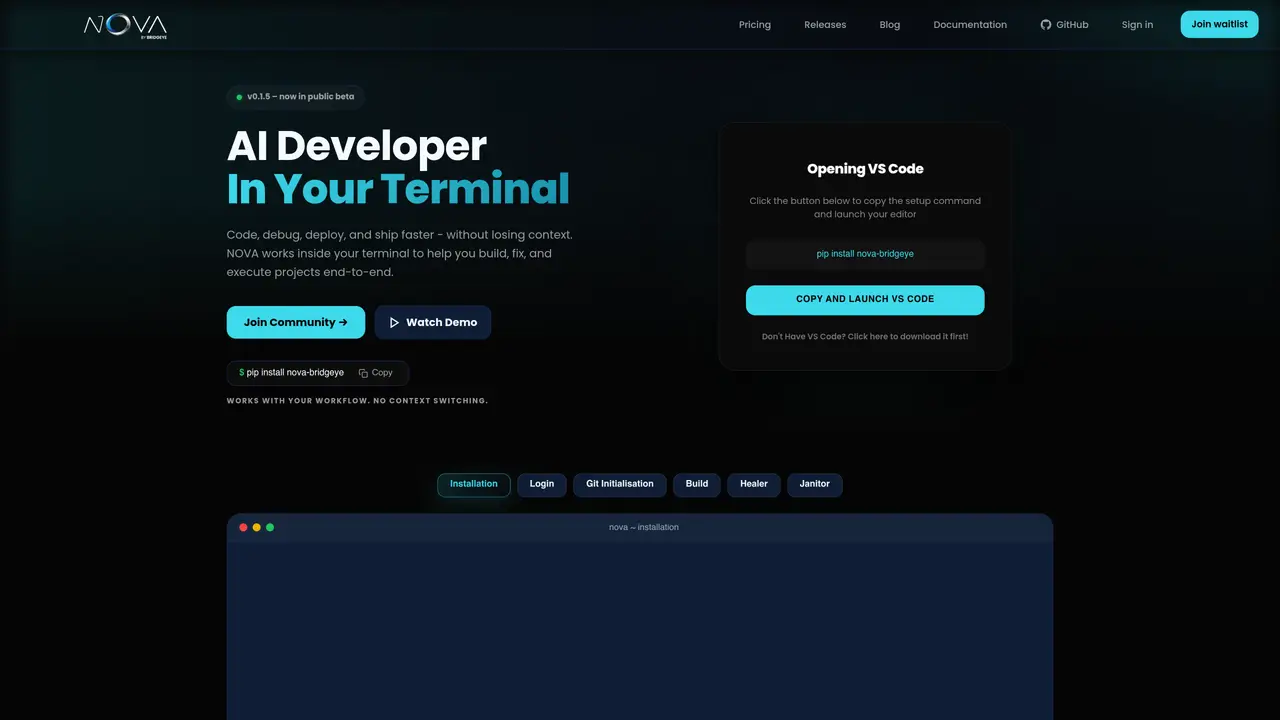
NOVA Terminal AI Assistant integrates an AI developer directly into the terminal workflow to handle coding, debugging, execution, and deployment without context switching. It maintains persistent project context across sessions, allowing it to understand codebases, remember workflows, and assist with multi-file modifications. The tool supports real-time pair programming, stack trace analysis, and automated fixes through features like Healer and Janitor. It operates locally and securely, executing commands natively in the terminal while avoiding external tool fragmentation. Setup is minimal, requiring only a pip install and Git initialization. NOVA is designed for developers who prefer CLI workflows and want to reduce repetitive tasks such as boilerplate generation, refactoring, and cleanup. It aims to streamline the entire development process from initial coding to production deployment within a single interface.
Installation is done via a single pip command provided on the website. After installation, initialize Git in your project to enable full functionality.
No, NOVA maintains persistent project context across sessions, so you do not need to reload files for each command.
NOVA provides real-time feedback in the terminal, including status updates and completion notifications for build processes.
Healer is designed to analyze and fix issues across supported programming languages, but compatibility may depend on the specific language and project setup.
NOVA includes safeguards to prevent infinite loops, and users can interrupt or adjust Healer’s behavior through terminal commands.
Run 'git init' in your project directory after installation to enable Git integration, which NOVA uses for version control and deployment.
We use essential cookies to run aitoolnavio™, and optional cookies to analyze traffic and measure our marketing. You choose what we use — optional cookies stay off unless you turn them on. See our Privacy Policy.
One short email a week: fresh tools worth trying, honest takes and the updates that actually matter. No spam, unsubscribe any time.
AI-powered website builder that generates a professional site in under a minute and includes tools for content, SEO, and analytics.
AI-powered coding platform that uses agents to plan, write, and test software with real-time feedback and verifiable artifacts.
Automate code, research, and documents using agents.
AI-powered code assistant that generates, reviews, optimizes, and debugs code with natural language prompts and editor integrations.
AI assistant for safe, reliable productivity with code, collaboration, and integrations.
AI-powered IDE for autonomous coding tasks and agentic development workflows
Privacy-focused AI chatbot that generates uncensored text, code, images, and translations without storing conversations or requiring an account.
A free web-based AI chatbot and agent for writing, coding, research, and content creation with multilingual support.
Write & run code in 50+ languages, auto-complete with AI, and code faster with an intuitive interface.
An IDE that automates legacy-to-modern code migration using autonomous coding agents.
AI models that return typed decisions with calibrated confidence for software automation
Practice coding challenges, improve technical skills, get detailed explanations, compare performance with peers.
Matched on what this tool does — grouped by the job you would be replacing.
matches AI pair programming in the terminal · Terminal-native execution with no external tool switching · Built-in project initialization and Git support
A terminal-native AI coding agent for developers to write, refactor, and debug code in ZSH with multi-model support and Git integration.
AI coding agent for large-scale codebases with terminal-native workflows
Terminal-based AI agent for coding, data tasks and workflow automation
AI pair programming tool that edits code directly in your local Git repository from the terminal.
matches Multi-file project understanding · Code generation and refactoring · Persistent context memory across sessions
matches Automated debugging and self-healing · Project live mapping and review · Persistent memory and self-evolving skills
AI-powered IDE for autonomous coding tasks and agentic development workflows
Enterprise-grade AI coding assistant that automates full-stack development tasks using codebase-aware generation.
Standalone desktop IDE that merges AI code generation, persistent project memory, and built-in DevOps tooling for faster software delivery.
AI-powered code editor and IDE for multi-file coding tasks across platforms
Open-source, model-agnostic platform for autonomous cloud coding agents that plan, edit, test, debug, and apply real code changes across software projects.
Multi-agent AI orchestration platform with a live kanban board
Autonomous AI agent that plans, edits and verifies code across terminal, Mac and VS Code
An open-source AI coding agent that autonomously analyzes, modifies, and manages local codebases while keeping all data private and secure.