OpenAI builds and deploys advanced AI models like GPT-4o for autonomous agents and workflows.

ProofStack
$20/moStarting price
0Popularity
About ProofStack
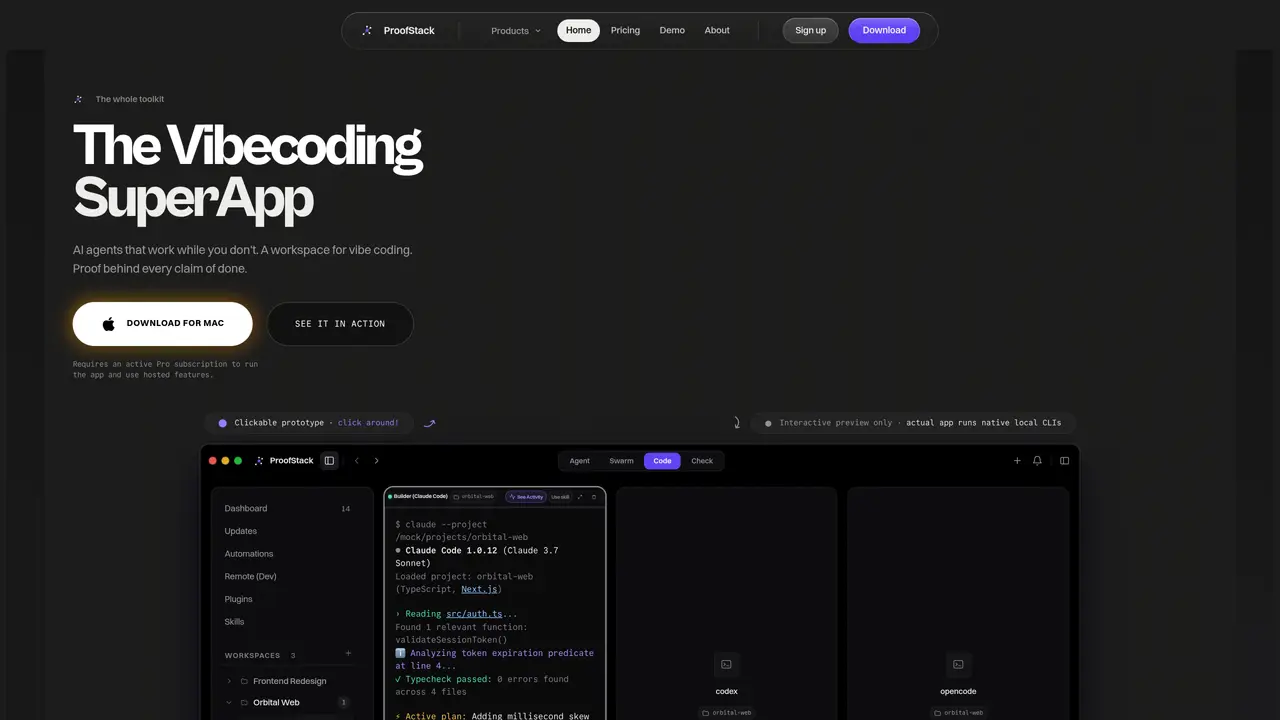
ProofStack is an integrated desktop application that provides a workspace for running and coordinating multiple AI agents locally on macOS and Windows. The tool bundles six dedicated components—ProofSpace, ProofSwarm, ProofAgent, ProofVoice, ProofCheck, and ProofShot—into a single download. Users can launch and manage agents such as Claude Code, Codex, and Gemini CLI within tiled terminal panes alongside a docked browser and live diff threads. The application supports automated routines like dependency sweeps, security audits, and test runs scheduled at set times. ProofVoice enables push-to-talk voice input with real-time waveform display, while ProofCheck performs deterministic security scans for dependency CVEs, leaked API secrets, and unsafe patterns before code merges. Plugins connect external services such as GitHub, Linear, Sentry, and Stripe, with credentials stored in the local OS keychain. The interface includes dashboards for monitoring agent activity, workspace status, and verification gates, providing visibility into ongoing tasks and system health.
Key features
- Six integrated tools: ProofSpace, ProofSwarm, ProofAgent, ProofVoice, ProofCheck, ProofShot
- Native local execution of AI agents including Claude Code, Codex, and Gemini CLI
- Automated routines for dependency sweeps, security audits, and test runs
- Push-to-talk voice dictation with real-time waveform display
- Deterministic security scanning for dependency CVEs and leaked API secrets
- Plugin system for connecting external services like GitHub, Linear, and Sentry
- Live diff threads and terminal panes for code review and collaboration
- Dashboard for monitoring agent activity, workspace status, and verification gates
Use cases
- Running automated security audits and dependency checks on code repositories
- Coordinating multi-agent workflows for code review, testing, and refactoring
- Dictating code changes or notes using push-to-talk voice input
Pros
- Local-first execution with credentials stored in OS keychain
- Integrated workspace for managing multiple AI agents simultaneously
- Automated routines for security audits, dependency checks, and testing
- Push-to-talk voice input with real-time waveform feedback
- Deterministic security scanning for dependency CVEs and leaked secrets
Cons
- Requires active Pro subscription to run the app and use hosted features
- No free tier available
- Desktop-only application for macOS and Windows
Frequently asked questions about ProofStack
What is ProofStack and what does it do?
ProofStack is a desktop application that provides a workspace for running and coordinating multiple AI agents locally on macOS and Windows. It bundles six components into one download, enabling users to manage agents like Claude Code, Codex, and Gemini CLI within a unified interface.
Who is ProofStack designed for?
ProofStack is designed for developers and teams who want to streamline coding workflows by leveraging multiple AI agents simultaneously. It suits those who need automated routines, security checks, and real-time collaboration within a single workspace.
How does ProofStack handle security and credentials?
ProofStack stores credentials in the local OS keychain and ensures they never enter prompts. It performs deterministic security scans for dependency CVEs, leaked API secrets, and unsafe patterns before code merges.
Can ProofStack integrate with external services?
Yes, ProofStack includes a plugin catalog with over 48 tools, allowing users to connect services like GitHub, Linear, Sentry, and Stripe. These integrations enable agents to access external data and automate workflows.
What are the main components included in ProofStack?
ProofStack includes six core components: ProofSpace for agent workspace management, ProofSwarm for multi-agent collaboration, ProofAgent for running AI agents, ProofVoice for voice input, ProofCheck for security scans, and ProofShot for capturing and sharing work.
How do I get started with ProofStack?
Users can download ProofStack from the official website and install it on macOS or Windows. An active Pro subscription is required to run the app and use hosted features. The interface provides a clickable prototype for exploration before full use.