

Open-source control plane for orchestrating multiple coding agents
703K visits/mo+93.9%#52 Automation & Agents
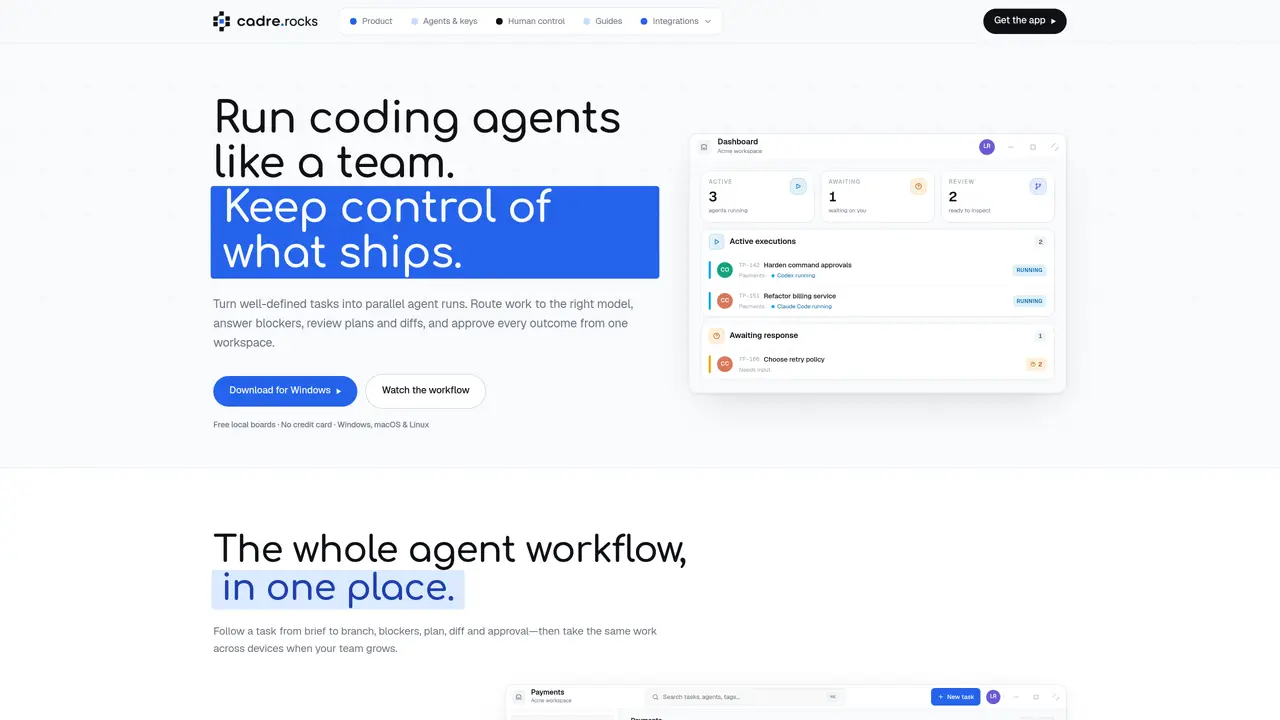
cadre provides a desktop application that turns locally installed AI coding agents into a managed workflow. Users create tasks with descriptions, acceptance criteria, images and tags, then move them through customizable Kanban columns that route work to specific agents. Each column can be configured to use an installed CLI login or a saved API key, allowing teams to leverage existing subscriptions and provider relationships without new billing. The application tracks active executions, approvals, and blockers in a single workspace, presenting plans, diffs, and questions for human review before proceeding. Agents execute in parallel where possible, with execution order and reasoning effort configurable per column. The tool synchronizes with external trackers such as Linear and Jira in both directions, importing issues as tasks and pushing status updates back when work completes. Local boards can be shared online to enable cross-device collaboration, invites, and team-wide visibility as projects scale.
cadre is a desktop application that orchestrates locally installed AI coding agents through a Kanban-style workflow. It allows users to create tasks, route them to specific agents, review plans and diffs, and approve outcomes from a single workspace.
cadre is designed for developers and teams who want to manage AI coding agents with human oversight. It suits those who prefer to use their existing agent subscriptions and provider relationships without introducing new billing or logins.
cadre does not charge per token or require new billing. Users can leverage existing CLI logins or saved API keys for agents, with credentials stored securely in the OS keyring. The orchestration layer is what cadre charges for, not the agent usage itself.
Yes, cadre synchronizes with external trackers such as Linear and Jira in both directions. It can import issues as tasks and push status updates back when work completes, allowing teams to keep using their existing workflow tools.
Agents execute tasks in parallel where possible, with execution order and reasoning effort configurable per column. Each column can be set to use a specific agent, and tasks move through customizable Kanban columns with human review gates before proceeding.
Yes, cadre allows users to begin with a free local board and later scale to online workspaces with cross-device sync, invites, and collaboration features as the project or team grows.
We use essential cookies to run aitoolnavio™, and optional cookies to analyze traffic and measure our marketing. You choose what we use — optional cookies stay off unless you turn them on. See our Privacy Policy.
One short email a week: fresh tools worth trying, honest takes and the updates that actually matter. No spam, unsubscribe any time.
Open-source control plane for orchestrating multiple coding agents
Open-source agent orchestration platform for managing teams of AI agents with org charts, goals, and governance in a self-hosted deployment.
Build teams of AI agents that collaborate, automate workflows, and complete complex tasks together.
Design, automate, and orchestrate complex workflows across systems with Camunda's AI-enabled process orchestration platform.
Orkes is a modern workflow orchestration platform designed to enhance how developers create, connect, and deploy applications across various environments.
Buda AI, a cloud-native workspace where AI agents collaborate to execute tasks and run companies 24/7.
A protocol for tokenized AI agents that autonomously generate services, products, and trade onchain with humans or other agents.
Open-source tool to orchestrate multi-agent workflows that decompose complex tasks into parallel sub-agents with sandboxed execution and persistent memory.
Open meta-harness for composing, sandboxing, and collaborating on AI agent sessions across multiple platforms.
A reasoning-focused AI agent that plans, executes, and self-improves complex multi-step workflows with auditability and verification.
A Tool OS for AI agents that discovers, routes, and executes third-party services via a single OpenAI-SDK-compatible API.
Declarative runtime for running agentic tasks at scale with sandboxing and state management
Matched on what this tool does — grouped by the job you would be replacing.
matches Kanban board with custom columns and sections · Task routing by agent, tag, and role · Parallel execution of multiple tasks
Multi-agent AI orchestration platform with a live kanban board
A macOS workspace for running and managing parallel AI coding agents with isolated shells and automatic git worktrees.
Task orchestration tool for coding agents
Self-hosted platform for managing a fleet of AI agents with task delegation
matches Dedicated cloud computer per task · Isolated repositories, branches, and services · Multiple coding agent support
matches Identity-aware LLM gateway · Per-request budget enforcement · Streaming tool-call inspection
Run and manage remote AI coding agents from any device with real-time sync and a clean UI.
Cloud harness for running isolated coding agents with dedicated environments per task
AI agent control plane and LLM gateway for policy enforcement and audit
Centralized budgeting and execution layer for AI agents across 40+ services