

AI-powered website builder that generates a professional site in under a minute and includes tools for content, SEO, and analytics.
52M visits/mo+0.7%#4 Coding & Development
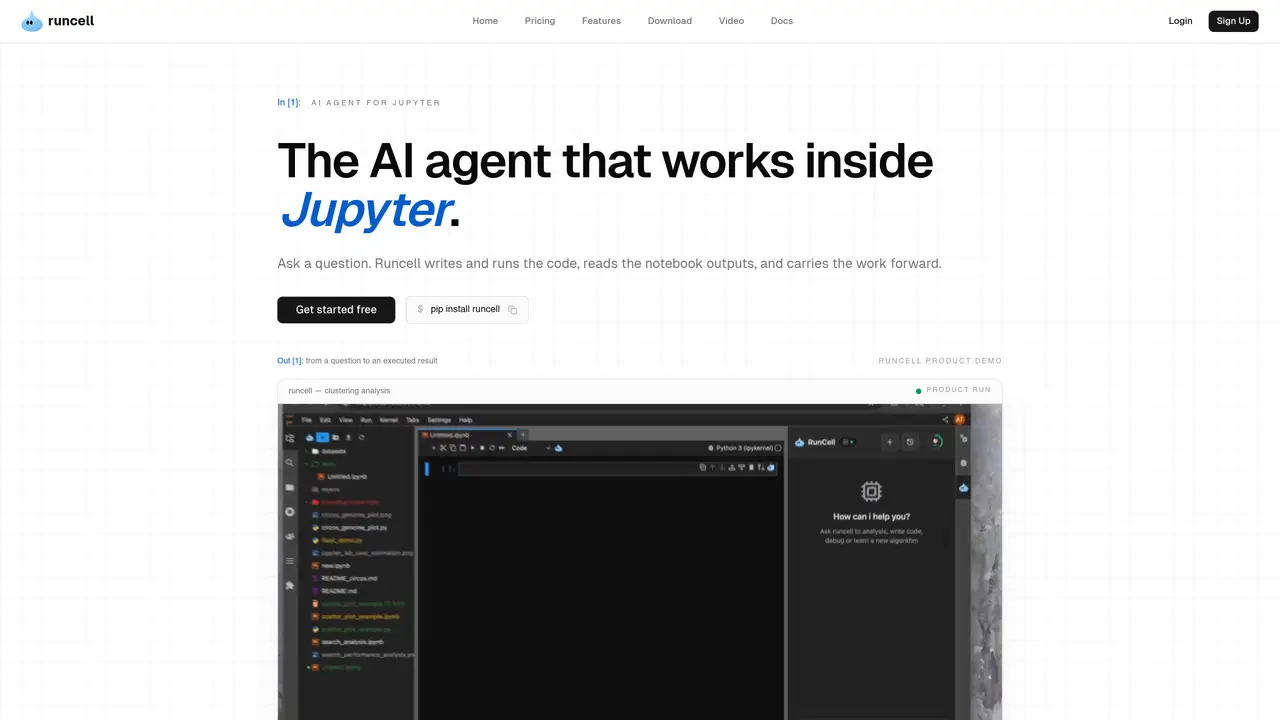
Runcell is an innovative AI agent designed to transform the way data scientists and developers interact with Jupyter notebooks. It offers a suite of features aimed at automating code execution, enhancing learning experiences, and providing intelligent code editing. Tailored for professionals who rely on Jupyter for data analysis, Runcell simplifies complex workflows, allowing users to focus on deriving insights rather than spending time on repetitive tasks. Key Features: Interactive Learning Mode: Runcell acts as an AI teacher, explaining complex concepts with live examples. This feature is particularly beneficial for learning the differences between algorithms like K-means and DBSCAN. Autonomous Agent Mode: Allows for full notebook automation, executing cells and completing workflows automatically, which significantly boosts productivity. Smart Edit Mode: Offers intelligent suggestions and code modifications, helping users enhance their notebooks with ease. AI-Enhanced Jupyter: Provides AI-generated solutions and smart recommendations, making it easier to troubleshoot and optimize code. Runcell is particularly beneficial for data scientists, academic researchers, software developers, and machine learning engineers who rely on Jupyter notebooks for their work. It has also been adopted by educational institutions for interactive teaching of data science courses and utilized by freelance data analysts to enhance their project workflows.
Runcell is a Jupyter-native AI agent designed for data analysis, data science, and research. It transforms questions into executed notebook workflows by writing and debugging Python, running cells, and interpreting outputs such as tables and charts to continue the analysis from the results.
Yes, if you prefer agentic AI coding within Jupyter, Runcell serves as an alternative to tools like Cursor. However, it is specifically built for notebook workflows, executing cells, reading outputs, and advancing multi-step analytical tasks within the Jupyter environment.
Yes, Runcell operates directly within JupyterLab and works with existing .ipynb files. It does not require a new editor or environment, integrating seamlessly into your current workflow.
Runcell can automate multi-step workflows such as data inspection, transformation, analysis, validation, and follow-up steps based on the results. It writes code, executes cells, diagnoses errors, and continues the analysis from the outputs produced.
No, Runcell does not require an API key to function. It operates locally within your Jupyter environment, allowing you to use it without additional authentication.
Runcell diagnoses errors as they occur during cell execution and attempts to recover without interrupting the workflow. It uses the outputs and context to adjust the next steps and keep the analysis progressing.
runcell.dev · third-party estimates from Similarweb
Last 4 months · grows by one month every month
Share of visits · estimated visits
Other countries: 53.2%
Coding & Development · Sep 2026
Traffic figures are third-party estimates, good for scale and trends; they can differ from a company's own numbers. Updated monthly.
We use essential cookies to run aitoolnavio™, and optional cookies to analyze traffic and measure our marketing. You choose what we use — optional cookies stay off unless you turn them on. See our Privacy Policy.
One short email a week: fresh tools worth trying, honest takes and the updates that actually matter. No spam, unsubscribe any time.
AI-powered website builder that generates a professional site in under a minute and includes tools for content, SEO, and analytics.
AI-powered coding platform that uses agents to plan, write, and test software with real-time feedback and verifiable artifacts.
Automate code, research, and documents using agents.
AI-powered code assistant that generates, reviews, optimizes, and debugs code with natural language prompts and editor integrations.
AI assistant for safe, reliable productivity with code, collaboration, and integrations.
AI-powered IDE for autonomous coding tasks and agentic development workflows
Privacy-focused AI chatbot that generates uncensored text, code, images, and translations without storing conversations or requiring an account.
A free web-based AI chatbot and agent for writing, coding, research, and content creation with multilingual support.
Write & run code in 50+ languages, auto-complete with AI, and code faster with an intuitive interface.
An IDE that automates legacy-to-modern code migration using autonomous coding agents.
AI models that return typed decisions with calibrated confidence for software automation
Practice coding challenges, improve technical skills, get detailed explanations, compare performance with peers.
Matched on what this tool does — grouped by the job you would be replacing.
matches AI-Enhanced Jupyter · Automates repetitive tasks · Provides intelligent code suggestions
Open-source VS Code extension that writes, fixes, and manages code from natural language prompts.
AI coding assistant that writes, debugs, refactors, and automates code tasks using natural language in terminals, IDEs, or web interfaces.
VS Code extension that turns the editor into an AI-powered programming assistant for coding, debugging, and project management.
Create, edit, and debug code effortlessly with tutorials, support, and an intuitive design for novice coders.
matches Autonomous Agent Mode · Automates repetitive tasks · Streamlines workflow automation
Autonomous AI agents that plan and execute multi-step workflows to turn goals into completed work across apps and files.
Runs autonomous multi-step workflows across 2,800+ apps using AI agents, replacing repetitive tasks with reliable automation.
Autonomous AI agent that completes multi-step tasks across files, apps, and data by working directly with your systems.
AI agent that plans, writes code and automates complex business tasks end to end