
Cloud platform for web scraping, browser automation, and AI data extraction with 20,000+ pre-built tools and scalable cloud runs.
4M visits/mo-5%#13 Automation & Agents

AI-powered tool that extracts product data from label photos and generates ERP-ready listings in seconds.
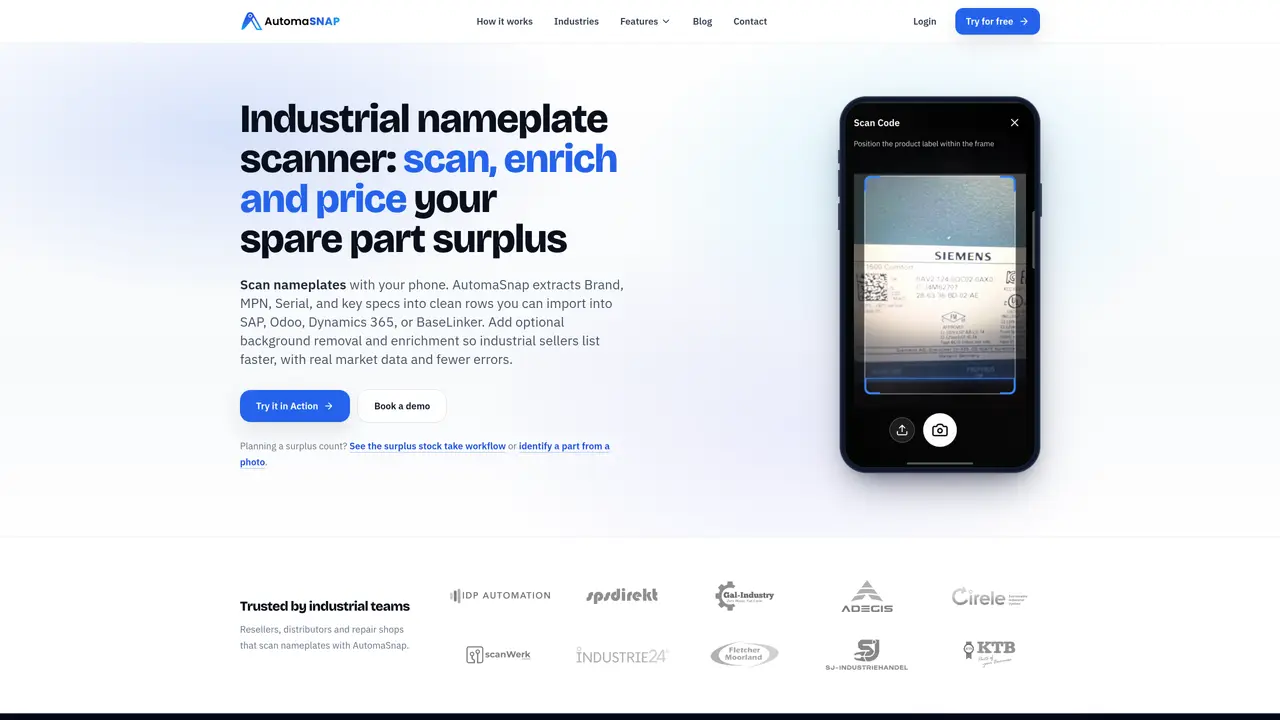
AutomaSnap is an AI-powered nameplate and product intake tool designed to transform photos of labels into clean, market-ready listings suitable for ERP systems. It uses AI OCR to extract key details such as brand, MPN, serial numbers, and specifications directly from shop-floor photos. The tool enriches extracted data with real market information, including GTIN/UPC codes, suggested prices, and SEO-optimized titles and descriptions. AutomaSnap also handles background removal, QR and barcode scanning, and exports data in spreadsheet formats or syncs directly with e-commerce platforms like Shopify, WooCommerce, and eBay. By automating manual data entry, it reduces errors and significantly accelerates listing and inventory workflows for businesses managing product catalogs or inventory systems. The platform is particularly useful for manufacturers, distributors, and retailers who need to digitize and standardize product information quickly and accurately.
AutomaSnap is an AI-powered tool that scans nameplates and labels from photos to extract product details like brand, MPN, serial numbers, and specifications. It then enriches this data with market information such as GTIN/UPC codes and suggested prices, and prepares it for ERP systems or e-commerce platforms.
The tool is designed for industrial resellers, distributors, repair shops, warehouse managers, and e-commerce specialists who need to digitize and standardize product information quickly and accurately from physical labels or nameplates.
AutomaSnap exports data in spreadsheet formats compatible with ERP systems like SAP, Odoo, and Dynamics 365, and supports direct publishing to e-commerce platforms such as Shopify, WooCommerce, eBay, PrestaShop, and BaseLinker.
The tool is optimized for industrial nameplates and labels, including those with complex layouts, multiple fields, or mixed text styles. It supports QR codes, barcodes, and standard text fields.
Yes, AutomaSnap is designed to digitize surplus spare parts inventory by scanning nameplates with a phone, extracting key details, and preparing the data for import into inventory or ERP systems.
Users can start by taking a photo of a nameplate or label using the AutomaSnap app. The tool then processes the image, extracts and enriches the data, and allows the user to review and export the results for further use.
automasnap.com · third-party estimates from Similarweb
Share of visits by channel
Coding & Development · Sep 2026
Traffic figures are third-party estimates, good for scale and trends; they can differ from a company's own numbers. Updated monthly.
We use essential cookies to run aitoolnavio™, and optional cookies to analyze traffic and measure our marketing. You choose what we use — optional cookies stay off unless you turn them on. See our Privacy Policy.
One short email a week: fresh tools worth trying, honest takes and the updates that actually matter. No spam, unsubscribe any time.
Cloud platform for web scraping, browser automation, and AI data extraction with 20,000+ pre-built tools and scalable cloud runs.
AI web crawler that extracts clean web data into JSON or markdown for developers and marketers.
Labelbox is an enterprise-grade data labeling platform designed to help organizations create, manage, and deploy AI applications.
Real-time AI search and crawling API for developers and AI teams to extract and summarize web data for agents and research workflows.
Enterprise-grade proxy networks, web scrapers, and ready-to-use datasets for reliable web data collection.
Map, analyze, and visualize geospatial data effortlessly while securely tracking real-time locations.
Open-source analytics platform to build interactive dashboards, automate data prep, and enforce enterprise-grade security.
Converts scanned documents and images into editable, searchable formats with AI-powered OCR and data extraction.
Open-source AI document parser that converts PDFs, images, and documents into structured Markdown or JSON for AI workflows.
Streamlines AI data retrieval for efficient processing.
Automate data extraction, capture data from images and text, streamline data entry processes with easy-to-use tools and APIs.
Web scraping and data extraction API that simplifies gathering data from websites with features like JavaScript rendering and geotargeting.
Matched on what this tool does — grouped by the job you would be replacing.
matches AI OCR for extracting brand, MPN, serials, and specs from label photos · QR and barcode scanning capabilities · Enrichment with GTIN/UPC codes and market data
AI-powered tool that automates item identification, pricing, and multi-platform online sales listings from a mobile scan.
AI-powered listing generator for Etsy, eBay, Depop, Vinted and Shopify
Transform photos into SEO-optimized product listings in seconds.
AI-powered tool to create and publish eBay and Facebook Marketplace listings from a single photo
matches AI OCR for extracting brand, MPN, serials, and specs from label photos · Enrichment with GTIN/UPC codes and market data · Reduces manual typing and errors in product listings
Automate data entry, speed up quoting, and enjoy cost-effective AI system for increased efficiency and accuracy.
AI-native platform that extracts, cleans, and enriches product data from supplier files and exports it to PIM systems.