

Cloud platform for web scraping, browser automation, and AI data extraction with 20,000+ pre-built tools and scalable cloud runs.
4M visits/mo-5%#13 Automation & Agents
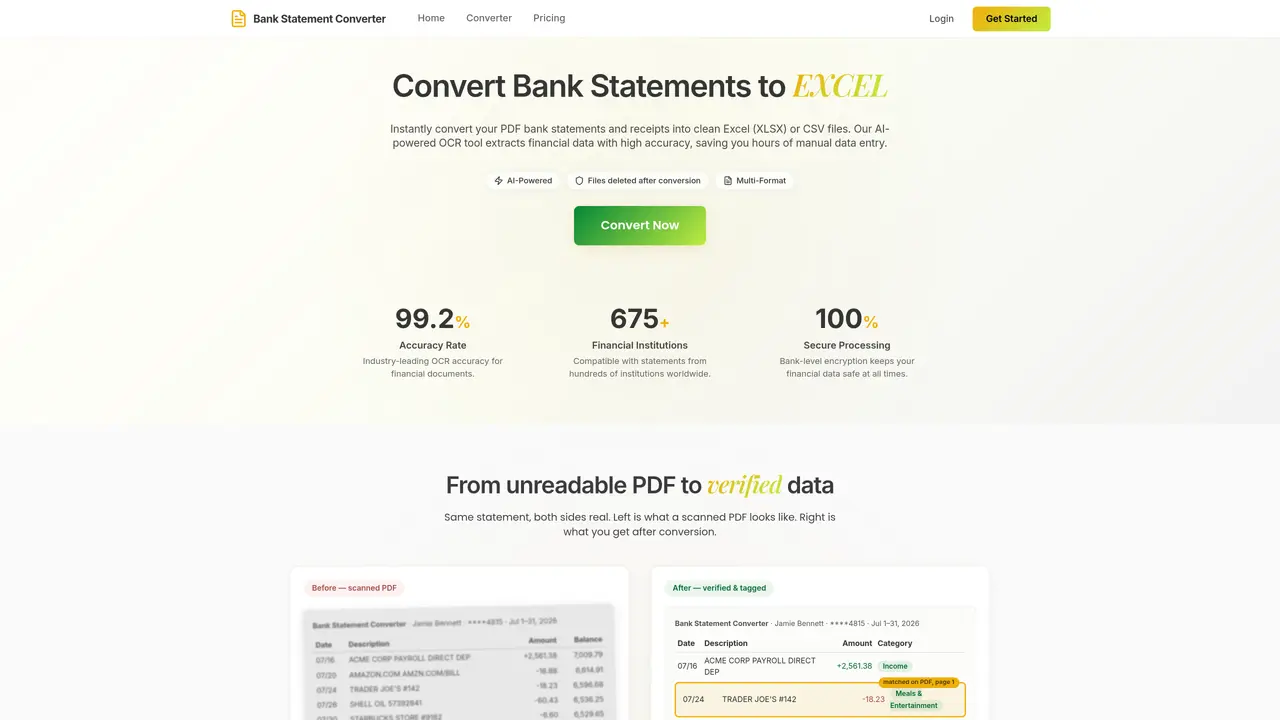
Bank Statement Converter processes PDF bank statements and transforms them into editable formats such as Excel, CSV, QBO, JSON, or OFX. The tool supports over 675 financial institutions including Chase, Bank of America, and Wells Fargo. It uses AI-powered OCR to extract transaction data from scanned or digital statements. Extracted transactions are automatically linked to their source locations in the original PDF for verification. Each transaction is categorized by spending type and the debit or credit direction is corrected based on the running balance. The tool reconciles the statement balance by comparing the opening balance plus credits minus debits to the closing balance, flagging discrepancies. Output tables are standardized across institutions regardless of original column layouts or formatting differences.
Bank Statement Converter is a free online tool that converts PDF bank statements into editable formats such as Excel, CSV, QBO, JSON, or OFX. It uses AI-powered OCR to extract transaction data from scanned or digital statements, including those from over 675 financial institutions.
The tool is designed for individuals, accountants, bookkeepers, and businesses that need to extract and organize transaction data from bank statements for accounting, tax preparation, or financial analysis purposes.
The AI-powered OCR technology reads and extracts transaction details from scanned PDF bank statements, even when the text is not machine-readable, converting them into structured data for further use.
No signup or account is required to use the tool. Users can perform up to three free conversions per day without any registration.
The tool supports exporting converted data to Excel (XLSX), CSV, QBO, JSON, or OFX formats, making it compatible with various accounting and financial software.
Bank Statement Converter automatically reconciles the statement balance by comparing the opening balance plus credits minus debits to the closing balance, flagging any discrepancies for review.
bank-statementconverter.com · third-party estimates from Similarweb
Last 2 months · grows by one month every month
Traffic figures are third-party estimates, good for scale and trends; they can differ from a company's own numbers. Updated monthly.
We use essential cookies to run aitoolnavio™, and optional cookies to analyze traffic and measure our marketing. You choose what we use — optional cookies stay off unless you turn them on. See our Privacy Policy.
One short email a week: fresh tools worth trying, honest takes and the updates that actually matter. No spam, unsubscribe any time.
Cloud platform for web scraping, browser automation, and AI data extraction with 20,000+ pre-built tools and scalable cloud runs.
AI web crawler that extracts clean web data into JSON or markdown for developers and marketers.
Labelbox is an enterprise-grade data labeling platform designed to help organizations create, manage, and deploy AI applications.
Real-time AI search and crawling API for developers and AI teams to extract and summarize web data for agents and research workflows.
Enterprise-grade proxy networks, web scrapers, and ready-to-use datasets for reliable web data collection.
Map, analyze, and visualize geospatial data effortlessly while securely tracking real-time locations.
Open-source analytics platform to build interactive dashboards, automate data prep, and enforce enterprise-grade security.
Converts scanned documents and images into editable, searchable formats with AI-powered OCR and data extraction.
Open-source AI document parser that converts PDFs, images, and documents into structured Markdown or JSON for AI workflows.
Streamlines AI data retrieval for efficient processing.
Automate data extraction, capture data from images and text, streamline data entry processes with easy-to-use tools and APIs.
Web scraping and data extraction API that simplifies gathering data from websites with features like JavaScript rendering and geotargeting.
Matched on what this tool does — grouped by the job you would be replacing.
matches PDF to Excel, CSV, QBO conversion · Supports 675+ banks · AI-powered OCR for scanned statements
AI-powered extraction of bank statements, invoices and receipts into structured data
Extracts financial data from invoices, receipts and bank statements (including scanned PDFs) into Excel, JSON or XML without templates.
AI-powered PDF-to-Excel converter that extracts tables and text from invoices, bank statements, and receipts with high accuracy.
Converts PDF and image bank statements to structured Excel or CSV files with Vision AI